The Deactivate Page of the License Wizard can be used to deactivate a local or network soft license. This task is required when moving soft licenses to other PCs.
This page is displayed when the Deactivate local license or the Deactivate network license option is selected and the Next button is clicked on the License Action page of the Wizard.
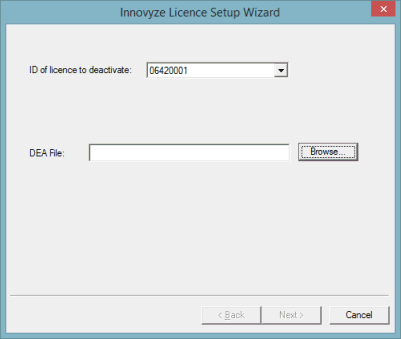
The ID of license to deactivate dropdown box only appears for network licenses if there is more than one network licenses present. Select the soft license to deactivate.
Click the Browse button. A standard Windows Save As dialog is displayed, with a suggested path for the DEA file.
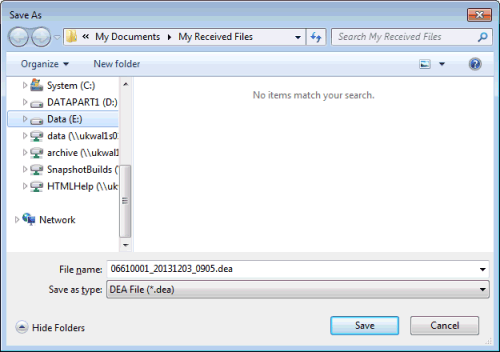
Leave the location as is or browse for the desired location and click the Save button. The DEA file is automatically generated in the selected location (at this point, the license is deactivated on the PC).
Back on the Deactivate page, the DEA File: box now shows the path of where the DEA file can be found on the PC.
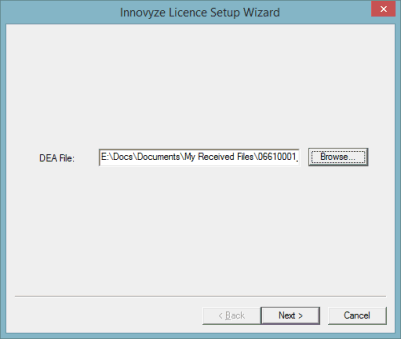
Click the Next button. The Finish page is displayed. Click Finish to complete the process.
Send this file to the Innovyze Support team who in turn will send a new CDK file to be used to activate the new license on a different PC.