The License Action Page of the License Wizard can be used to register, unregister or revoke soft licenses..
This page is displayed when the Manage soft licenses option is selected on the Wizard Welcome page.
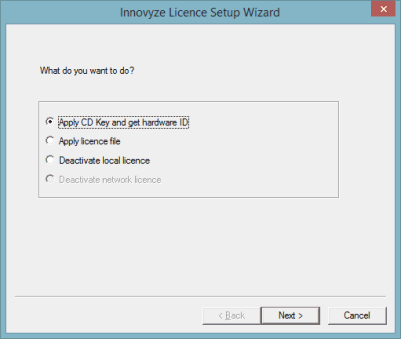
The following options are available on the dialog:
- Apply CD Key and get hardware ID - use this option to enter the CD key provided by Innovyze in order to get a hardware ID file (both the CD key and the HID file are required for building a license). Click Next. The CD Key Page gets displayed.
- Apply license file - use this option to actually activate the license. This requires a hardware ID file, therefore the Apply CD Key and get hardware ID option must be invoked prior to this option being selected. Click Next. The Apply License Page gets displayed.
- Deactivate local license - use this option to revoke the local soft license.
- Deactivate network license - use this option to revoke the network soft license (this can be used to move licenses between PCs). This option is only available on the floating license server.
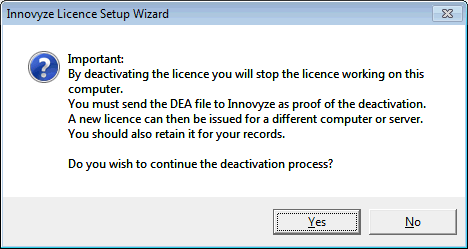
When deactivating licenses, after the Next button is clicked, a warning message is displayed warning the user that the license will no longer work (see screenshot below). Click Yes on that message to continue with the deactivation. The Deactivate Page gets displayed.