Pivot Door
The Pivot door is hinged on one side only. You can also make the door a double door, with two door elements, each hinged on its outer edge.
 Create panel >
  (Geometry) > Doors > Object Type rollout > Pivot Door button
- Default menu: Create menu > AEC Objects > Pivot Door
- Alt menu: Objects menu > Architectural Parts > Pivot Door
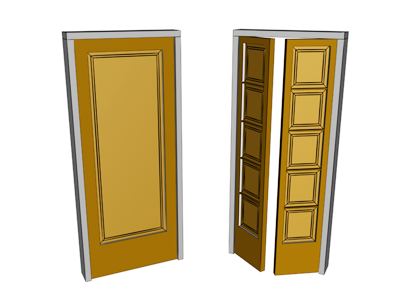
Single and double pivot doors
This topic describes only controls and behavior unique to the Pivot door. Most door parameters are common to all kinds of doors; see Doors.
For using materials with doors, see Doors and Materials.
Interface
Parameters rollout
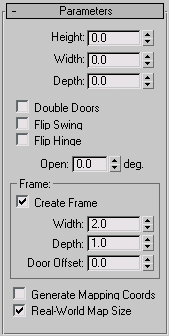
The Parameters rollout contains three checkboxes specific to Pivot doors.
Double Doors
Makes a double door.
Flip Swing
Changes the direction the door swings.
Flip Hinge
Places the door hinges on the opposite side of the door. This option is unavailable for double doors.