Editable Patch (Handle)
The Handle sub-object level in Editable Patch provides direct access to vertex handles, or vectors, without going through the Vertex sub-object level.

- Select an editable patch > Modify panel > Modifier stack display > Expand the Editable Patch entry. > Handle sub-object level
- Select an editable patch > Modify panel > Selection rollout > Handle
- Select an editable patch > Right-click the patch > Tools 1 (upper-left) quadrant of the quad menu > Sub-objects > Handle
Handles are also accessible at the Vertex sub-object level, but the Handle sub-object level provides the following enhanced features:
- The ability to select multiple handles for transformation and application of operations such as Patch Smooth to them.
- Usage of the transform gizmo when manipulating handles.
- Elimination of the possibility of inadvertently transforming vertices.
- Support for named selection sets of handles.
- Copying and pasting handles.
- Use the Align tool for aligning handles.
Interface
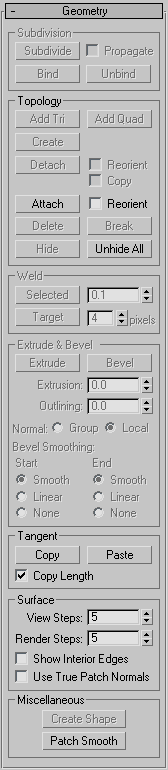
See Geometry Rollout (Patch) for detailed descriptions of these controls.