Spline Mirror Modifier
Similar to the Symmetry modifier, the Spline Mirror modifier duplicates a spline along a specified axis. Any present normals are also duplicated.
- Select a spline. >
 Modify panel > Modifier List > Object Space Modifiers > Spline Mirror
Procedures
To use the Spline Mirror modifier:
Select a spline.
On the
Modify panel > Modifier List, select Object-Space Modifiers > Spline Mirror.The spline is automatically duplicated along the specified axis.
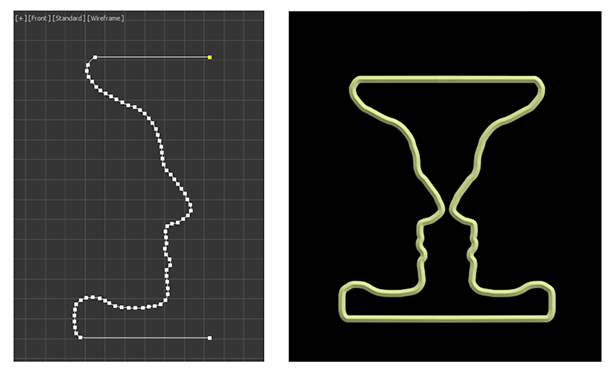
A Rubin vase created by applying a Spline Mirror modifier onto an editable spline.
Interface
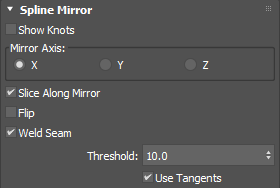
Modifier Stack
Mirror
Represents the axis of the mirror effect. You can move, rotate or scale the gizmo to affect the mirroring as well as animate the transforms.
Spline Mirror rollout
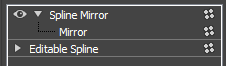
Show Knots
Displays knots on the spline.
Mirror Axis
Sets the axis along which to mirror the spline: either X, Y, or Z.
Size
Sets the size of the mirror gizmo in the viewport.
Slice Along Mirror
When enabled, slices the portion of the spline that falls on the opposite side of the mirror so it is not reflected.
When the gizmo is outside the boundaries of a spline, the symmetrical reflection is still treated as part of the original shape.
Flip
Inverts the direction of symmetry.
Weld Seam
When enabled, welds the start and end knots from the original and reflected splines when they fall within the specified threshold.
Threshold
Sets the proximity threshold for welding knots.
Use Tangents
Keeps the tangents for retained knots.