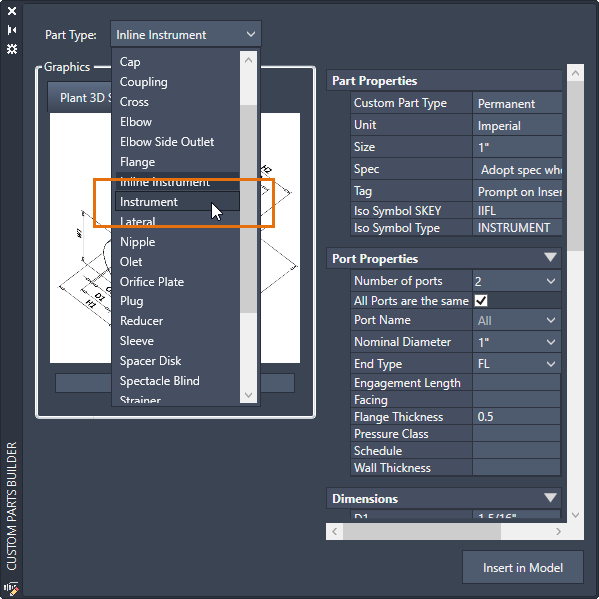
3D modeling enhancements in this release include:
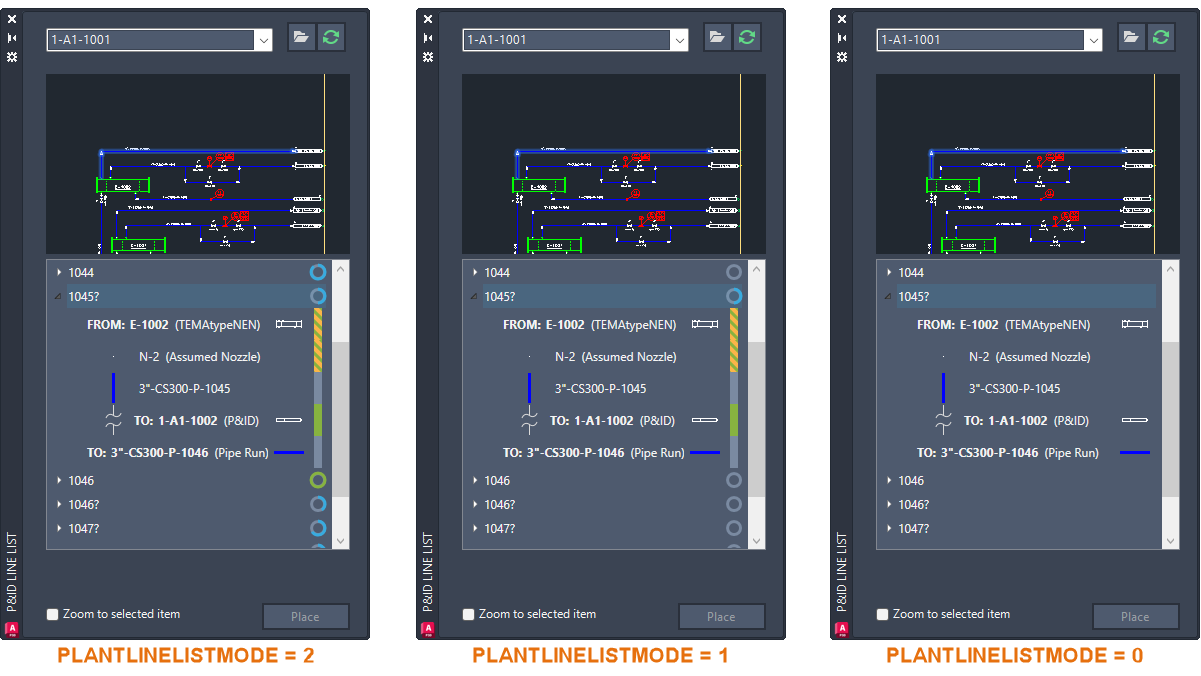
- Piping completion rate and status indicated in the P&ID Modeler.
- Display of the P&ID painter style in the P&ID Modeler dialog box for P&ID previews.
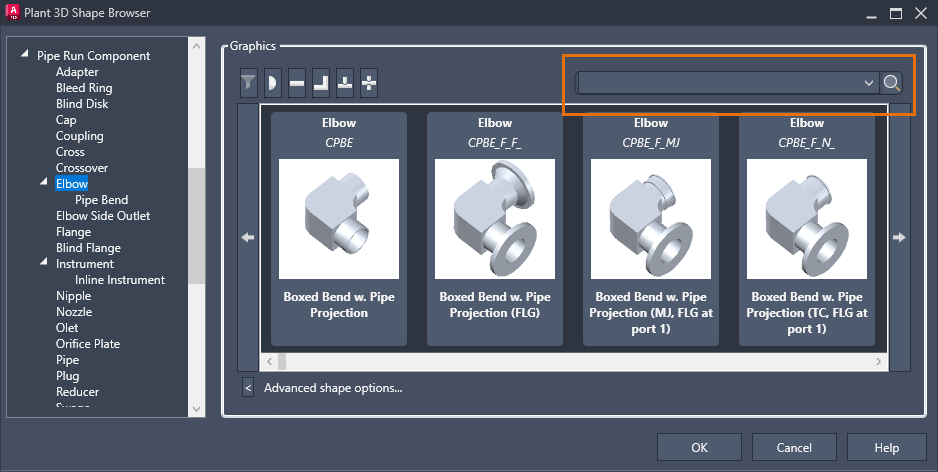
- The ability to search for custom parts now works consistently in the Shape Browser.
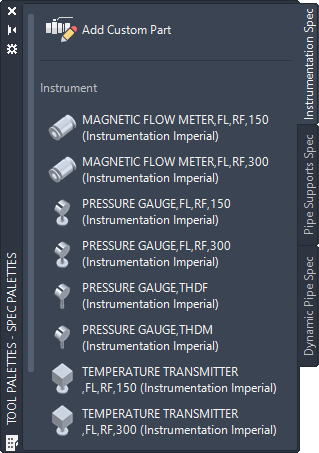
- The ability to add custom parts from the Instrumentation Spec tool palette.
- Availability of the Instrument class in the Part Type drop-down list.
Indicate Piping Completion Rate and Status
Two new indicators have been added to the P&ID Modeler.
The first indicator is a circle displayed for each pipeline group and branch, representing the overall completion rate. Hovering over the circle displays the completion percentage for the pipeline.
The second indicator is a colored bar that shows the completion status of each component:
- Green - The component is modeled, and all mapped properties match.
- Green and Yellow dashes - The component is modeled, but some mapped properties do not match between the P&ID and piping models. Hovering over the status bar displays a tooltip with details.
- Gray - The component is not modeled.
Note: The PLANTLINELISTMODE system variable controls the visibility of the completion rate indicator.
Search for Custom Parts in the Shape Browser
The search box in the Shape Browser dialog box now functions as expected when adding a custom part.
Add Custom Parts from the Tool Palettes Window
Custom parts can now be added from the Instrumentation Spec tab in the Tool Palettes window.
Instrument Class Added to the Part Type Drop-Down
The Instrument class has been added to the Part Type drop-down list in Custom Parts Builder.