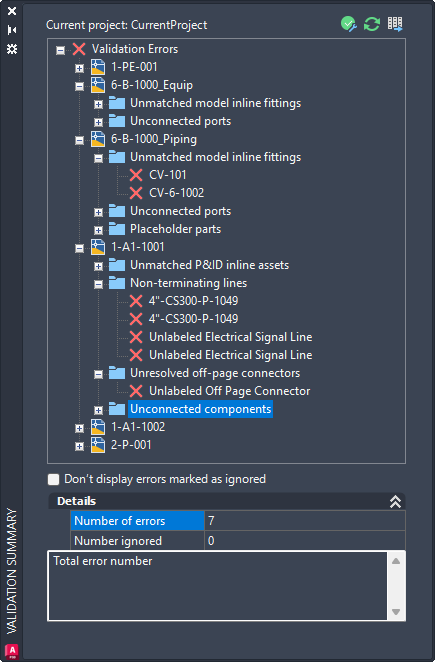
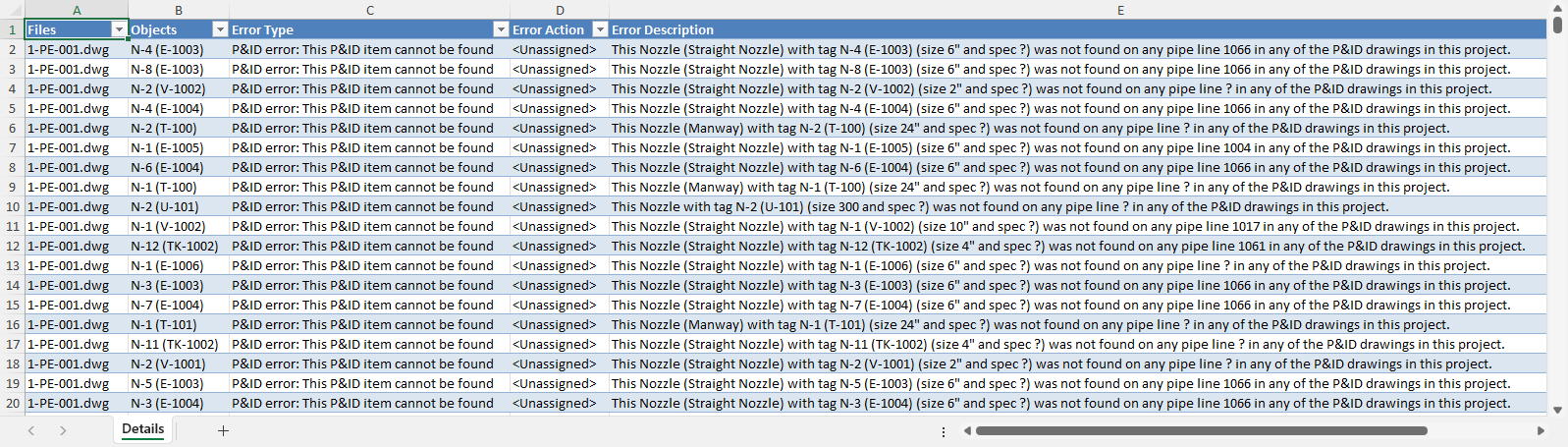
Project management improvements in this release include:
- Converting selection list types from unshared to shared, and vice versa
- Comparing selection lists between two projects
- Importing the Document Registry report
- Exporting validation reports
Convert Selection List Types
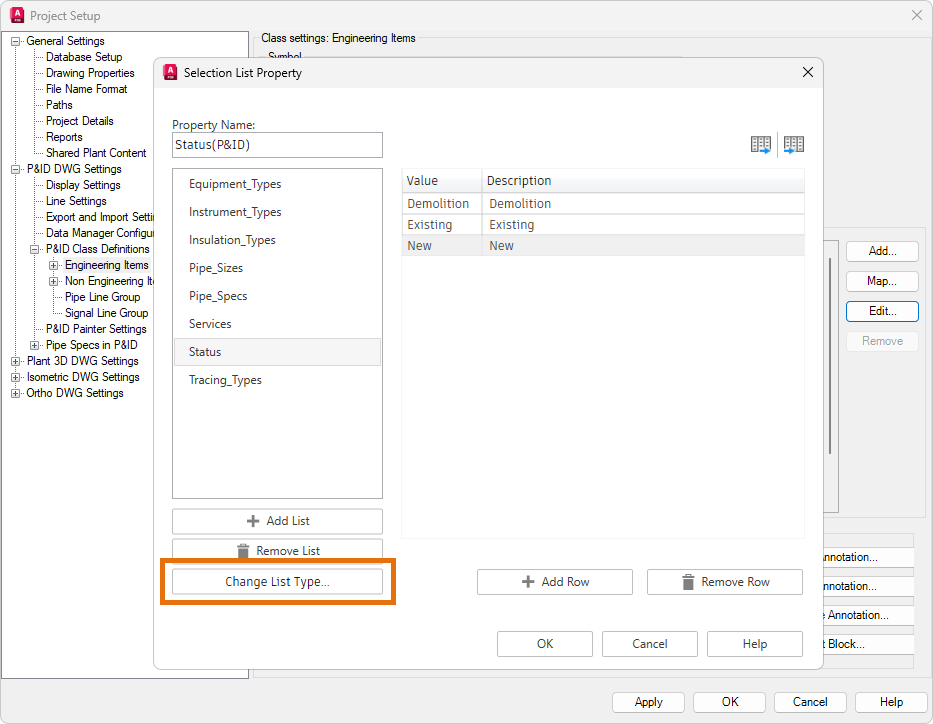
The Selection List Property dialog box has been redesigned to allow individual unshared selection lists to be converted to shared lists across P&ID and 3D piping classes, and vice versa.
In the Selection List Property dialog box, click Change List Type to convert an unshared selection list to a shared list, or to convert a shared list back to unshared.
Depending on the current shared state of the selection list, one of the following messages is displayed:
- Converting an unshared selection list (in either a P&ID or 3D piping class) to a shared list across both classes.
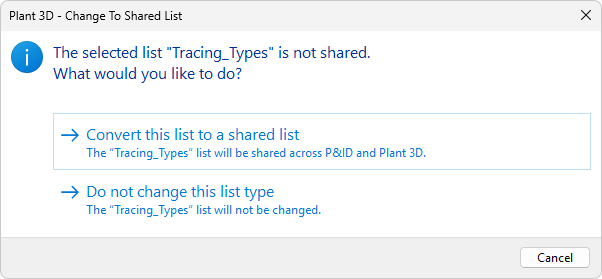 Note: If both the P&ID and 3D piping classes contain selection lists with the same name, either rename one of the unshared lists or merge both lists into a single shared list.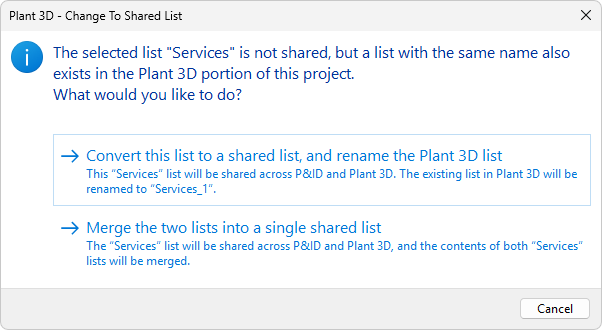
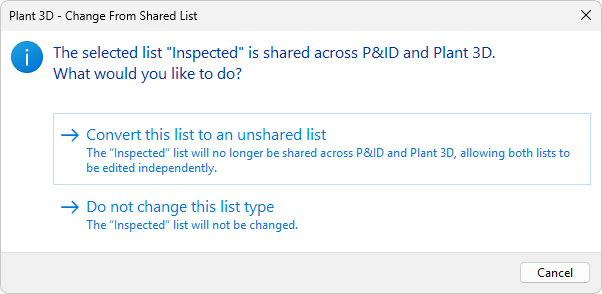
- Converting a shared selection list to an unshared list for both P&ID and 3D piping classes.
Compare Selection Lists Between Projects
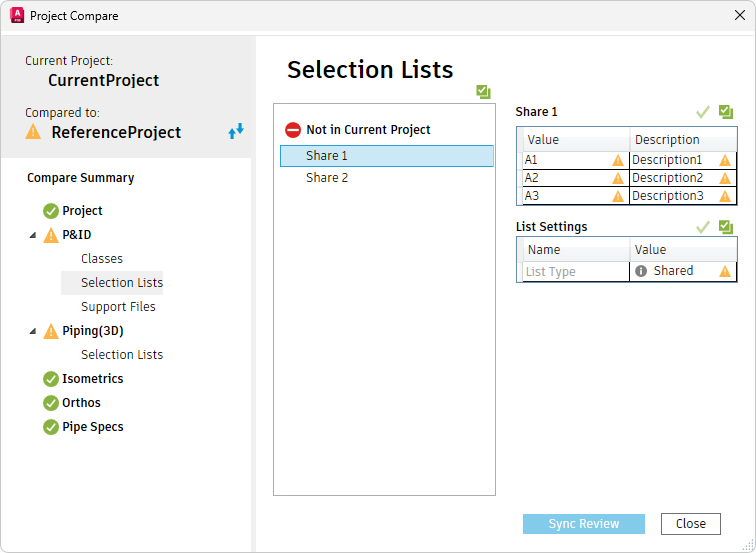
Differences in shared selection lists can be synchronized when comparing two projects.
A new List Settings table in the Project Compare dialog box displays the state of the selection lists, allowing you to review, accept, and synchronize changes from the reference project to the current project.
Import Document Registry Report
Selective properties in the Document Registry report can now be edited in the Data Manager.
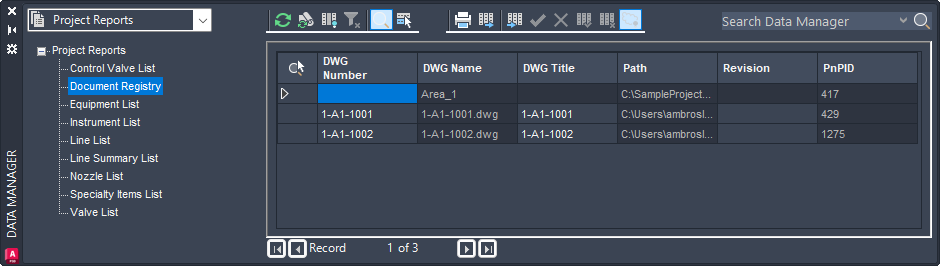
The following Document Registry properties are editable; all other properties are protected and read-only:
- DWG Number
- DWG Title
- Revision
- User-added custom properties
Additionally, edits made to these properties in the exported Excel report can now be imported back into the Data Manager.
Export Validation Reports
Validation reports can now be exported by clicking Export in the validation summary window. Reports can be saved in Excel Workbook (XLSX) or CSV file format.