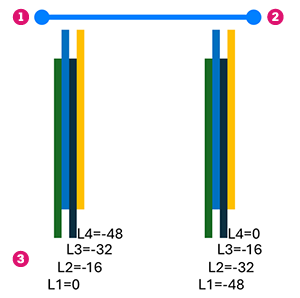
You can adjust the range of the path shape distribution by dragging start or end of the path handles along the distribution path (1) or outside of it, where they extend on a tangent (2).
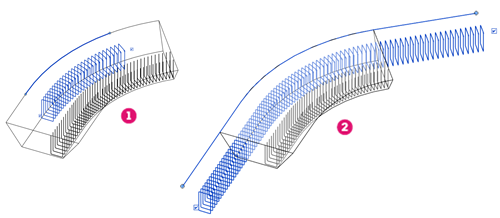
To precisely position the path ends from their constrain targets (typically the end faces of the concrete host), you can edit the Path Start Offset and Path End Offset parameters in the properties palette, under the Rebar Set group.
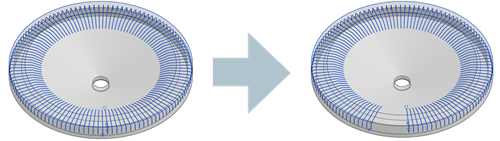
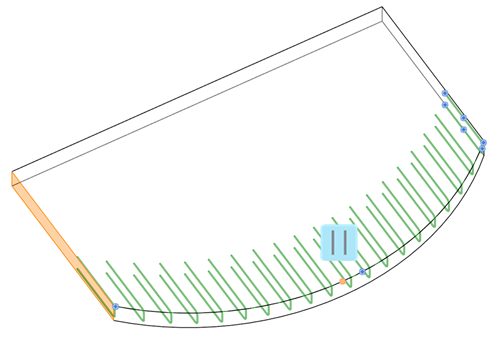
When applying path shape distribution to a circular concrete host, bars are arranged without overlapping at the path's ends. Adjust the range by dragging the path endpoints.
Edit Constraints
In Edit Constraints you can specify the offsets for the path end handles, faces to which the ends are constrained as well as add or remove edges from the distribution path.
The position of the constraint handles is shown in the following example, where the Start of Path (1) has an offset of -3000 mm from the cover of the highlighted face (constraint target).
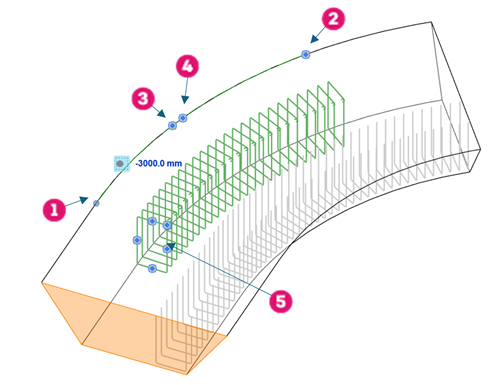
- Start of Path
- End of Path
- Path Edge
- Align
- Segment and Bar End Handles
The align handle works in conjunction with the Bar Alignment parameter in the properties palette. You can set that to Vertical, such that all the bars in the set are aligned to the path and vertical or make the bars parallel or perpendicular to a face selected while editing constraints.
Here's an example where U-bars on the edge of a slab are set to be parallel to the selected face. See Path Alignment Options for Free Form Rebar.
- Start
- End
- Offsets