Skin Tools provides a non-destructive, layer-based skinning system for Autodesk Maya. It extends Maya's native skin cluster with editable skin layers, masks, and advanced tools for painting, mirroring, and managing skin weights.
Use Skin Tools when you need iterative, production-safe skinning workflows, complex character rigs, or advanced mirroring and automation.
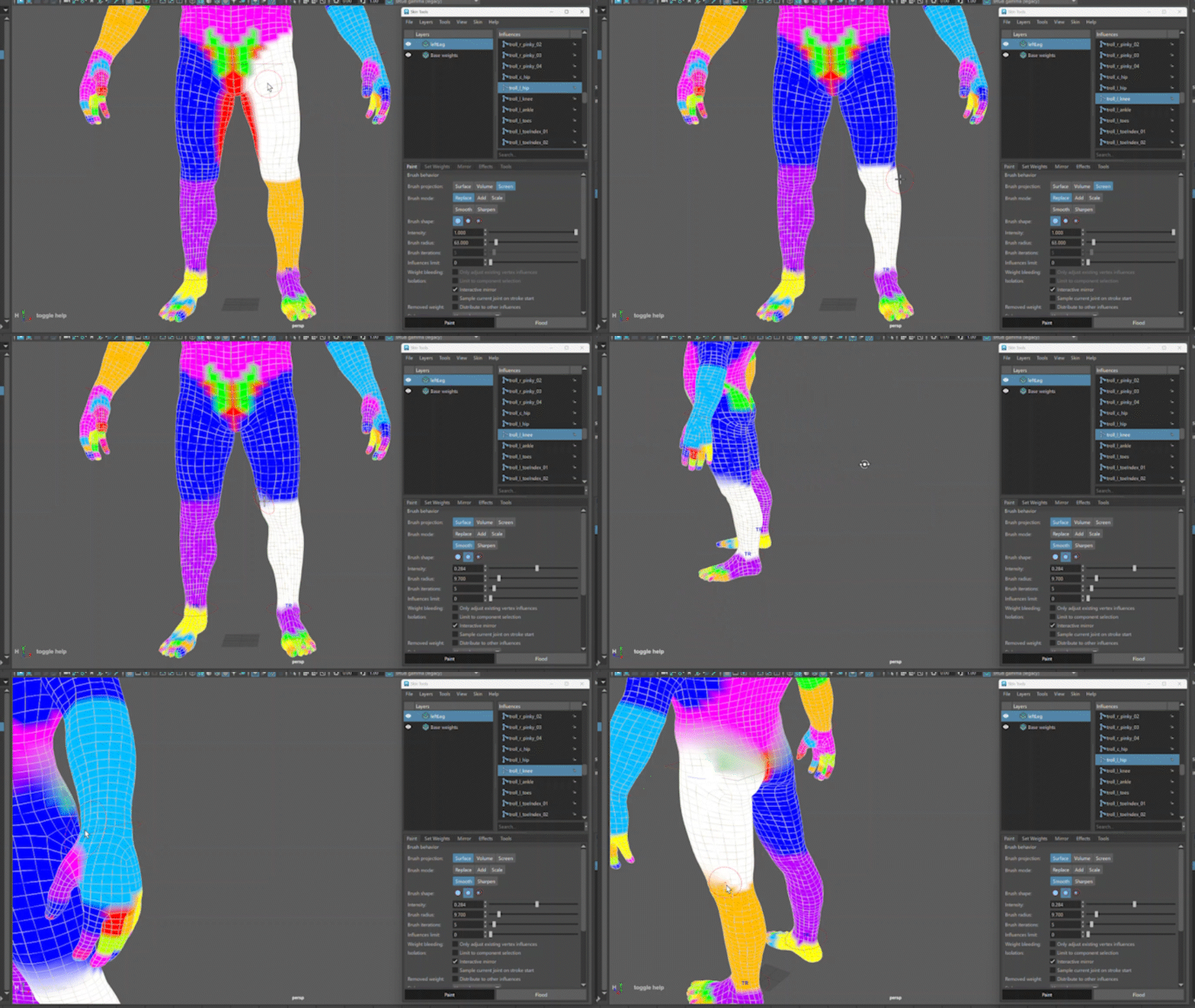
Topics in this section
Skin Tools overview
Skin Tools introduces a fundamental shift in the character skinning paradigm within Maya. It reframes the process from a linear, often frustrating task into an organized, iterative, and efficient workflow. The core of this system is its non-destructive nature, which provides a robust framework for artists to build, refine, and experiment with skin weights without the fear of making irreversible mistakes.
Initialize and manage Skin Tools
Initialize and manage the Skin Tools layer system on skinned meshes, including setup, switching between skin clusters, and removing or resetting layers.
Skin Tools UI
The Skin Tools UI provides a layer-based workflow for editing skin weights on a Skin Cluster.
Skin Tools painting and brush tools
Skin Tools provides specialized brushes for painting and refining skin weights on layers. Skin Tools painting operates on the active layer and the selected influence.