Attach files to an item
Note: You can only upload files to items that are open to you, and for which you have edit permission.
Navigate to the item you want to attach files to and click the Attachments tab.
On the Attachments tab, click Upload to show the Open dialog.
In the Open dialog, select the files to upload and click Open.
Tip: Alternatively, drag files from your computer onto the Attachments tab.The Upload dialog opens.
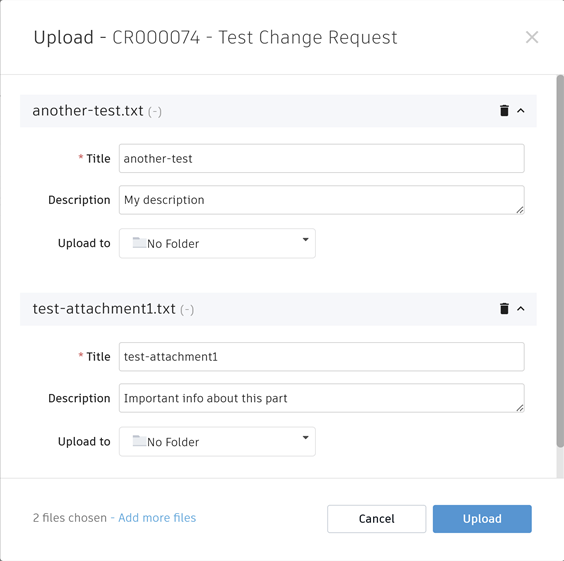
Optional: In the Upload dialog, enter descriptions for the files you are uploading.
Optional: If you want to store a file in a folder, select an existing folder or create a new one from the Upload to box.
Click Upload.
The upload progress is shown at the top of the screen.
Move an attachment to a folder
If an item contains folders, you can move attachments to them.
- On the Attachments tab for the item, select the file you want to move.
- To the left of the attachment name, drag the move icon
 to the folder you want to move the attachment to.