Issue:
How to export a drawing to PDF in AutoCAD Web App and AutoCAD Mobile App.
Environment:
- AutoCAD Web App
- AutoCAD Mobile App
Solution:
AutoCAD Web App
You can plot to PDF in AutoCAD Web App by using the PLOT command, or by clicking the PLOT icon in on the Top Right Ribbon.
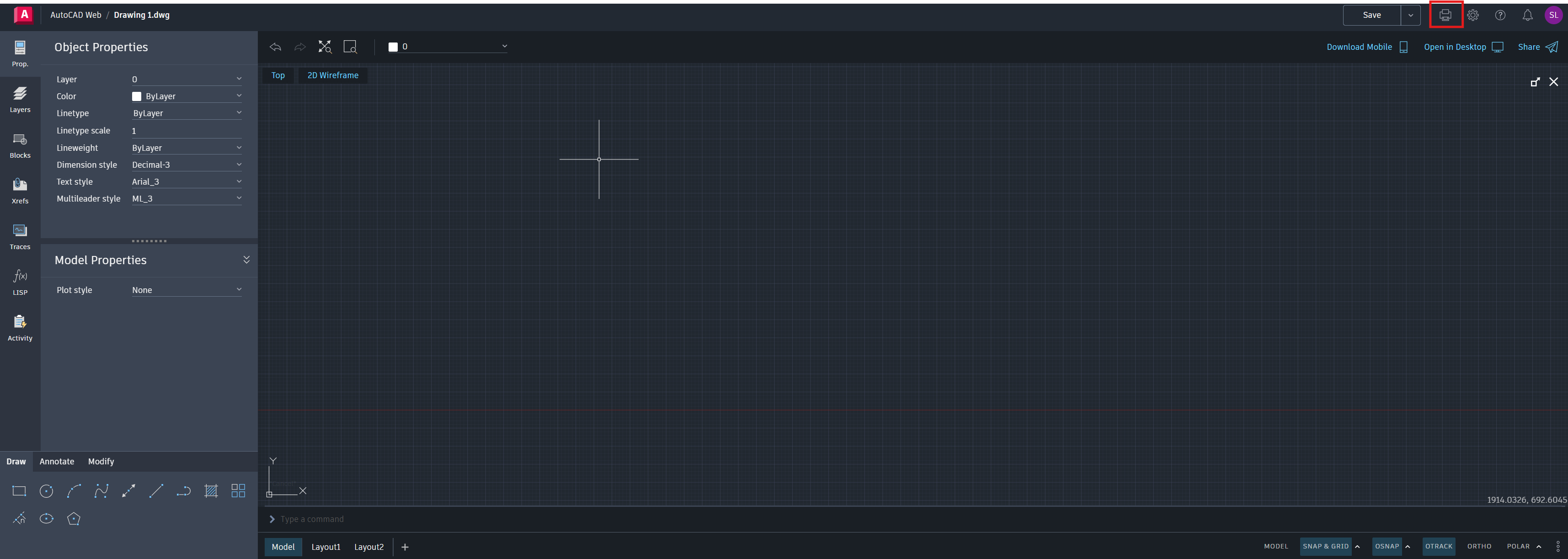
See AutoCAD Web App Help: Plot to PDF
AutoCAD Mobile App
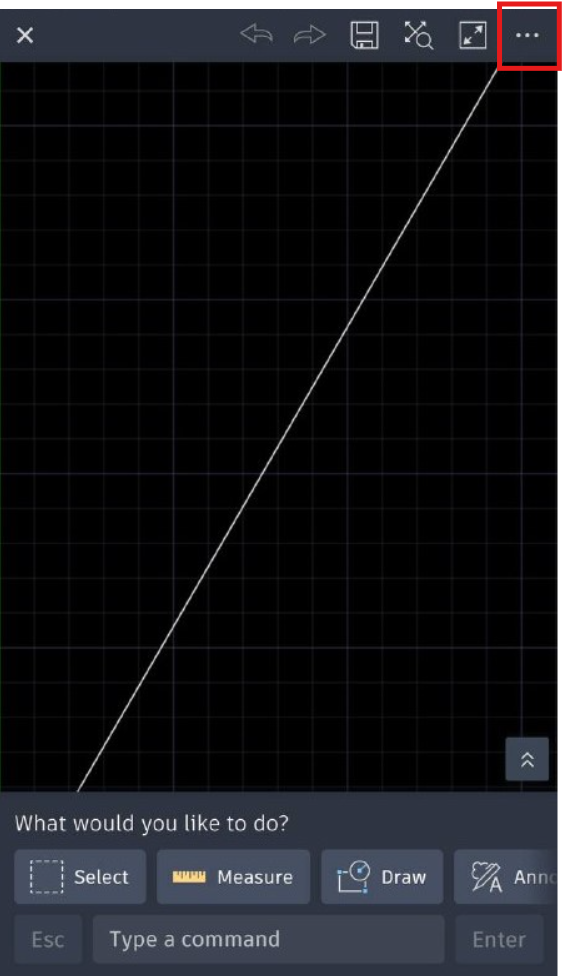
- Click on the top Right hand corner.
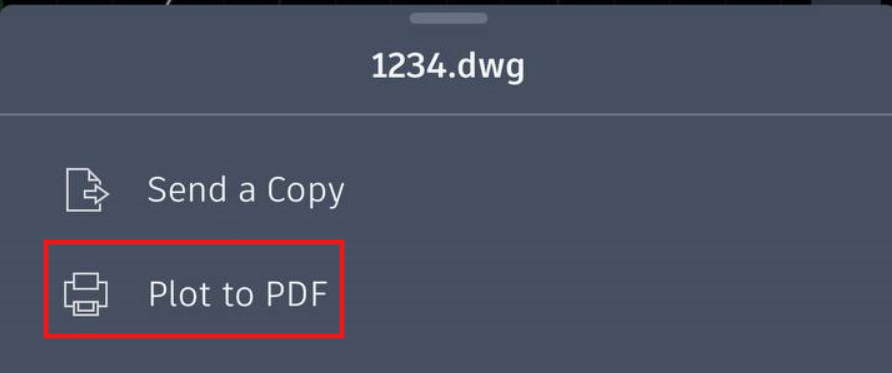
- Click on the "Plot to PDF" function.
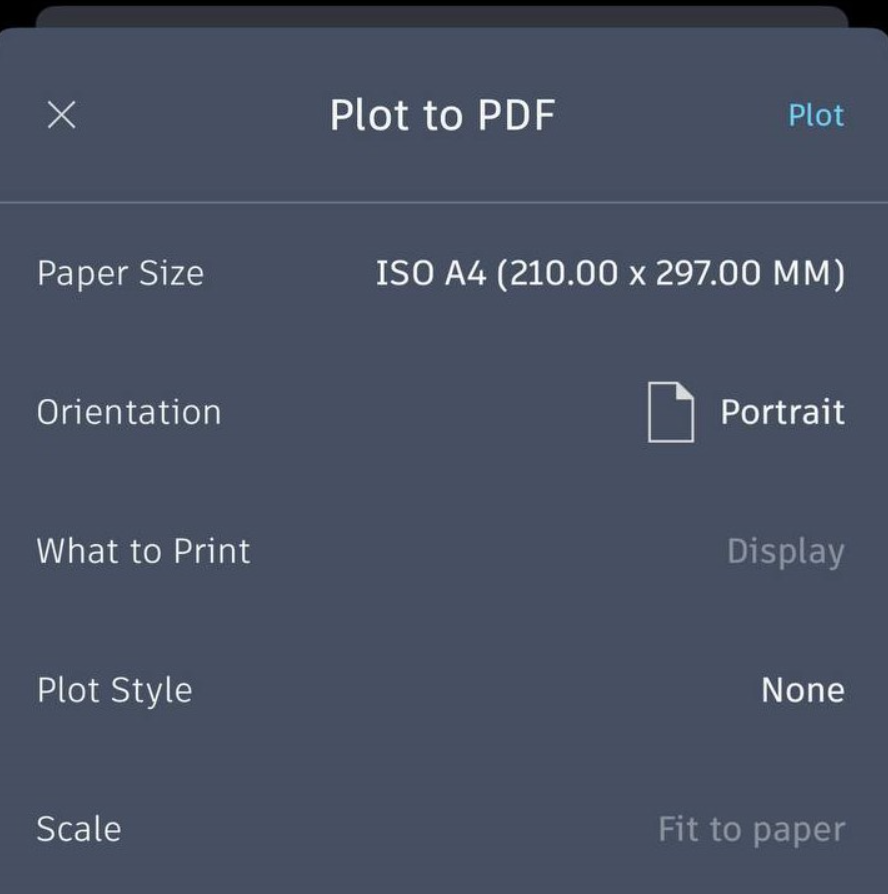
- Choose the settings to your desired result and Plot.