
The current User Coordinate System (UCS) determines the position of the main beam axes. The curved beam web runs in the Z direction of the current UCS. The top of the section is in the Z direction. The created curved beam can rotate 90° about its system line.
Example: Create a curved beam between two columns
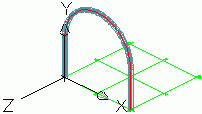
- Select a user coordinate system as shown in the figure above.
- On the ribbon, click
 (Curved beam).
- Home
 Objects
(Curved beam)
Objects
(Curved beam)
- Home
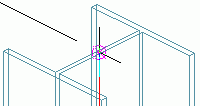
- Use the upper system line end points of the columns as the start point and end point.
- Define the radius of the curved beam with a circle point.
Note: The circle point must be defined in the XY plane of the coordinate system.
- Select a point at any radius and then specify the desired radius value on the Positioning tab in the Beam dialog box.