
Issue:
When initiating a Revit model to BIM 360 as Cloudworkshared Model by click on Collaborate > "worksets", the following message is received:
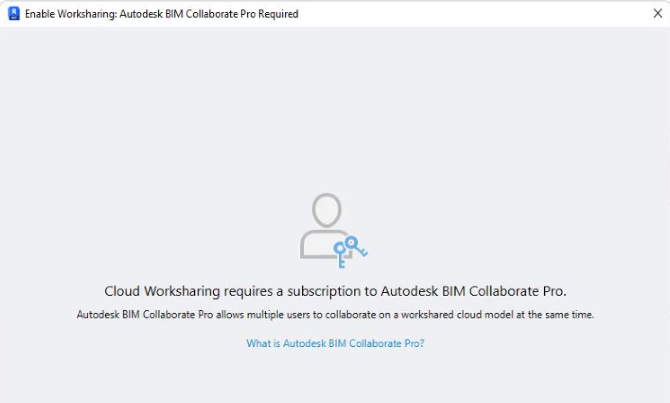
Cloud Worksharing requires a subscription to Autodesk BIM Collaborate PRO (before BIM 360 Design)
Causes:
A subscription to BIM Collaborate PRO (before BIM 360 Design) is not assigned, and Revit cannot sign in to the Autodesk Account.
Solution:
If a Revit Model cannot be initiated as Cloud Work shared Model in BIM 360, contact your Account Administrator and follow the steps below:
Go to the Autodesk Account manage site
On the link menu, select User Management > By User
Select the Team where the new user should be added.
Click on "+invite users" and add the user to assign the BIM Collaborate PRO license
Click on the user to assign a license
Assign a BIM Collaborate Pro license.
If the steps above doesn't resolve the issue, go through the troubleshooting steps in the "See also" article below to resolve it.
See Also:
"You do not currently have access to Autodesk Collaboration for Revit" when opening a workshared model in Revit due to entitlement issues