
Issue:
How to switch the data storage regional locations from one region to another in Autodesk Construction Cloud to access the projects hosted in different regional locations.
Solution:
To switch between data storage regions and to access the projects hosted on different regional storage locations, follow the below:
- Log in to Autodesk Construction Cloud
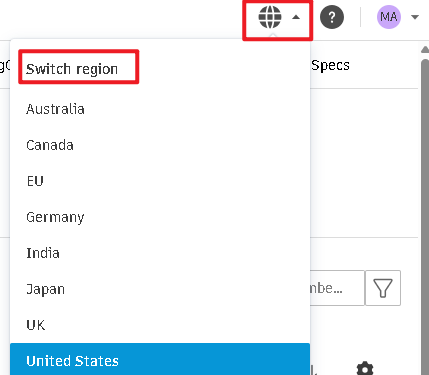
- Use Switch regions from the top right corner and choose the preferred data storage region to access the projects hosted in the respective regional storage locations.
Or Use following URL to access required data storage regions
Australia: https://acc.aus.autodesk.com
Germany: https://acc.deu.autodesk.com
Japan: https://acc.jpn.autodesk.com
Canada: https://acc.can.autodesk.com
India: https://acc.ind.autodesk.com