
The basic information on the project can be specified on the Project tab.
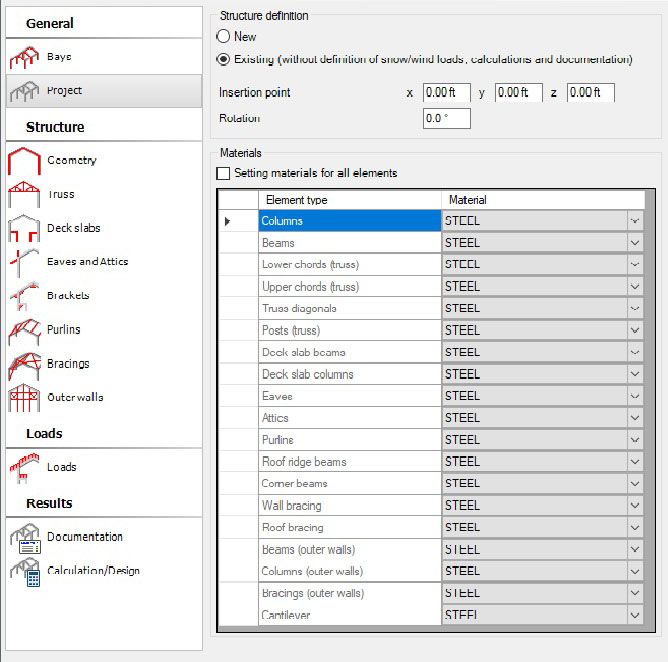
This tab provides the following information about the project:
- structure:
new - if you select this option the structure will be created in a new project; it will be possible to define snow/wind loads, perform calculations and generate a note.
existing - selecting the option creates the structure in the existing project.
Insertion point defines location:
X, Y - coordinates of the left column of the first bay
Z - 0,00 level (floor)
Rotation defines the angle between the bay plane and the XZ plane.
Rotation axis: (X, Y, 1) where X, Y are the insertion point coordinates.
The rotation option is available only in case of insertion the structure to the existing project.
- materials
If the Setting materials for all elements option is activated, it is possible to assign material to groups of elements (frame structure elements). If this option is activated, the edit fields for material definition for the frame structure elements will not be available on all the tabs; the material set on the above tab will be set in the selection lists.