• Help Home
  • English (US)
    1. English (US)
    2. 简体中文
    3. 繁體中文
    4. Čeština
    5. Deutsch
    6. Español
    7. Français
    8. Italiano
    9. 日本語
    10. 한국어
    11. Polski
    12. Português (Brasil)
    13. Русский
    • What's New in Revit
    • Revit 2025 Release Notes
    • Get Started
    • Have You Tried
    • Cloud Models
    • Model the Design
    • Architectural Design
    • Structures
    • Mechanical, Electrical, and Plumbing (MEP)
    • Document and Present the Design
    • Analyze the Design
    • Collaborate with Others
    • Customize Revit
    • Dynamo for Revit
    • Revit and Revit LT Installation
    • Autodesk Installation
    • Revit Developer's Guide
      • Revit API Developers Guide
        • Introduction
        • Basic Interaction with Revit Elements
        • Revit Geometric Elements
        • Discipline-Specific Functionality
        • Advanced Topics
        • Appendices
          • Glossary
          • Hello World for VB.NET
            • Create a New Project
            • Add Reference and Namespace
            • Change the Class Name
            • Add Code
            • Build the Program
            • Create a .addin manifest file
            • Debug the Program
          • Material Properties Internal Units
          • Concrete Section Definitions
          • API User Interface Guidelines
        • FAQ
    • Revit API Reference Guides
    • Troubleshoot
    Share
    • Email
    • Facebook
    • Twitter
    • LinkedIn

    Change the Class Name

    To change the class name, complete the following steps:

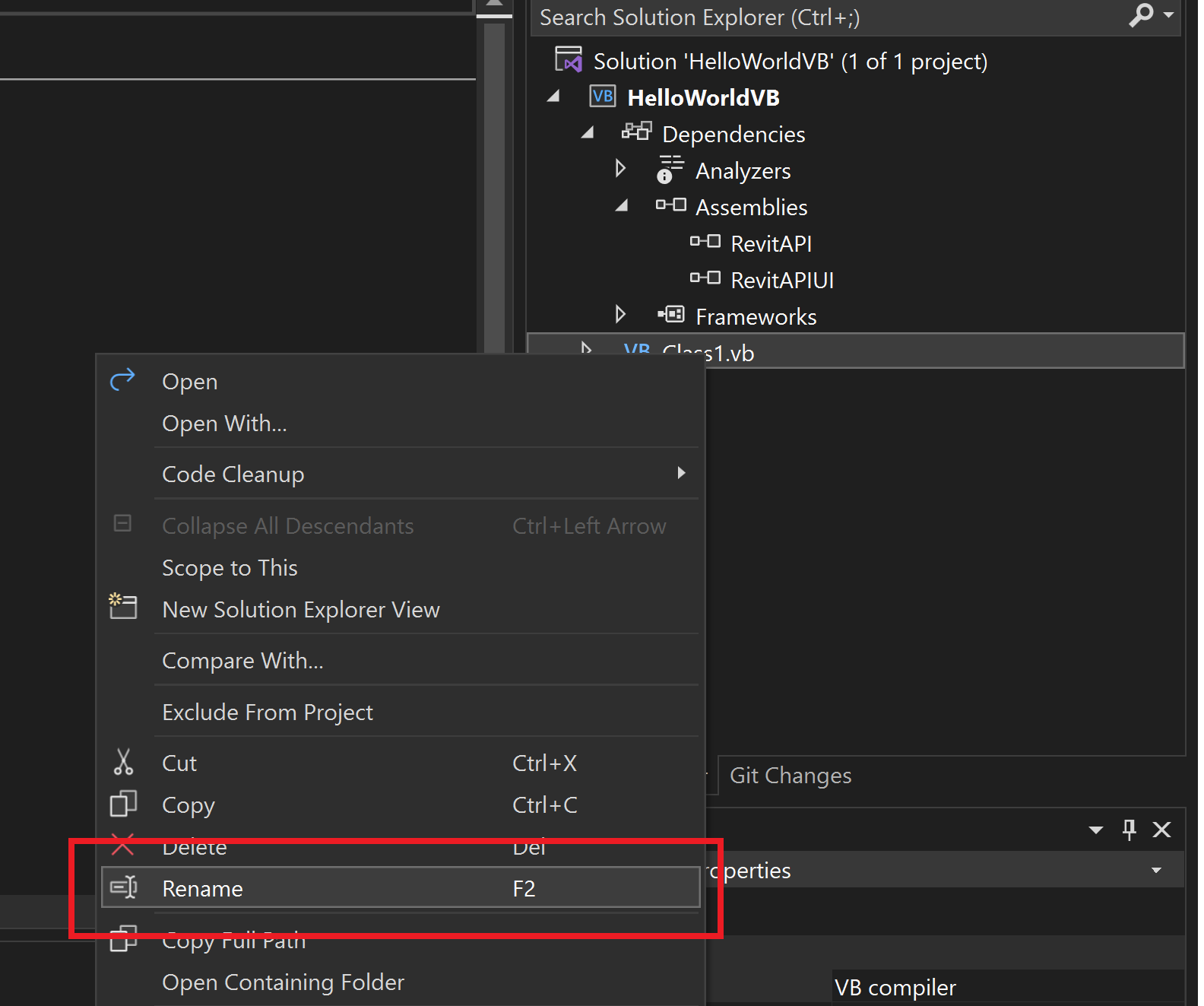
    1. In the Solution Explorer, right-click Class1.vb to display a context menu.
    2. From the context menu, select Rename. Rename the file HelloWorld.vb.
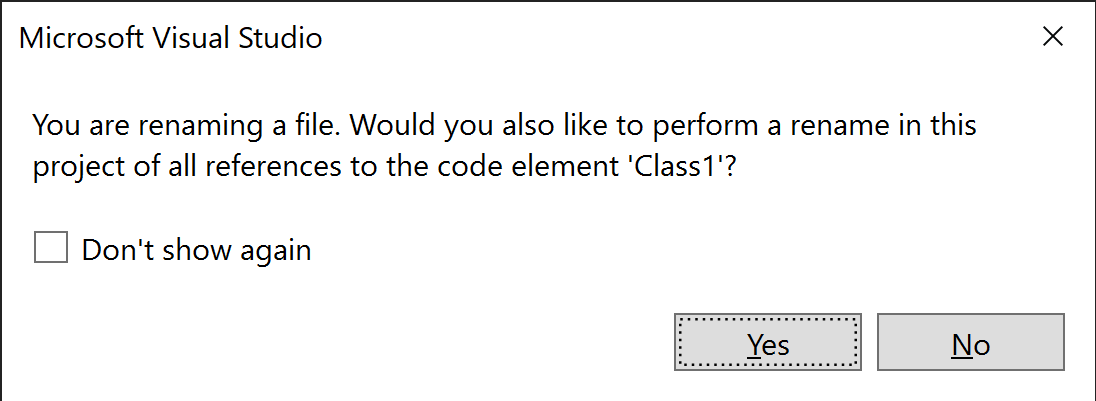
    3. The following message will appear. Click Yes.
    4. In the Solution Explorer, double-click HelloWorld.vb to open it for editing.Figure 174: Change the class name
    Parent page: Hello World for VB.NET

    Was this information helpful?

    Except where otherwise noted, this work is licensed under a Creative Commons Attribution-NonCommercial-ShareAlike 3.0 Unported License. Please see the Autodesk Creative Commons FAQ for more information.

    • Privacy Statement
    • Legal Notices & Trademarks
    • Report Noncompliance
    • © 2025 Autodesk Inc. All rights reserved