
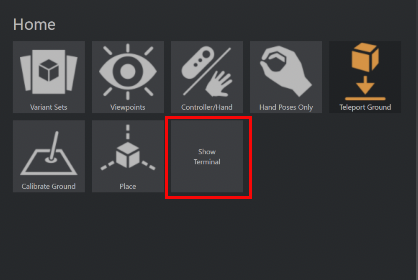
(Deprecated Snippet) Menu with Show Terminal button
Use this script to open the VRED terminal via a custom entry from the VR Menu. Once this is setup in the Variant Sets Script tab, a Show Terminal button will appear in your virtual VR Menu.
In the Variant Sets module, click the Script tab.
From the toolbar, click
 .
.Rename the new variant set to
VR_Terminal.Copy and paste the following script into the Script window.
# Create VR menu button
vr_terminal = vrImmersiveUiService.createTool("VR_Terminal")

# Set text label on button
vr_terminal.setText("Show\nTerminal")

# Set module to display when clicked
vr_terminal.setViewContent('Terminal')
Right-click within the script tab and select Execute. Now, the Show Terminal button appears in the VR Menu.