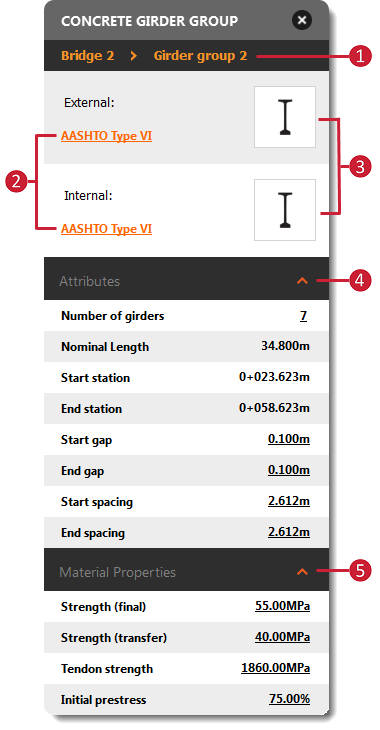
Girders groups are bridge components containing interior and exterior girders. Select a girder group to review and modify material properties or adjust gap and spacing for your girder group.
Click the same girder segment twice to select that girder group. The Girder Group asset card will appear. Review and modify girders or girder segment groups from the desired feature's asset card or the
Properties Palette.
Note: See
Work with Girders for information about selecting and editing individual interior or exterior girders.
| Girder Group Asset Card
|
|
|---|
|
|
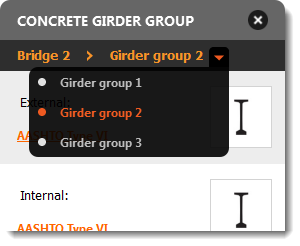
- Hover the mouse cursor over the Bridge or Girder Group name to view and/or select the desired bridge or girder group.
- Click
 in the
Utility Bar to enter
Edit mode. Click the Exterior or Interior Girder type name to display the girder component catalog. Double-click a new girder component style to apply it. in the
Utility Bar to enter
Edit mode. Click the Exterior or Interior Girder type name to display the girder component catalog. Double-click a new girder component style to apply it.
Note: Exterior and interior girder components cannot be modified for Steel Girder bridges.
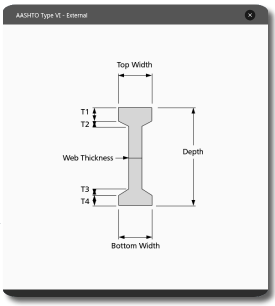
- Click an external or internal girder group image to view a girder schematic and display the
Properties Palette.
- Directly modify gap, spacing, and number of girders in Edit mode. Start and End station are read-only values in the Asset Card.
Note: for Steel Girder Bridges, you can also choose between Straight or Curved girders.
- Modify material properties such as final compressive strength, transfer compressive strength, tensile (tendon) strength, and initial prestress force in Edit mode.
|