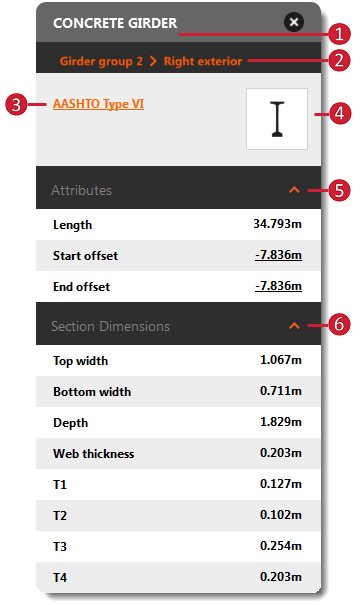
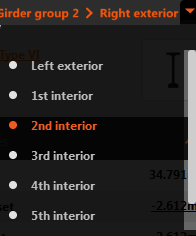
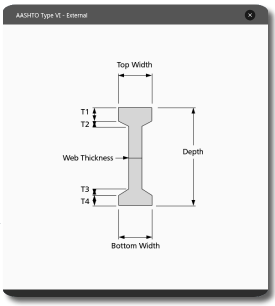
Interior and exterior girders are bridge components within girder groups, and can be edited individually. Select an individual girder to review and modify individual girder styles from a catalog of precast girder component styles, adjust offsets, or review girder schematics.
You can also run Line Girder Analysis (preview) for all prestressed girders of a concrete bridge. See About Line Girder Analysis (Preview) for more information.
| Girder Asset Card | |
|---|---|
 |
|
 in the
Additional tips
Girder start and end station locations are defined by the order in which a user drew the related design road. A girder start station is closest to the road startpoint. When looking from the start station to the end station of a bridge, girder group, or girder, the positive lateral direction of an offset is to the right.
Review and modify Girder properties through the Properties Palette. Select the Girder, right click and choose Properties. Enter Edit mode and click the desired field(s) to modify.