Using basic features of 3ds Max, you’ll create a simple battlefield scene made up of a cannon, a rock, a tree, and a windmill. You’ll also add a camera and use it to view the scene from different angles.
This tutorial, intended for those new to 3ds Max, offers a quick introduction to the world of 3D.
The final steps show you how to add some basic animation, then turn the results into a multimedia file.
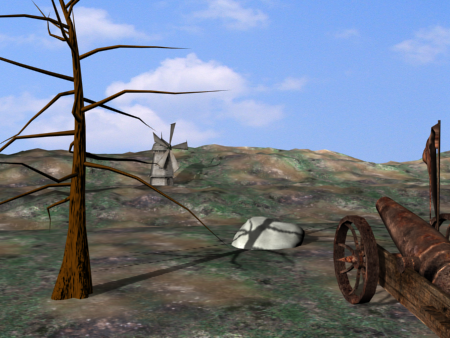
The battlefield
In this tutorial, you will learn how to:
- Open a scene
- View a scene from different angles and perspectives
- Model objects and apply realistic materials
- Move and animate objects
- Render the scene and save it as a multimedia file
Skill level: Beginner
Time to complete: 1 hour
Preparation for This Tutorial
- If you have not already downloaded the tutorial files (MAX scenes and other assets), download them now and unzip them into a project folder called \Autodesk 3ds Max 2016 tutorials. See Where to Find Tutorial Files.
- On the Quick Access toolbar, click
 (Project Folder) and set your current project to Autodesk 3ds Max 2016 Tutorials.