Netfabb is a software tailored for additive manufacturing, rapid prototyping and 3D printing. It prepares three-dimensional files for printing and converts them into 2.5-dimensional slice files, consisting of a list of two-dimensional slice layers. To help users prepare the print, it includes the features for viewing, editing, repairing and analyzing three-dimensional STL files or slice-based files in various formats.
All operations are conducted within projects, which can include any number of three-dimensional parts or slice files. The modular design of the software allows the use of different modules within a project, such as the repair module or the Slice Commander, which are linked to other user interfaces. Still, they can be executed simultaneously, as the user can switch between modules without any loss of information.
The user interface of the program is divided into the viewing screen, the menu bar and toolbar at the top and the context area to the right. The context area is located on the left side, by default, but can also be moved to the right side or hidden entirely. To do that use the respective buttons on the outer edge of the context area. By clicking on the edge of the bar and holding the mouse button, you can move the edge further into the screen by drag & drop.
In the top half of the context area, all parts and slices are listed in the Project Tree. The project tree can be used to get an overview over the project, organize files and to perform certain functions.
Most of the Netfabb window however is occupied by the viewing screen, which consists of the platform, toolbar, and the ruler.
To control the software, functions are accessible through context menus, tabsheets, toolbar, and menu bar. Many of those functions can also be performed with shortkeys on your keyboard.
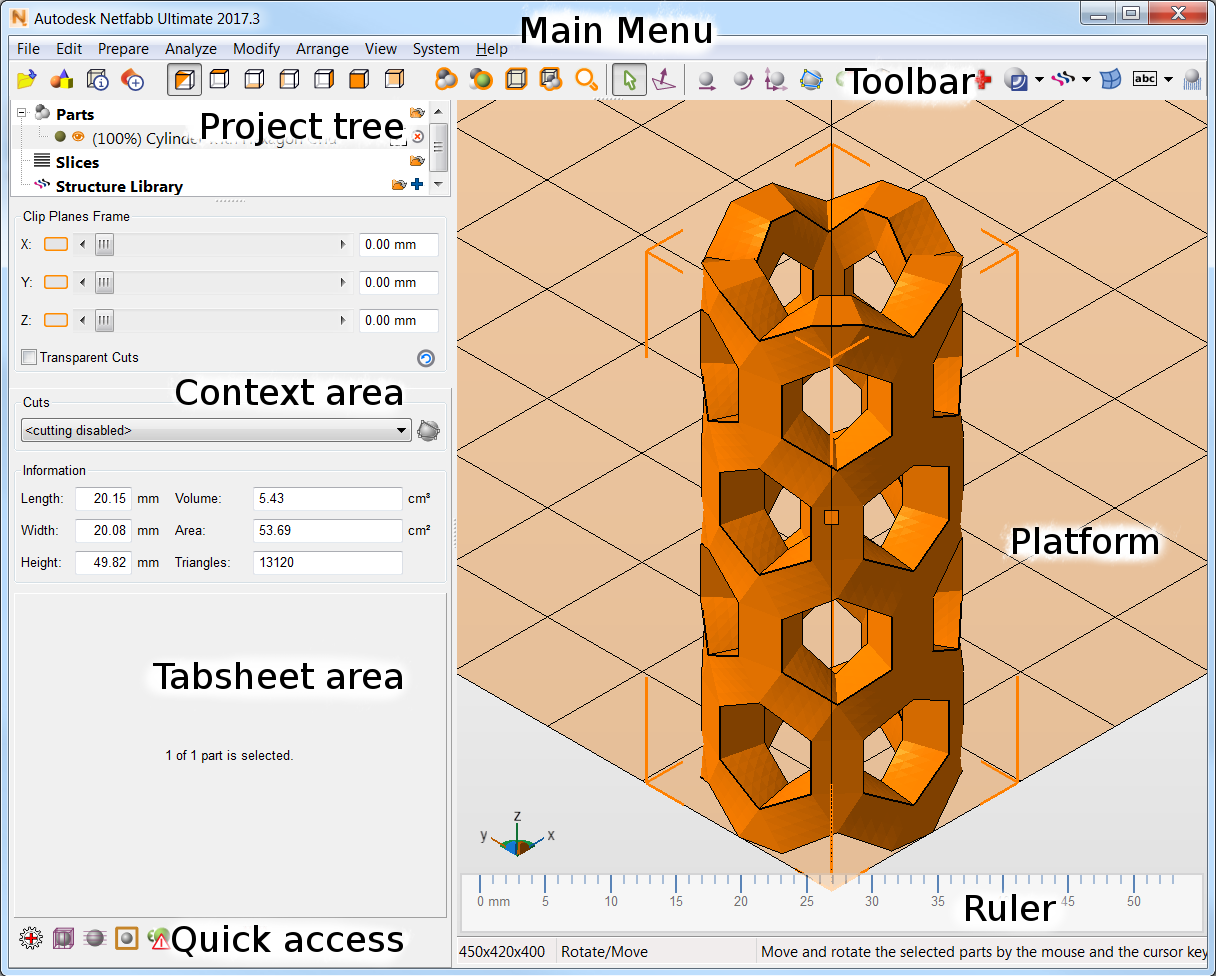
An overview of Netfabb's user interface