5.4.5
18 September 2024
Maya 2025.3 includes MtoA 5.4.5
MtoA 5.4.5 uses Arnold 7.4.3.1 and is a minor feature release bringing a new OpenPBR surface shader, improvements to volume rendering, OIDN support for Apple Metal and AMD GPUs, and many other improvements and bug fixes.
These release notes include all the updates and changes in MtoA since Maya 2025.2, which included MtoA 5.4.2.1.
Installation
Download Arnold for Maya from your Autodesk Account. See Download Arnold for more information about downloading MtoA from your Autodesk Account.
Follow these installation instructions.
Enhancements
MtoA 5.4.5
OpenPBR enhancements - Improvements to the conversion tools and the OpenPBR shader user interface make it easier to convert scenes that use aiStandardSurface or the Maya Standard Surface to OpenPBR. (MTOA-2104,MTOA-2086,MTOA-2062,MTOA-2054)
MtoA 5.4.4
OpenPBR Surface specification used for viewport shading - The viewport representation of the aiOpenPBRSurface node now uses the OpenPBR Surface specification to represent the shading (MTOA-2038)
- OpenPBR improvements
- View-dependent coat absorption: The coat lobe now more accurately models the absorption tinting at grazing angles, producing a slightly more realistic look. (ARNOLD-15377)
| Smooth Coat | Rough Coat | |
|---|---|---|
| 7.3.3.0 | 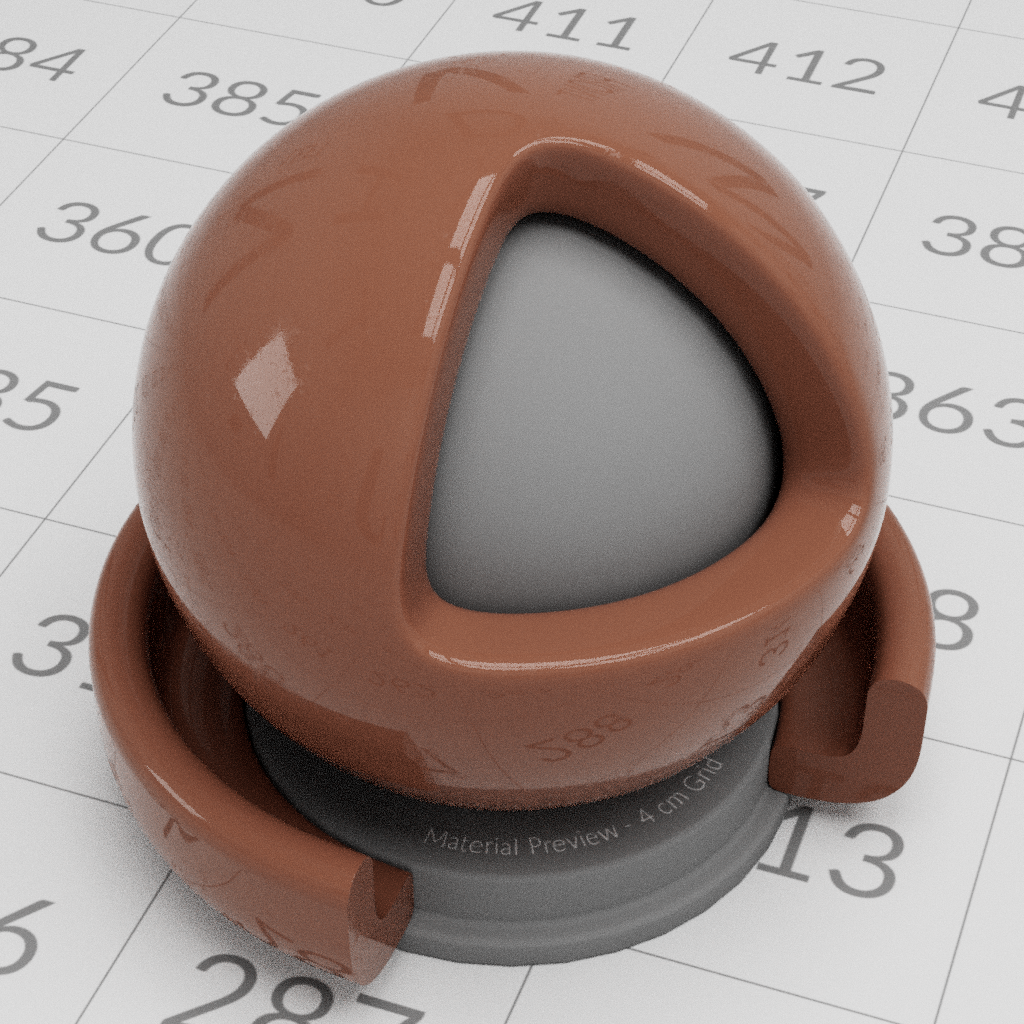 |
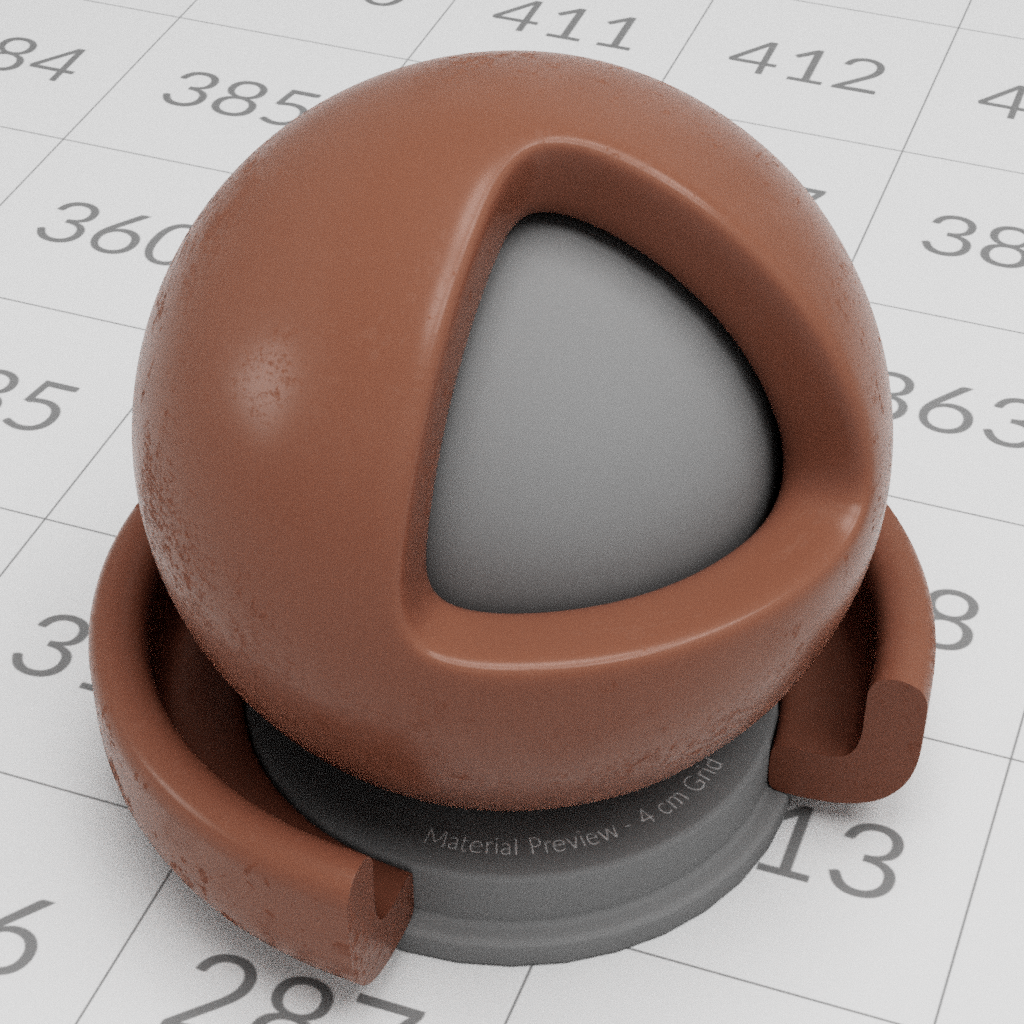 |
| 7.3.4.0 | 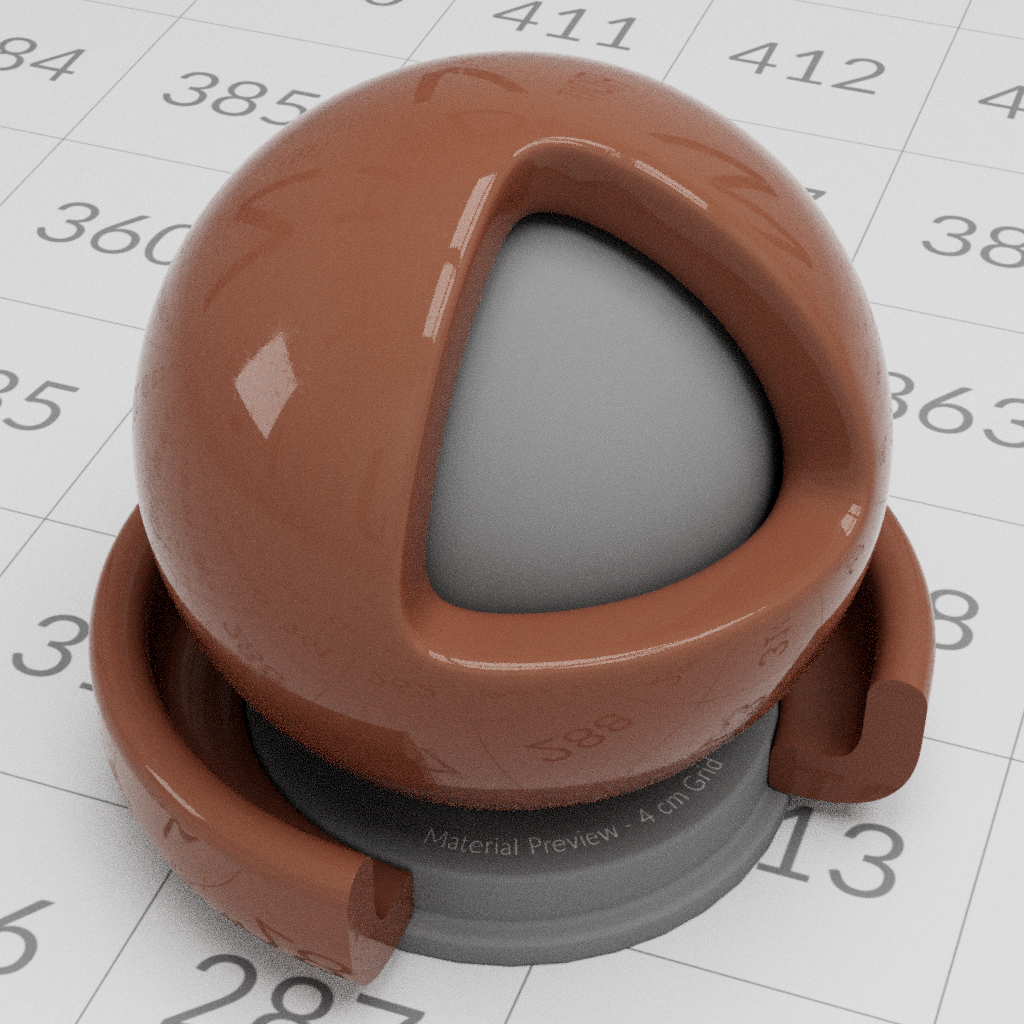 |
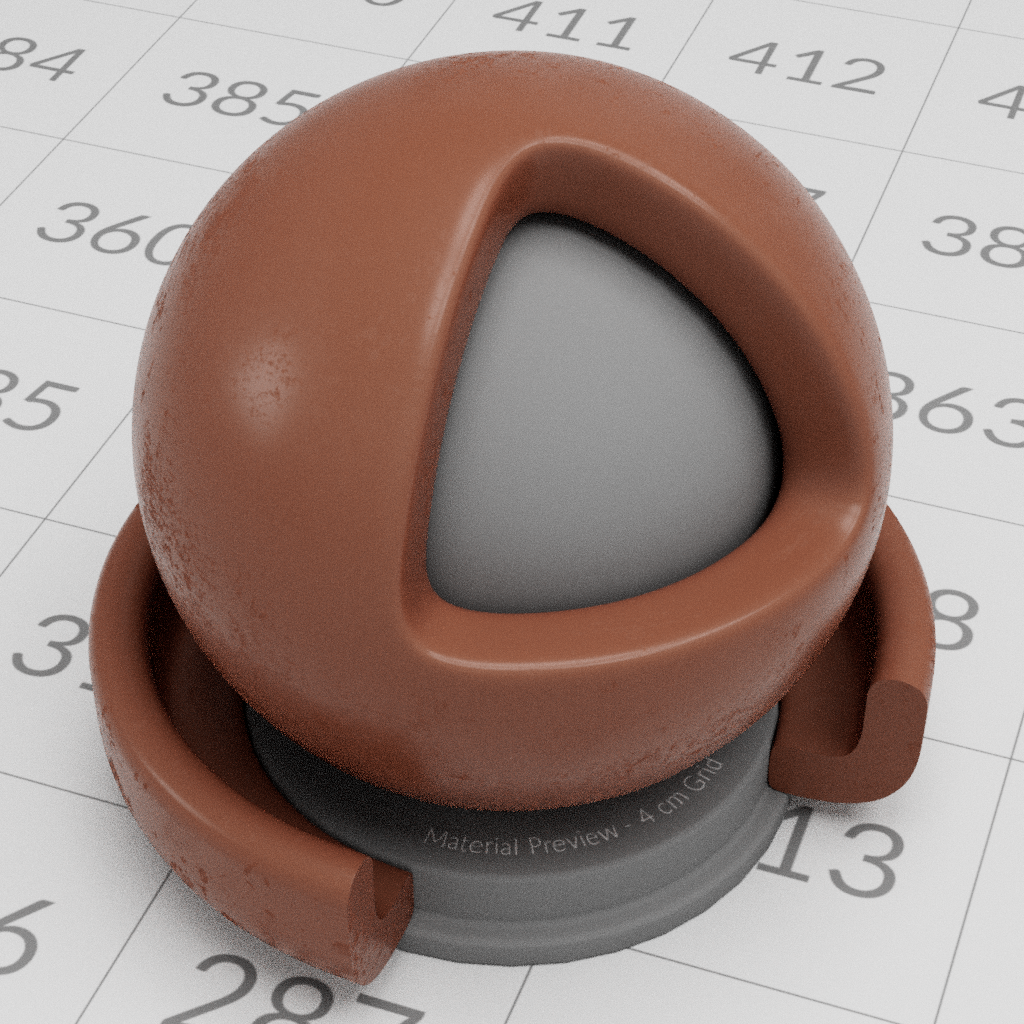 |
SSS color matching: The SSS model has been tuned to ensure that the color of dense SSS more closely matches the supplied
subsurface_color, as required by the OpenPBR specification. (ARNOLD-15328) The following images compare diffuse base color with the subsurface colors of Standard Surface and OpenPBR Surface:- top row: diffuse with a given
base_color - middle row: Standard Surface (dense) SSS, with same color assigned to
subsurface_color - bottom row: OpenPBR (dense) SSS, with same color assigned to
subsurface_color
- top row: diffuse with a given
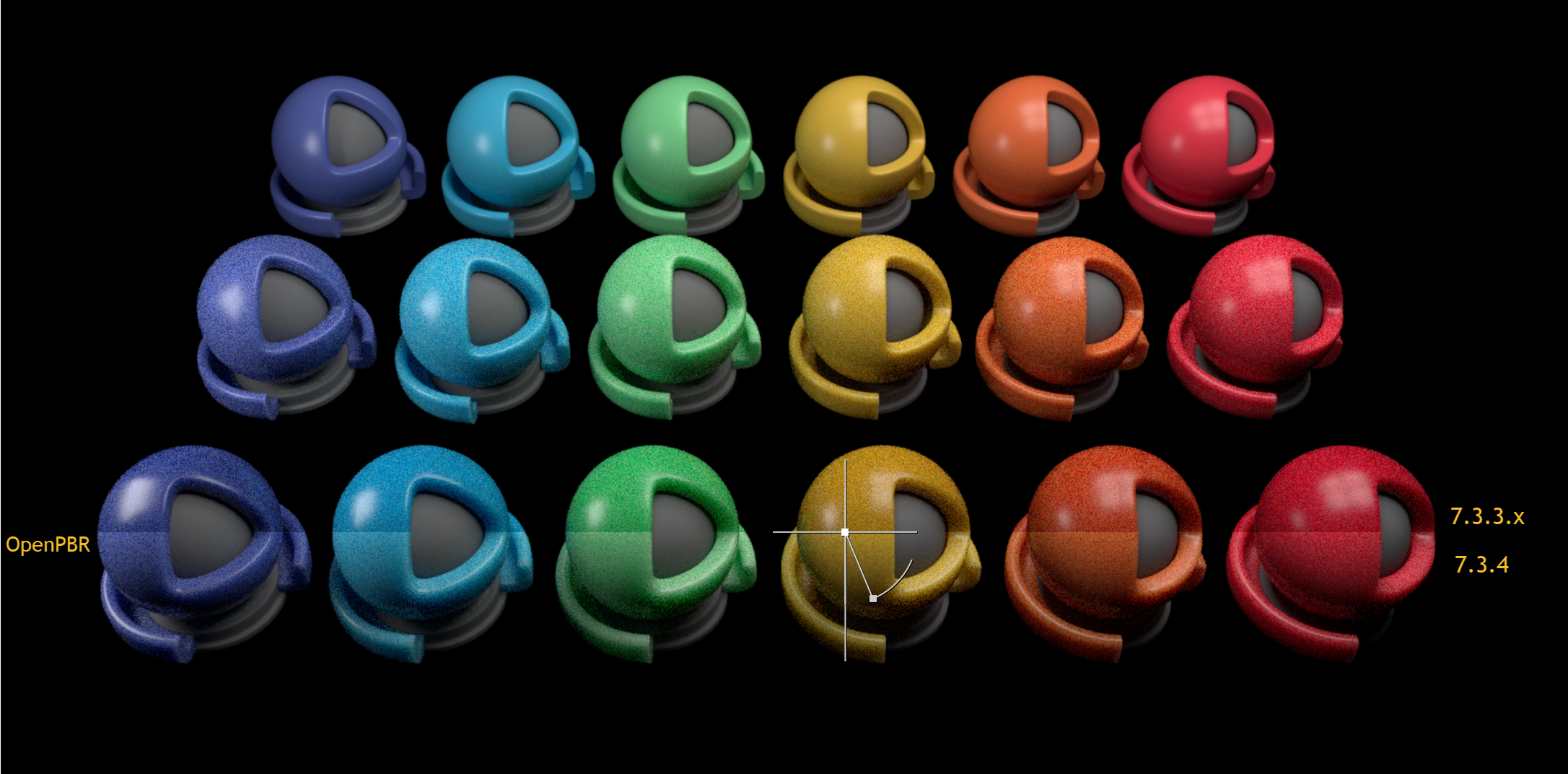
Scaling of emission luminance from nits to Arnold units:
nits_per_unitwas added to theoptionsnode, and OpenPBR Surface'semission_luminance(in nits) is internally scaled down by thisnits_per_unitvalue (defaulting to 1000) to bring it into Arnold units. This ensures that the default soft-maximum ofemission_luminanceof 1000 nits corresponds to the former behavior of Standard Surface atemission1. (ARNOLD-15364)Faster startup times on GPU: We have made several optimizations to improve startup and scene update time on GPU. These improvements will be most noticeable on scenes with many objects. Startup times on Windows are also now on par with startup times on Linux. On a scene with 1 million instances, we see the following improvements when compared to the previous release. (ARNOLD-15271, ARNOLD-15279, ARNOLD-15310)
7.3.3.1 7.3.4.0 Improvement GPU update time (Windows) 204s 17s 12X GPU update time (Linux) 37s 18s 2X Faster texture opacity lookups in OSL shaders: OSL shaders used in opacity inputs (for example OpenPBR Surface's
geometry opacity) now read opacity mask textures faster and with smaller memory footprint. (ARNOLD-15340)Improved node and parameter introspection with kick
kick -info <node>now groups node parameters by their UI Group metadata, or by whether the parameters are Input or Output. (ARNOLD-14198)For example, here's the first few UI groups of openpbr_surface:
$ kick -info openpbr_surface
node:             openpbr_surface
type:             shader
implicit output:  CLOSURE
parameters:       65
multioutputs:     0
filename:         <built-in>
version:          7.3.4.0

Type          Name                      Unlinkable  Default        Bounds
------------  ------------------------------------  -------------  ---------
Base
 FLOAT        base_weight                           1              [0, 1]
 RGB          base_color                            0.8, 0.8, 0.8
 FLOAT        base_diffuse_roughness                0              [0, 1]
 FLOAT        base_metalness                        0              [0, 1]
Specular
 FLOAT        specular_weight                       1              [0, +inf]
 RGB          specular_color                        1, 1, 1
 FLOAT        specular_roughness                    0.3            [0, 1]
 FLOAT        specular_ior                          1.5
 FLOAT        specular_roughness_anisotropy         0              [0, 1]
Transmission
 FLOAT        transmission_weight                   0              [0, 1]
 RGB          transmission_color                    1, 1, 1
 FLOAT        transmission_depth                    0              [0, +inf]
 RGB          transmission_scatter                  0, 0, 0
 FLOAT        transmission_scatter_anisotropy       0              [-1, 1]
 FLOAT        transmission_dispersion_abbe_number   20             [0, +inf]
 FLOAT        transmission_dispersion_scale         0              [0, 1]
 BOOL         transmission_transmit_aovs         *  false
 INT          dielectric_priority                *  0
kick -info <node>.parameternow includes all available metadata for the parameter, including linkability, bounds, help, as well as the type, name, and default value. (ARNOLD-15306)$ kick -info openpbr_surface.fuzz_weight node: openpbr_surface param: fuzz_weight type: FLOAT default: 0 metadata: help: The presence weight of a fuzz layer that can be used to approximate microfibers, for fabrics such as velvet and satin as well as dust grains. max: 1 min: 0
Handle update for OSL shader changes: Information about shaders linked to an OSL shader is stored when using interactive render mode, so that any change in those shaders will cause the OSL shader to be automatically updated. (ARNOLD-14983)
Duplicate node name warnings: Warnings are emitted when adding a node with a name that already exists or renaming an existing node to an empty string. (ARNOLD-12596)
MtoA 5.4.3
- OpenPBR Surface: A new openpbr_surface shader implements the OpenPBR specification. OpenPBR Surface is an evolution of Standard Surface, developed in collaboration with Adobe and the Academy Software Foundation. It introduces many improvements, in particular a better sheen/fuzz model and improved metal reflectivity parameterization. (ARNOLD-13385)
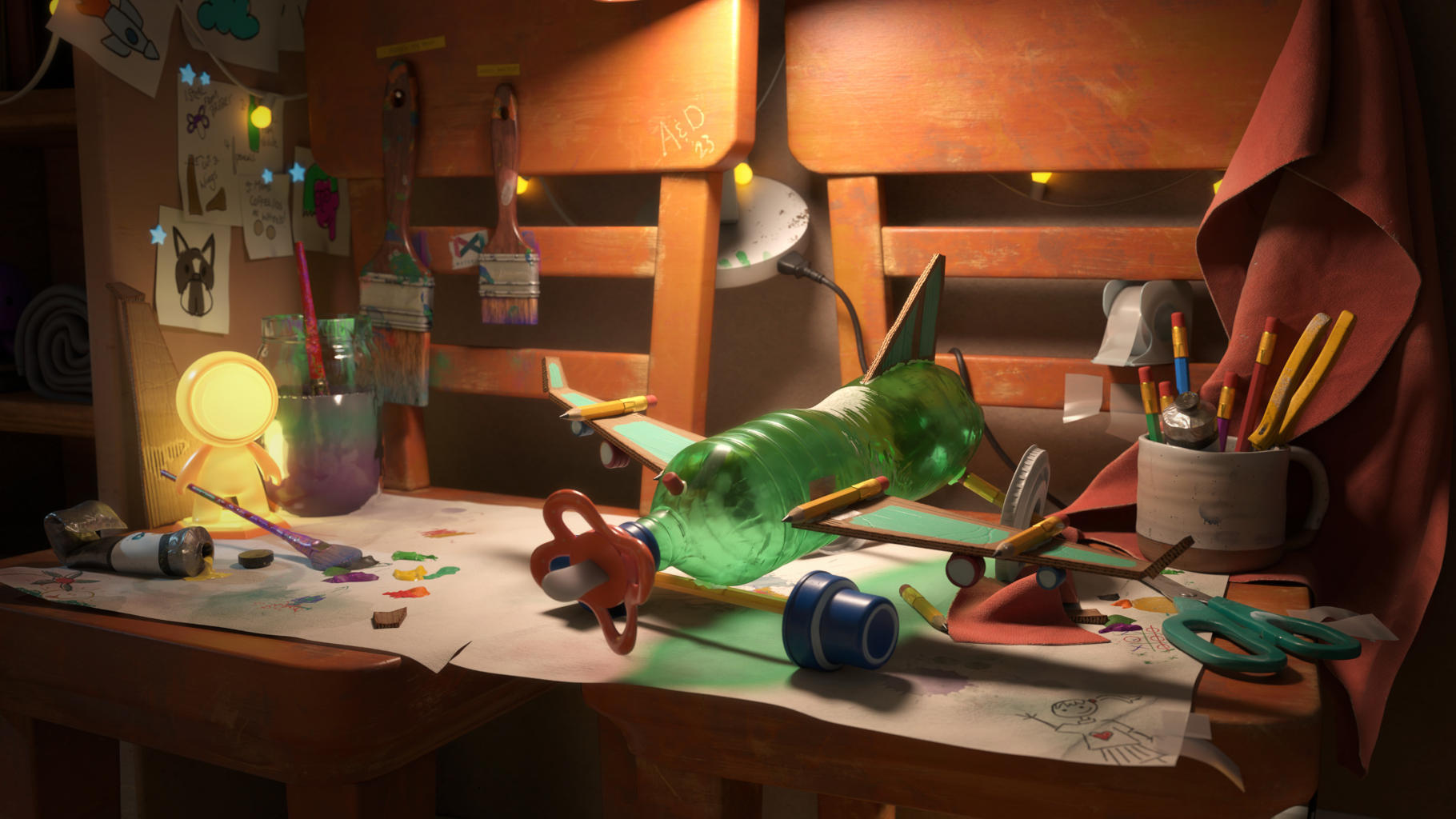
image courtesy of Nikie Monteleone
- OpenPBR Workflow Tools:
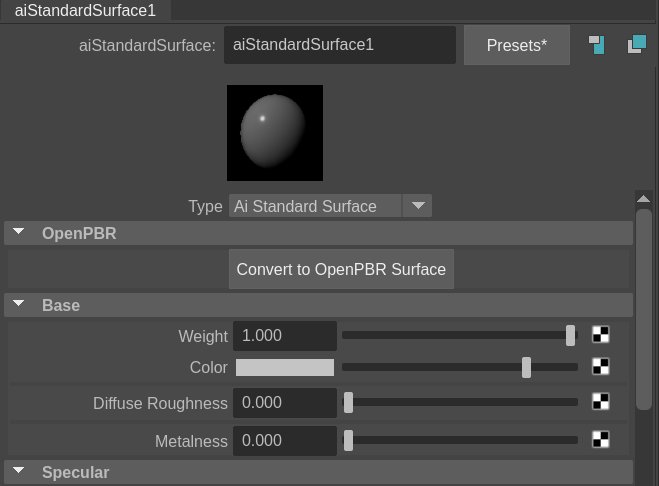
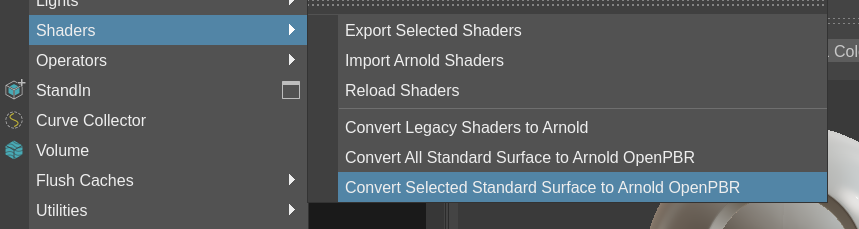
- Tools have been added to help convert aiStandardSurface to aiOpenPBRSurface (MTOA-1829)
 |
 |
- Scattering diffusion in volumes: Two new parameters in
standard_volumeimprove how light is scattered in volumes. Using those parameters can help achieve high-scattering looks with fewer volume bounces and without adding energy. (ARNOLD-14482)scatter_diffusionaccelerates scattering in volumes.scatter_diffusion_roughnessaccelerates scattering further on anisotropic volumes and can help achieve realistic looking clouds with fewer bounces.gainandbiascurves can further tweak the effect of both parameters
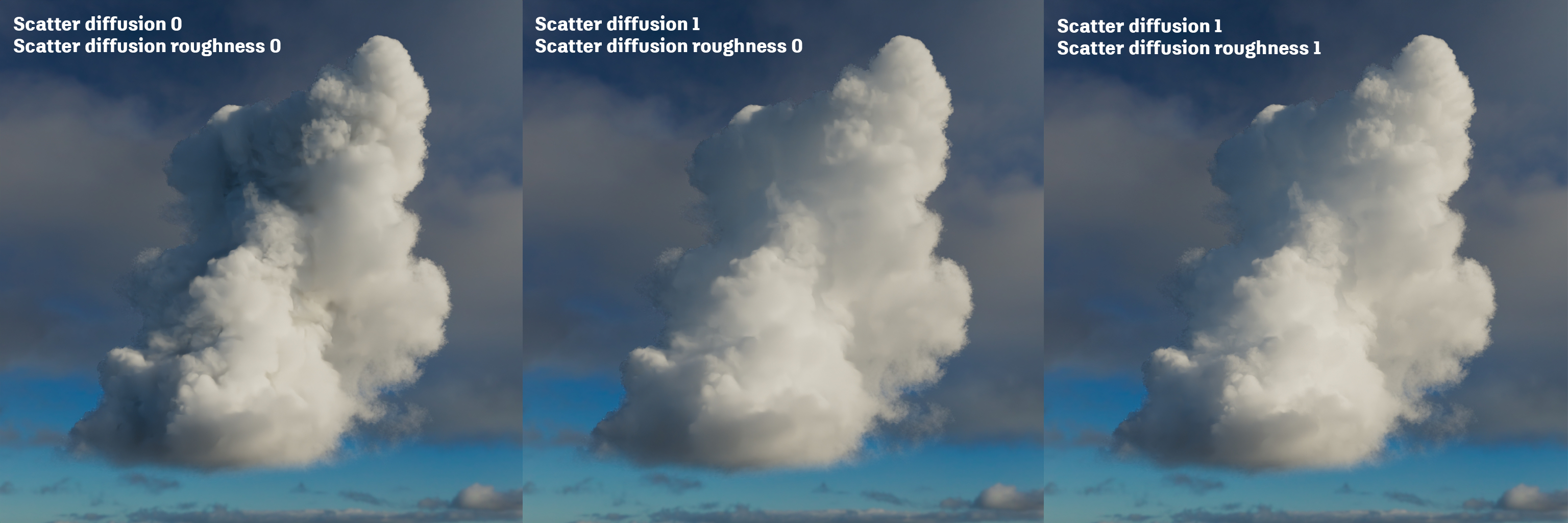
Stochastic volume interpolation: The tricubic interpolation mode of
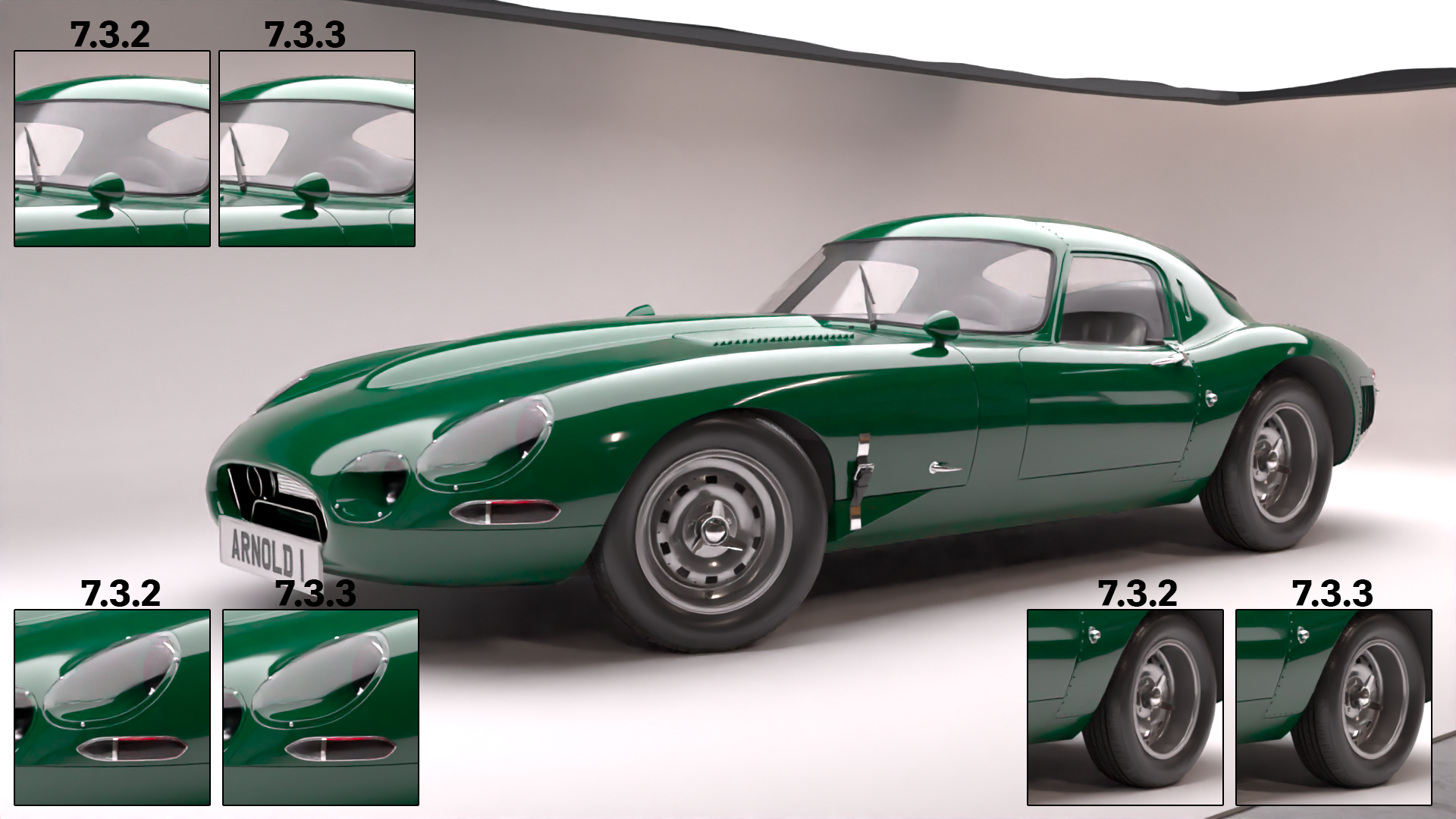
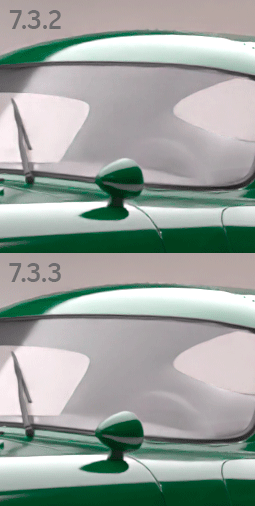
AiVolumeSampleXXX()calls, such as those used by thestandard_volumeshader, now uses a stochastic method of interpolation that greatly reduces the amount of voxel data read in each sample call. In testing, we've seen speed ups of as much as 1.7x in certain scenes. Note that this technique does not always produce a perfectly matching image as a result, and can be toggled via thestochastic_volume_interpolationrender option (default ison). (ARNOLD-3856)Improved quality with Intel Open Image Denoise 2.3.0: The updated Intel Denoiser improves denoising quality and can produce sharper results with less artifacts on scenes with specular reflections and transmission. For more information about changes in this version, see the OIDN release notes (ARNOLD-15059).
Standins Viewport Display Color: A custom color can be set on aiStandIn nodes to control how they are displayed in the viewport, through the attribute "Object Display/Draw Override/Enable Overrides"
Sphere and Box volume added to aiVolume: A new attribute has been added to the aiVolume to set the volume shape to box or sphere, defaults to existing file mode (MTOA-247)
Support added for camera > backgroundColor: The maya camera attrbiute "backgroundColor" is now supported to change the background color of the current render(MTOA-1727)
OIDN support for Apple Metal and AMD GPU: The Intel OIDN denoiser now supports on macOS all Apple Metal GPUs (M1 and newer) and on Windows AMD GPUs using RDNA2 (Navi 21 only) and RDNA3 (Navi 3x) architectures. This allows for significantly faster denoising: on an M1 Max laptop we see 5-8x faster denoising. (ARNOLD-14855, ARNOLD-14856)
GPU Many-lights support for light linking: Arnold GPU now uses Global Light Sampling for group of lights linked to a shape. This can improve rendering performance for scenes with light linking. For example, the ALab scene now renders twice as fast when you use Global Light Sampling. (ARNOLD-15050)
GPU improved time to first pixel in scenes with many nodes: Reduced time to first pixel with Arnold GPU and scenes with many nodes. For example, we have seen a 18% improvement in time to first pixel on a simple scene with 1,000,000 instances. (ARNOLD-13652)
Motion vector AOV on GPU: The motionvector AOV is now supported when rendering on GPU. (ARNOLD-11046)
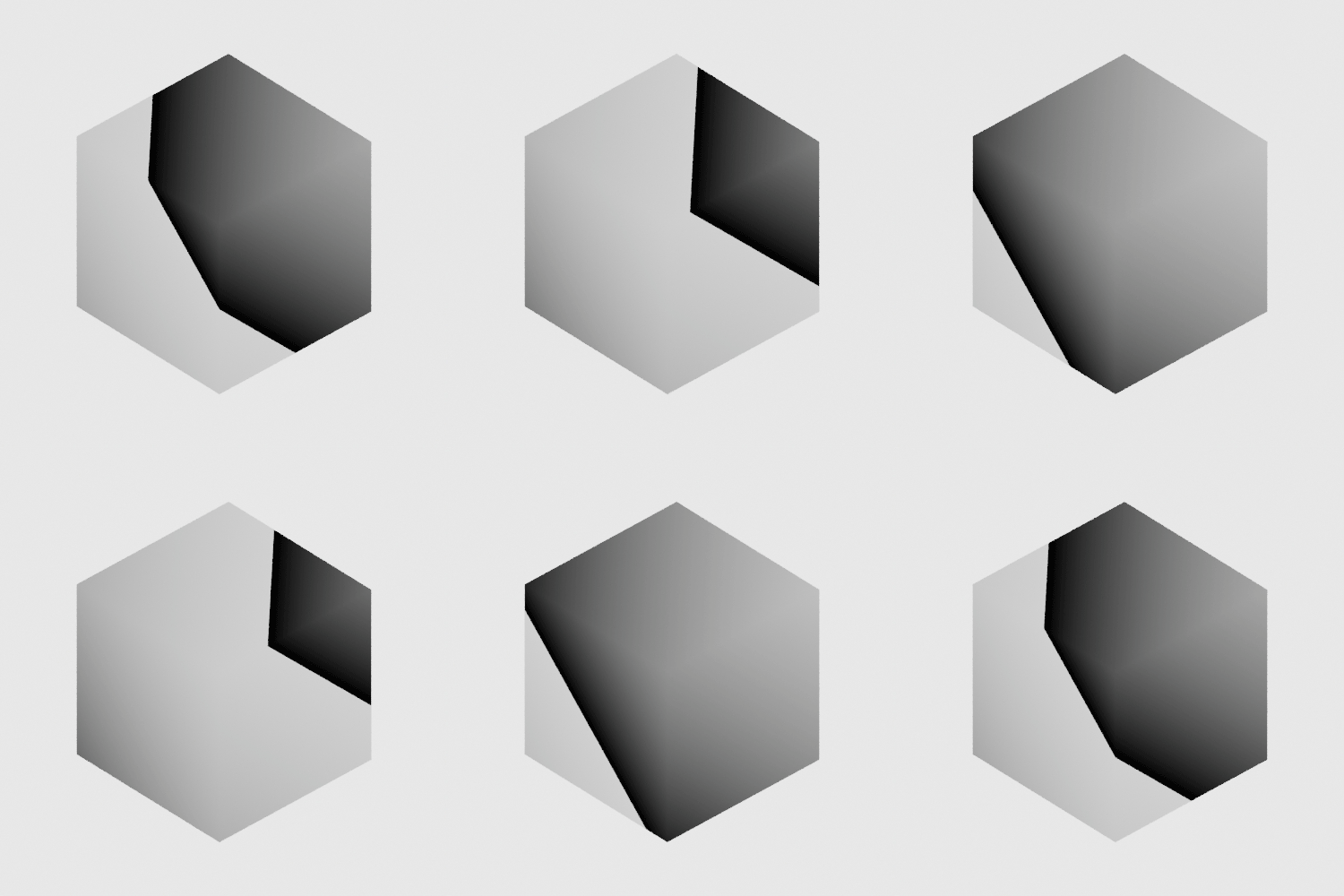
3D ramp modes: Ramp shaders have three new modes: 3d_linear, 3d_spherical, and 3d_cylindrical. These modes calculate the ramp input from the distance between the shading point and a user-defined reference point or line. (ARNOLD-15051, ARNOLD-15196)
 |
 |
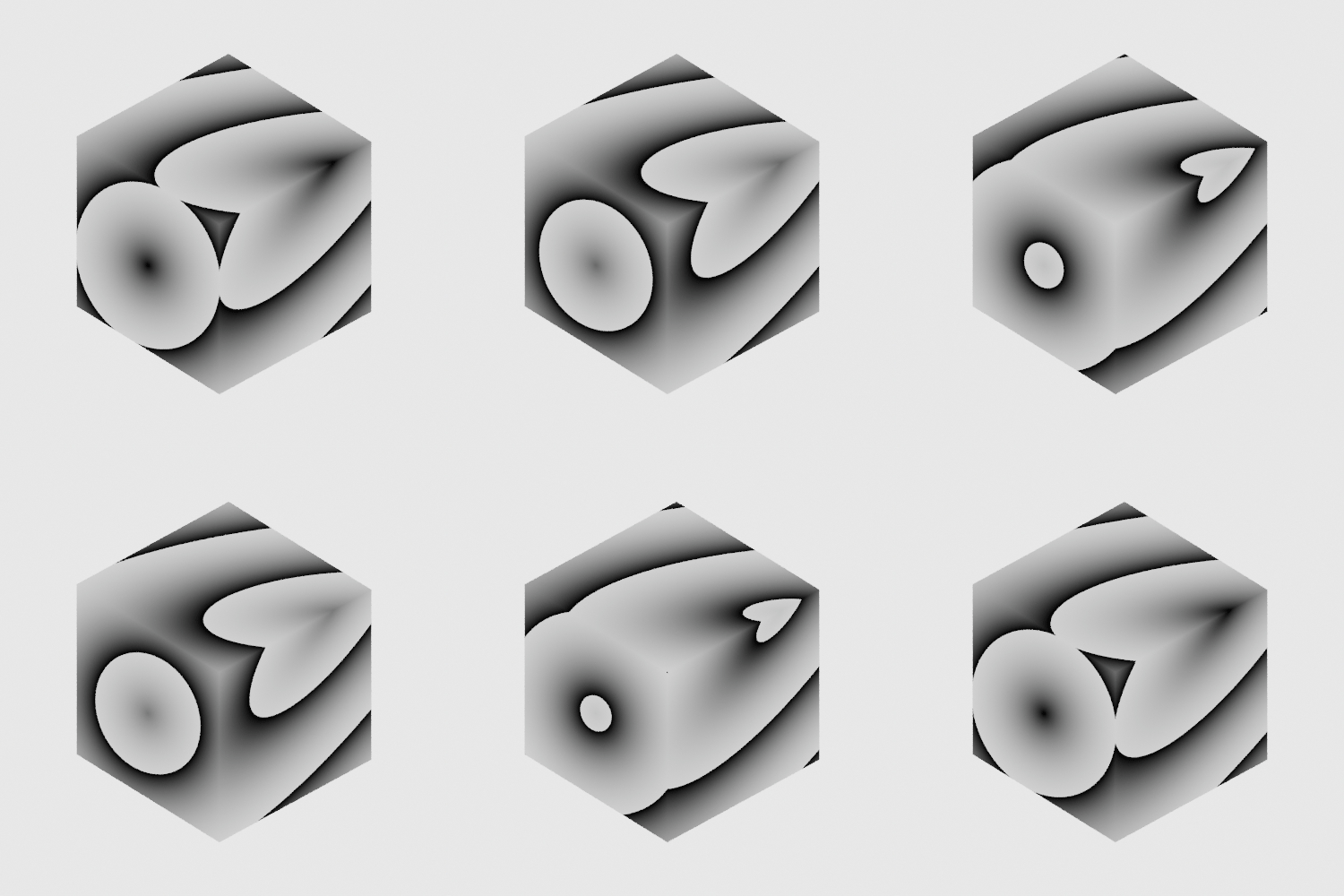 |
| 3d_linear | 3d_spherical | 3d_cylindrical |
- Ramp offset: Ramp shaders can now offset the input value, which allows you to add noise to the ramp. (ARNOLD-15052, ARNOLD-15197)
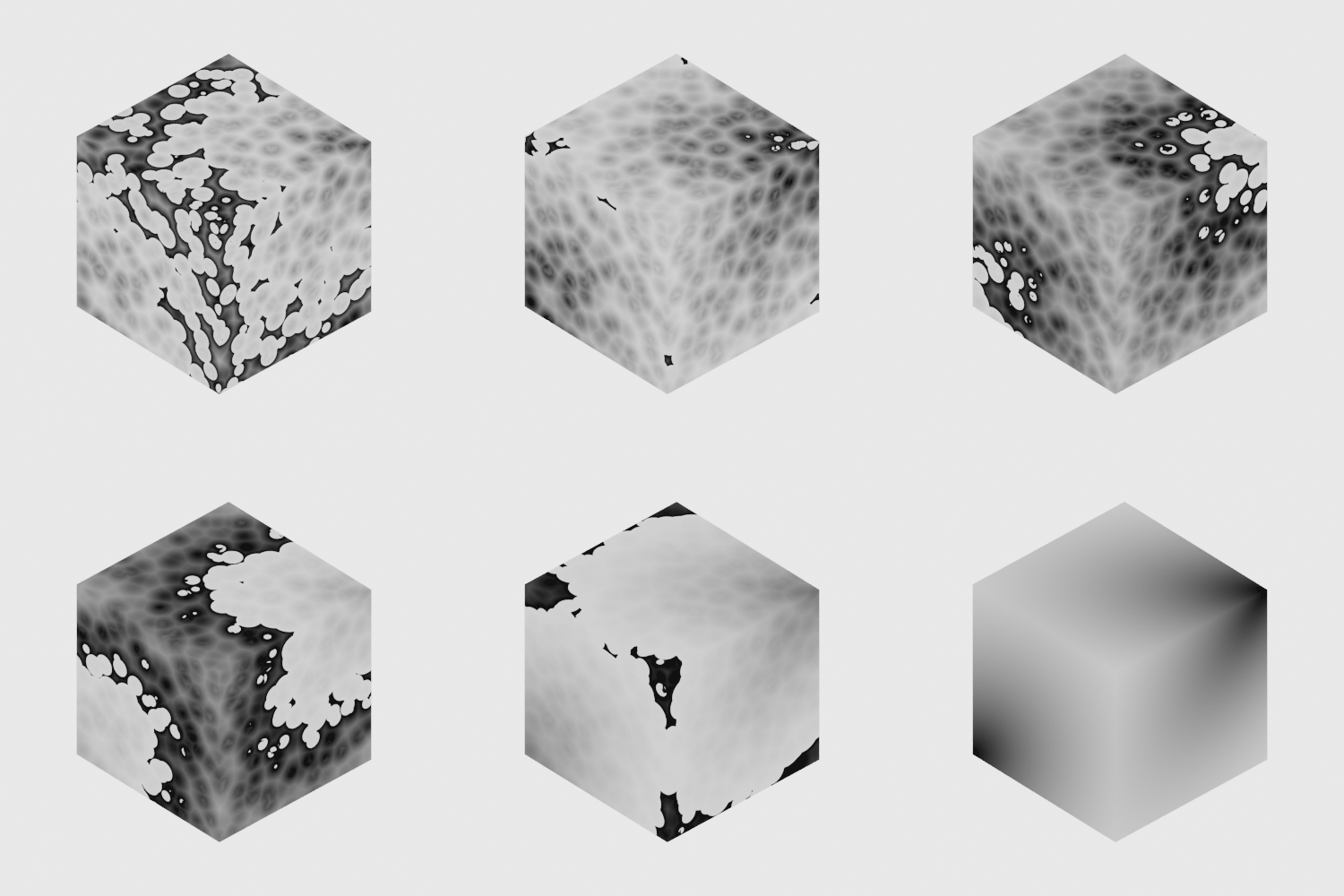 |
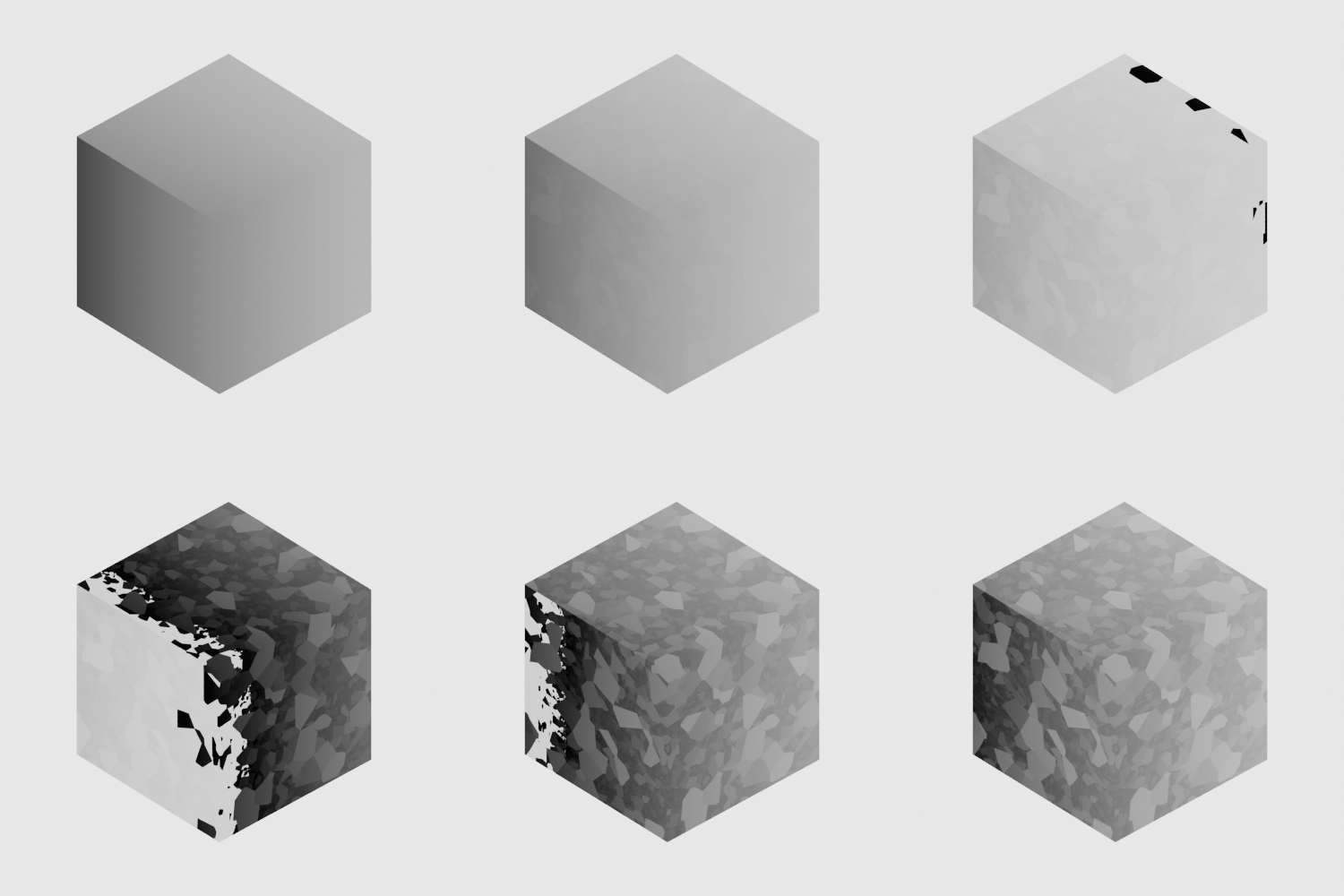 |
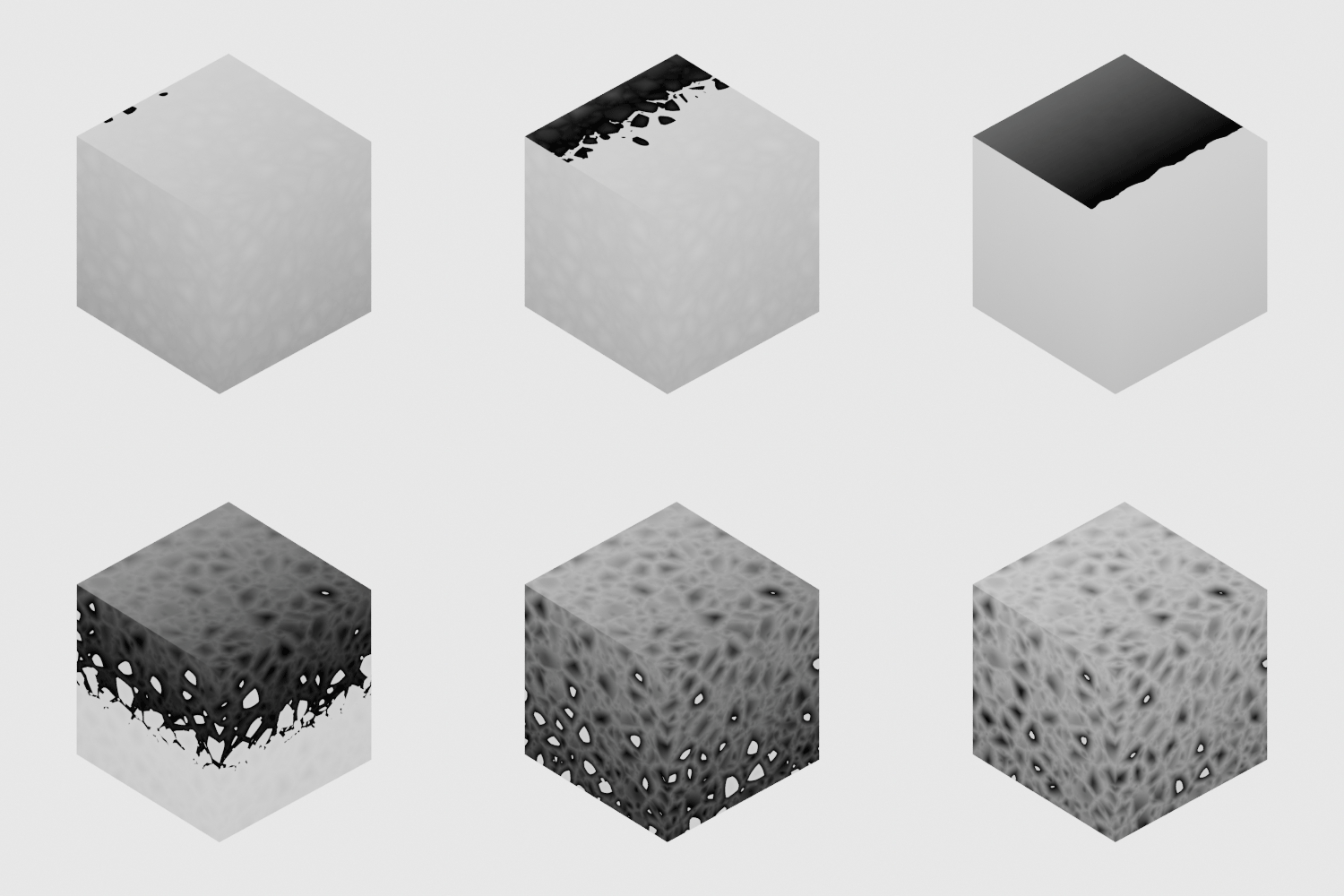 |
| worley noise (3d_spherical) | cell_noise (u) | alligator noise (v) |
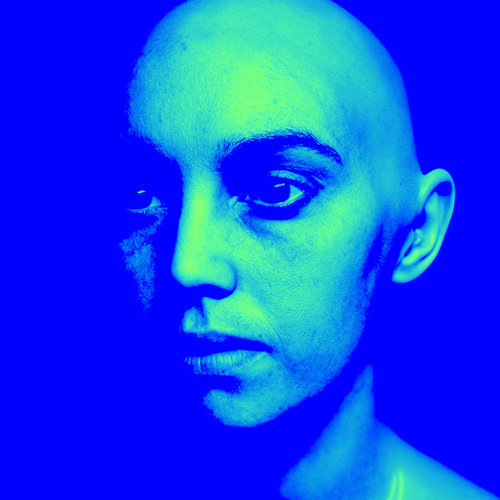
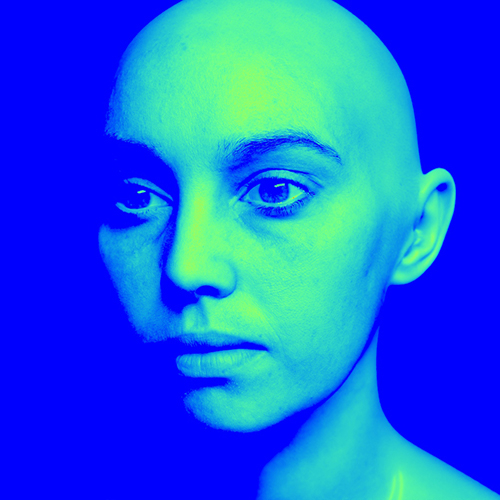
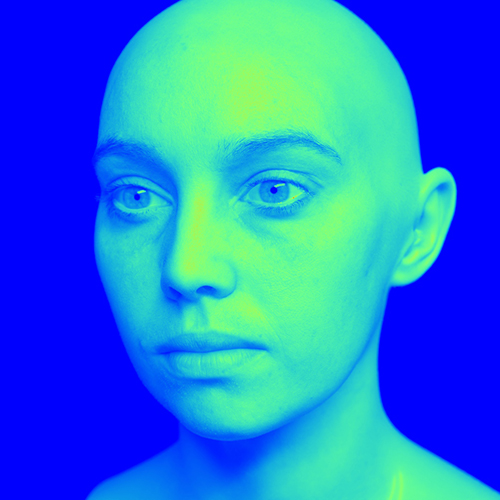
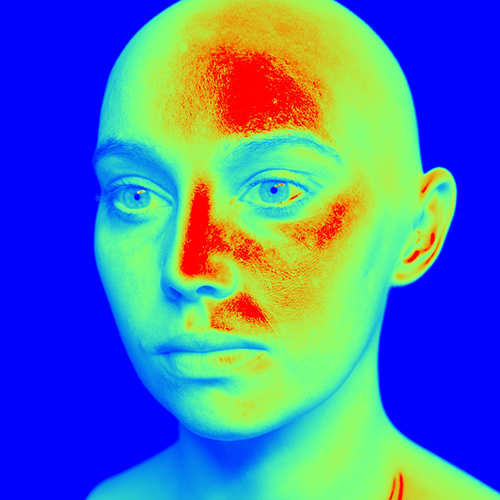
- Heatmap Imager Mode: The tonemap imager now has a heatmap mode that creates a spectrum based on a looked-up AOV quantity. The color ranges from blue (at minimum) to red (at maximum). (ARNOLD-15123)
 |
 |
 |
 |
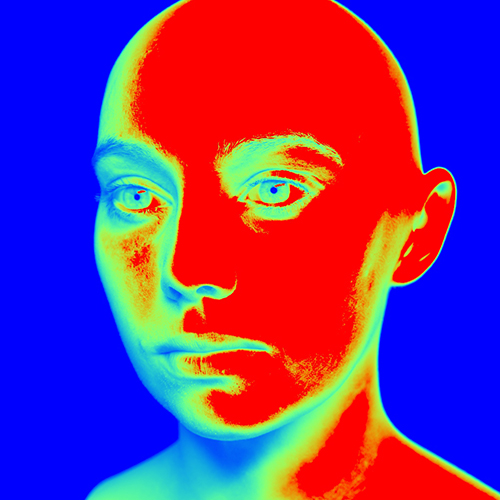 |
Improved AOV memory usage in non-progressive renders: Non-progressive, adaptive renders with the box filter now use less memory. Memory usage is also reduced in non-adaptive renders when using the following filters
gaussian_filter,triangle_filter,sinc_filter,catrom_filter,mitnet_filter,blackman_harris_filter. For example, in a 1080p render using adaptive with AA_samples_max 50 and 6 AOVs, the memory used by AOVs was reduced from 14GB to 730MB (-96%). Note also that AOV memory usage now remains constant as AA_samples_max increases, unlike previous releases where the memory would increase quadratically. (ARNOLD-10160)Improved efficiency of the Alembic procedural: The Alembic procedural now reads data in parallel, which optimizes initialization times of heavy Alembic files with many objects. We observed startup times going from 15 minutes to 4 seconds on a large production scene. (ARNOLD-14796)
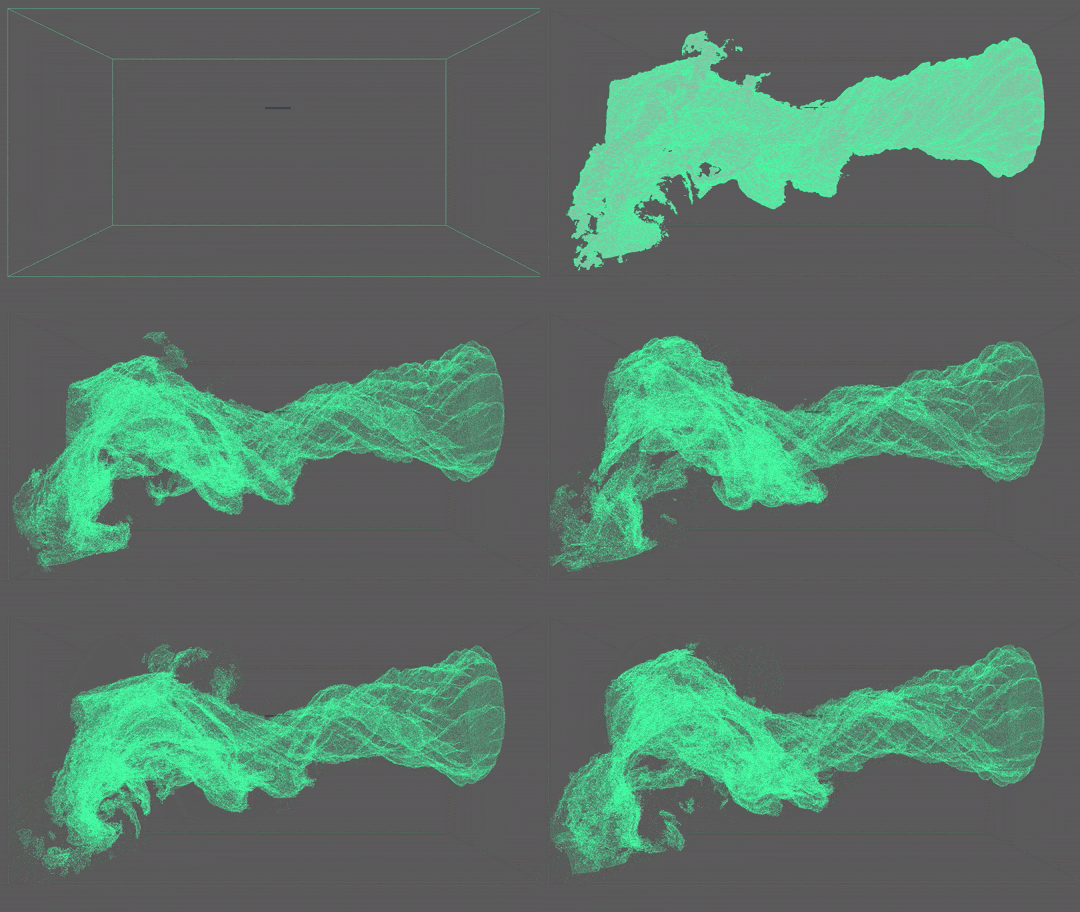
Viewport representation for volumes in procedurals: Volumes can now be displayed in the viewport. This is currently only supported when loading a procedural (an aiStandIn) in MtoA. (ARNOLD-14382)
 |
Indirect diffuse and indirect specular parameters are now linkable in the standard_surface and openpbr_surface shaders: The
indirect_diffuseandindirect_specularofstandard_surfaceandopenpbr_surfaceshaders now support linking of shaders. This should allow better optimization in scenarios where no indirect lighting is needed. (ARNOLD-14204)Triplanar Nref user param: Triplanar shader now accepts an
Nrefuser parameter, to allow specifying reference normals when inPrefmode. (ARNOLD-15063)AOV names used for OpenImageIO subimages: Multi-part files previously used default subimage naming for layers/subimages. Arnold now uses the names of AOV outputs for the corresponding subimage. (ARNOLD-15053)
Triangle tessellation memory usage statistics grouped under polymesh memory usage: Arnold logs now list triangle tessellation and polymesh memory usage together in the peak CPU memory used and peak GPU memory consumed. (ARNOLD-15194)
Arnold Render View Enhancements
Accessing Save Image Options with MEL: The Save Image options in the Arnold Render View are now accessable via the MEL
arnoldRenderViewcommand (ARNOLD-15083)Deselect snapshots by clicking outside of selection: Clicking in empty space in the Arnold RenderView snapshots panel deselects the selected snapshots (ARNOLD-15080)
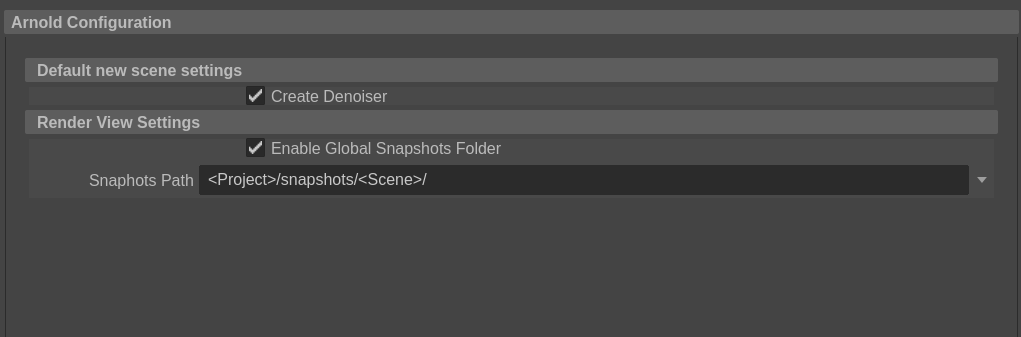
User preference for snapshots folder: There is a new user preference for the snapshots folder. You can override this by setting the environment variable ARNOLD_SNAPSHOTS_FOLDER (MTOA-1934)
 |
USD Enhancements
MtoA 5.4.3
- Skinning on USD curves and points - Binding skeleton on BasisCurves and points will now work with the procedural. usd#1814
- User data on lights - Primvars on lights are now imported as user data on Arnold light nodes. usd#1939
- Improved quad and mesh light exports - Mesh lights are now exported as a Mesh with light attributes instead of a GeometryLight. usd#1955
API changes
MtoA 5.4.3
ParallelFor API: A new
AiParallelForfunction allows API users to easily implement multithreading of work over an array without having to use a dedicated multi-threading library such as TBB. (ARNOLD-14966)// simple example that squares all the elements in an array void square(size_t array_index, void* data, void* payload) { float& value = *static_cast<float*>(data); value = value * value; } std::array<float, 7> values = {1, 2, 3, 5, 8, 13, 21}; AiParallelFor(values.data(), sizeof(values[0]), values.size(), nullptr, square);ParallelJobs API: A new
AtParallelJobsclass allows programs to run jobs in parallel through a parallel job scheduler. This has more overhead thanAiParallelFor(), but is more flexible as it allows for dispatching jobs without needing to place all the jobs in an array. (ARNOLD-15091)AtParallelJobs jobs; for (size_t i = 0; i < job_count; ++i) { payload = create_your_payload_data(); jobs.add(payload, &callback); } jobs.wait();Shader API A new function to query whether an object is opaque or not. (ARNOLD-4919)
AI_API AI_PURE bool AiShaderGlobalsIsObjectOpaque(const AtShaderGlobals *sg);Enum values You can now define enum values that start with a digit. (ARNOLD-15165)
const char *enum_myparam[] = { "2d_space", "3d_space", NULL };
AiParameterEnum("myparam", 0, enum_myparam);
Critical Section API Added compile guards around
native_handle()references in ai_critsec.h because it no longer exists in the STL shipped with Visual Studio v17.8+ (MSVC v14.38+).Node API Added new API to declare an update dependency between two nodes (a dependency is when a node uses data from another node during its update). (ARNOLD-15211)
AI_API void AiNodeAddDependency(AtNode* node, const AtNode* dependency);
Incompatible Changes
MtoA 5.4.3
- Triangle tessellation memory usage statistics grouped under polymesh memory usage: Arnold memory usage statistics no longer groups triangle tesselation memory usage under the
triangle tessellationsection. You can now find the memory usage under polymesh memory usage in peak CPU memory used or peak GPU memory consumed. (ARNOLD-15194) - heatmap_filter deprecated: With the improved heatmap workflow via imagers, the heatmap_filter is now deprecated and may be removed in the future. (ARNOLD-15123).
- No forced scene update after options modifications: Instead of forcing a full scene update when the options node is modified, a node that uses data from the options node in its
node_updatefunction should declare this dependency with the newAiNodeAddDependencyAPI. (ARNOLD-14973) - force_update metadata deprecated: We are deprecating this functionality, which might be removed completely on a future release. Instead of using
force_update, nodes are expected to declare dependencies on other nodes using the newAiNodeAddDependencyAPI, to optimize scene updates (ARNOLD-14901)
Bug Fixes
MtoA 5.4.5
- MTOA-1937 - Fix crash when reopening Arnold Render View
- MTOA-2069 - Use Snapshots Folder On setting not preserved when you reopen the Arnold RenderView
- MTOA-2090 - OpenPBR: Emission Luminance not correctly represented in Viewport
MtoA 5.4.4
- MTOA-2043 - Hangs and crashes when adding/deleting duplicated standins
- MTOA-2039 - Arnold Viewport Render does not update on camera change.
- ARNOLD-14735 - OIDN denoiser bucket artifacts during negative-AA progressive passes
- ARNOLD-15380 - [GPU] small memory leak when using AOV shaders
- ARNOLD-15384 - [GPU] memory leak each time an OSL shader is modified
- ARNOLD-15385 - Crash on standard_volume when modifying material interactively
- ARNOLD-15392 - [GPU] small memory leak when using OSL shaders
MtoA 5.4.3.1
- MTOA-2061 - [RenderView] Cached snapshots not saving when enabling snapshots folder for the first time
- MTOA-2060 - [RenderView] Snapshots folder not being set when loading scene without ARV open
- MTOA-2059 - [RenderView] Snapshots doubling when rechecking snapshots folder control
- MTOA-2050 - Lights existing only inside a procedurals enables light_groups on for all nodes
- ARNOLD-15321 - Hang when
force_updatemetadata is used - ARNOLD-15322 - Rare hang in deep_exr driver
- ARNOLD-15339 - AiNodeAddDependency() does not work for render session options node
- ARNOLD-15343 - Toon contour_filter produces lighter lines with interactive renders
- usd#1989 - Support mixed half/float channels when using the render delegate in batch mode with husk.
- usd#1610 - Proper support of arnold:visibility primvar in hydra
MtoA 5.4.3
- MTOA-391 - Inconsistent shader motion blur with projection shader
- MTOA-1914 - Incorrect UV transform translation for imported ramp shaders
- MTOA-1959 - Snapshots are removed after toggling snapshots folder on and then off
- MTOA-1969 - Python error when loading plugin without mayaUSD loaded
- MTOA-1968 - Xgen extension fails to add arnold attributes in Maya 2025
- ARNOLD-14779 - AtProfiledLockable not compiling on Windows in newer MSVC due to Mutex::native_handle_type
- ARNOLD-15041 - Arnold does not run on Linux distros with glibc 2.39 (RHEL 9.4)
- ARNOLD-15060 - Arnold should not catch C++ exceptions it did not generate
- ARNOLD-15087 - uv_projection shader uses corrupt UVs for evaluating its default_color shader
- ARNOLD-15121 - [GPU] crash when CUDA error has no message
- ARNOLD-15122 - Crash destroying a light that is part of a light group
- ARNOLD-15136 - Random hang when parallel initializing scene
- ARNOLD-15269 - Output sheared in negative AA passes when using OptiX denoiser with odd-numbered render resolution sizes
- ARNOLD-15277 - [GPU] crash when using shadow groups
- ARNOLD-15025 - [GPU] Outdated GPU support metadata on min_pixel_width parameter
- usd#1861 - Fix BasisCurves disappearing on interactive updates
- usd#1927 - Fix procedural updates during interactive changes of non-leaf primitives
- usd#1661 - In the procedural the subdivision meshes will use the normals generated by the subdivision algorithm instead of the normal primvar.
- usd#1952 - Don't write camera aperture parameters if they're already set
- usd#1902 - Fix sporadic invalid Cache ID error
System Requirements
- Maya 2023, 2024, or 2025
- Windows 10 or later, with the Visual Studio 2019 redistributable.
- Linux with at least glibc 2.17 and libstdc++ 4.8.5 (gcc 4.8.5). This is equivalent to RHEL/CentOS 7.
- x86-64 CPUs need to support the SSE4.1 instruction set.
- macOS 10.13 or later, macOS 11 and later for Maya 2024
- Apple Mac models with M series chips:
- Natively supported by Arnold for Maya 2024
- Supported under Rosetta 2 mode for older versions of Maya
- GPU rendering and Optix denoising work on Windows and Linux only, and require an NVIDIA GPU with the Maxwell architecture or later.
- On Linux, we recommend 535.104 or higher drivers.
- On Windows, we recommend 537.13 or higher drivers.
- Intel OIDN GPU support is limited to:
- Apple native CPUs (M1 and newer)
- Intel Xe dedicated and integrated GPUs
- NVIDIA GPUs using Turing or newer architectures
- AMD GPUs with RDNA2 (Navi 21 only) and RDNA3 (Navi 3x) architectures