Array Modifier Transform Rollout
 Modify panel > Make a selection > Modifier List > Object-Space Modifiers > Array > Transform rollout
- Default menu: Make a selection > Modifiers menu > Parametric Deformers > Array > Transform rollout
The Array modifier's Transform rollout provides controls to adjust the position, rotation, and scale of the clones in the array.
Interface
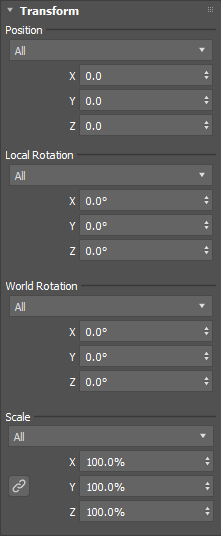
Position
The following transform options are only available when the Distribution method is set to Grid. See Array Modifier Distribution Rollout (Grid).
Position Method
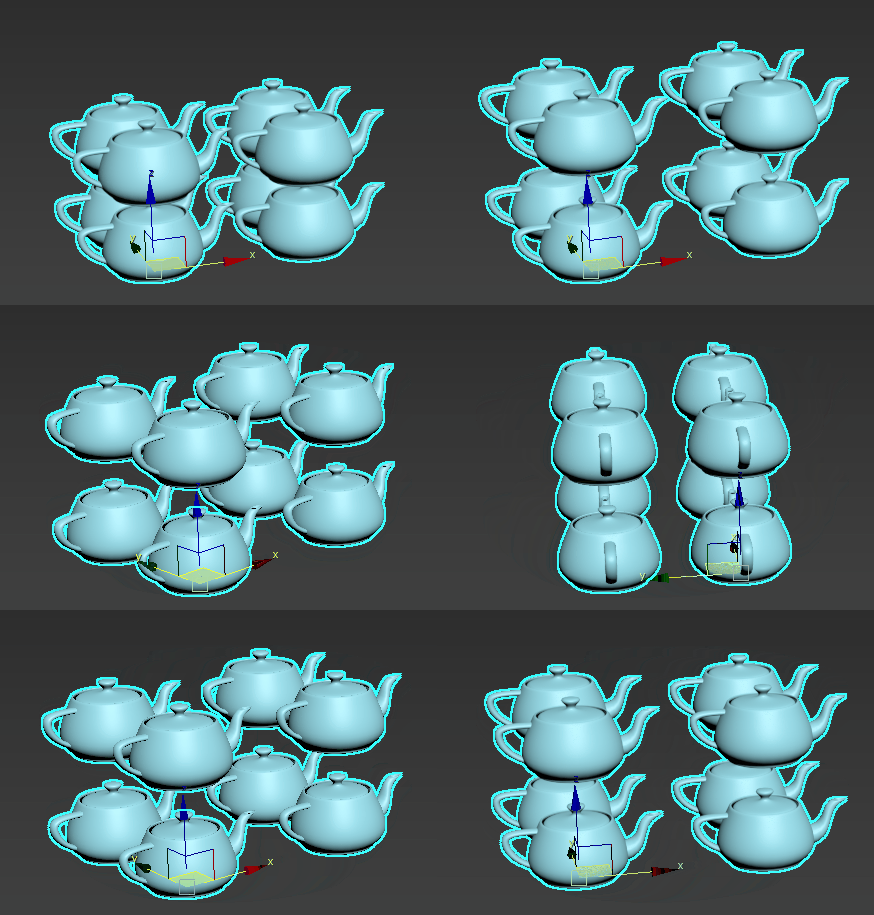
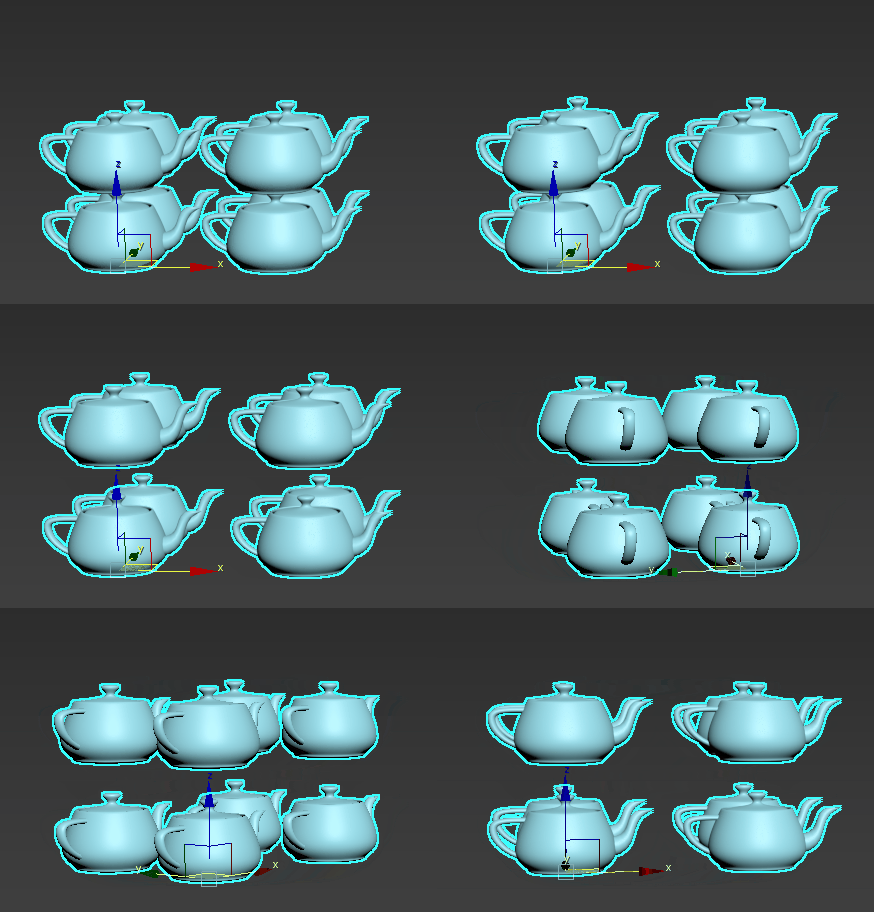
Sets the position transform method. #### All
Moves each clone the distance specified in the X, Y, and/or Z parameters. All clones move outward from the first clone.
In the following example, the X, Y, and Z parameters are set to 10.
Incremental
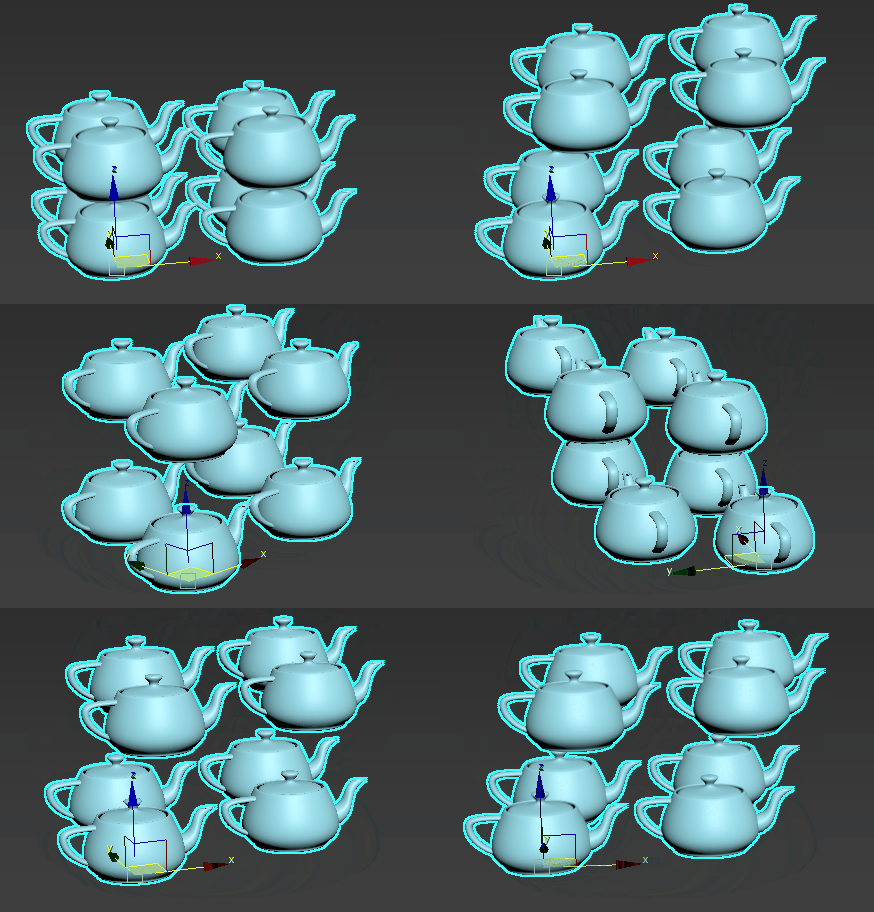
Moves each clone successively the distance specified in the X, Y, and/or Z parameters.
In the following example, the X, Y, and Z parameters are set to 3.
By Axis
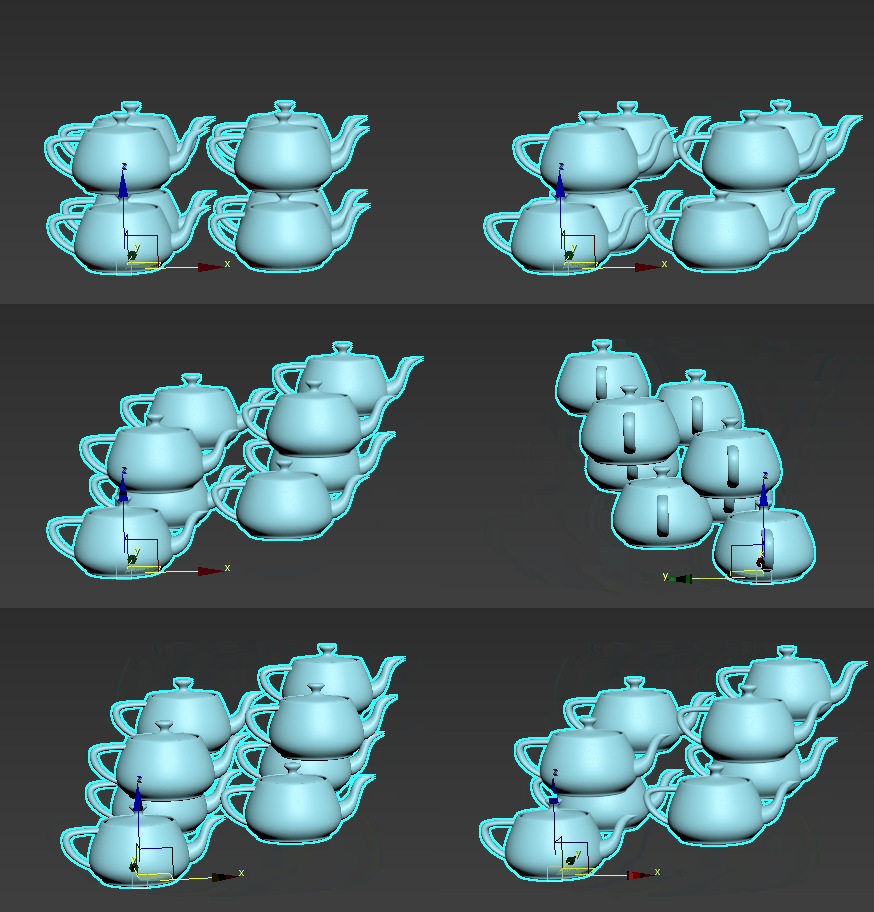
Moves each row by the distance specified in the X, Y, and/or Z parameters.
In the following example, the X, Y, and Z parameters are set to 10.
Incremental By Axis
Compounds the offset successively per row in the axis specified.
In the following example, the X, Y, and Z parameters are set to 10.
Alternating
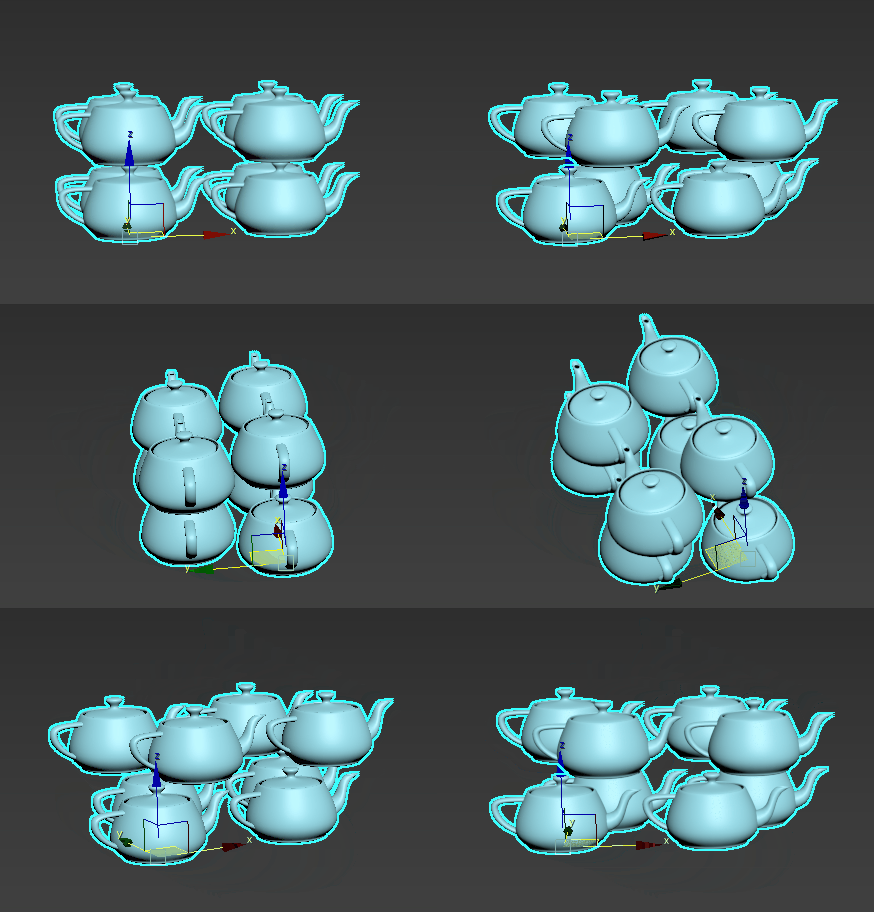
Moves every other row by the distance specified in the X, Y, and/or Z parameters.
In the following example, the X parameter is set to 10.
Z By Y
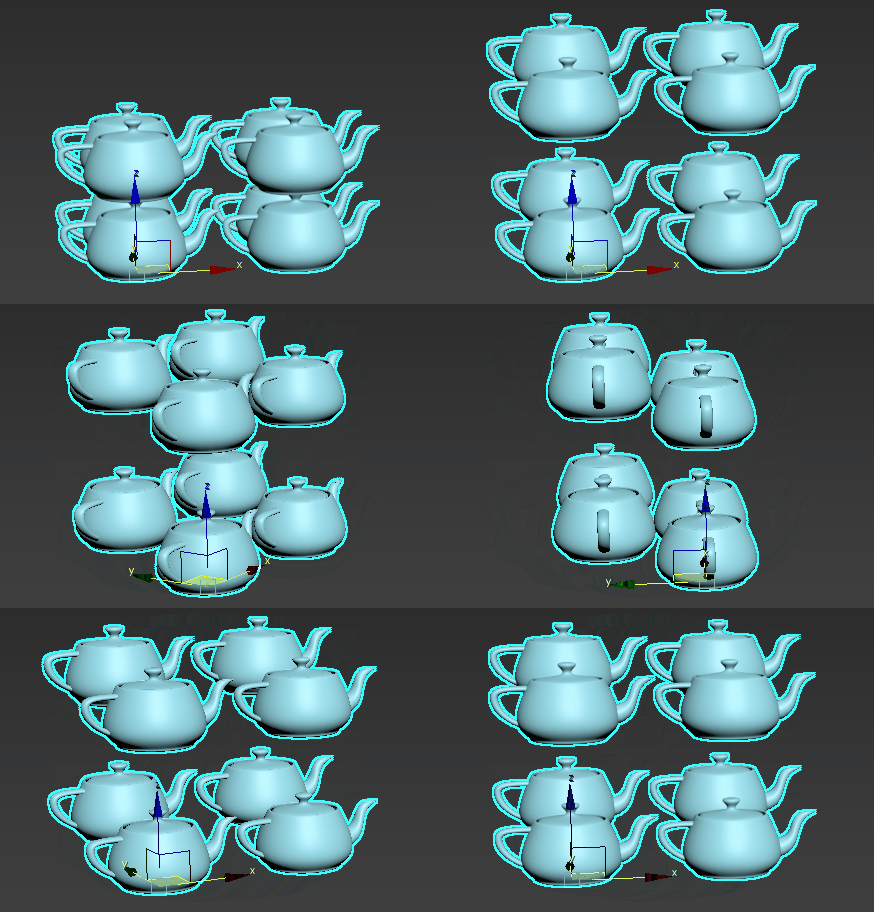
Moves each successive row in Y by a given amount in Z. This is useful for creating flights of stairs or stadium seating.
In the following example, the Z parameter is set to 10.
X, Y, Z
Uses the specified value to modify the array's local position along the X, Y, or Z axis. Values are measured in display units.
Local Rotation
Local Rotation Method
Sets the local rotation transform method. #### All (Default)
Rotates each clone about its local axis by the amount specified by the X, Y, Z parameters.
Incremental
Rotates each clone about its local axis by an additive incremental amount specified by the X, Y, Z parameters.
By Axis
This option is only available when the Distribution Method is set to Grid.
Rotates all the clones in each row by an additive incremental amount specified by the X, Y, Z parameters.
Incremental By Axis
This option is only available when the Distribution Method is set to Grid.
Rotates all the clones in each row by an incremental amount specified by the X, Y, Z parameters.
Alternating
Rotates every other clone by an amount specified by the X, Y, Z parameters.
Random Increment
Rotates all the clones multiples of the amount specified by the X, Y, Z parameters.
Progressive
This option is only available when the Distribution Method is set to Radial, Spline, or Phyllotaxis.
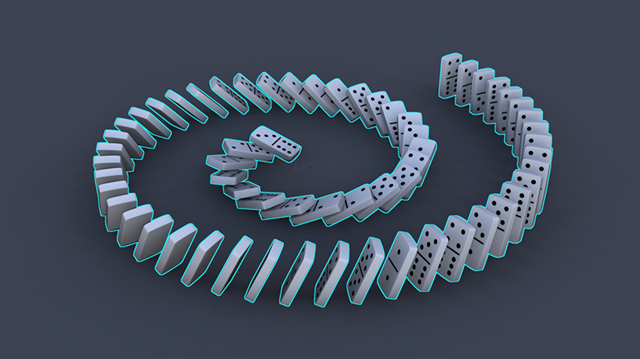
Rotates clones progressively. For example, a Local Rotation X value of 360 degrees results in no rotation for the first clone, but the last clone is rotated 360 degrees. Every clone in between is rotated incrementally between 0-360 degrees. In the following example, Local Rotation Y is set to -72.0, creating a set of toppling dominos.
X, Y, Z
Uses the specified value(s) to modify the array's local rotation about the X, Y, and/or Z axis in degrees. Values are measured in display units.
World Rotation
The following transform options are only available when the Distribution method is set to Grid.
World Rotation Method
Sets the world rotation transform method. #### All
Rotates all the clones based on the original object's pivot by an amount specified by the X, Y, Z parameters.
Incremental
Rotates all the clones an incremental amount based on the original object's pivot.
By Axis
Rotates all clones in a row along the specified axis.
Incremental By Axis
Rotates all clones in a row incrementally along the specified axis.
Bend
Rotates all clones in a row incrementally along the specified axis, creating a bend.
X, Y, Z
Uses the specified value(s) to modify the array's world rotation about the X, Y, and/or Z axis in degrees. Values are measured in display units.
Scale
Scale Method
Sets the world scale transform method. #### All (Default)
All clones are scaled in the specified axis.
Incremental
All clones are scaled incrementally in the specified axis.
By Rings
This option is only available when the Distribution Method is set to Radial.
All clones within a ring are scaled incrementally in the specified axis.
By Rows
This option is only available when the Distribution Method is set to Radial.
All clones within a row are scaled incrementally in the specified axis.
By Axis
This option is only available when the Distribution Method is set to Grid.
All clones in a row are scaled incrementally in the specified axis.
Alternating
This option is only available when the Distribution Method is set to Grid.
Scales every other clone by the specified amount.
Progressive
This option is only available when the Distribution Method is set to Radial, Spline, or Phyllotaxis.
Scales clones progressively. For example, a Scale X value of 200% results in no increase in scale for the first clone, but the last clone is scaled 200%. Every clone in between is scaled incrementally between 0-200%.
X, Y, Z
Uses the specified percentage(s) to modify the array's scale along the X, Y, and/or Z axis. Values are measured in display units.
Scale Link (  )
)
When enabled, all three axes are controlled by the X axis parameter, making it easier to uniformly manipulate the clones.
Radial
The following transform options are only available when the Distribution Method is set to Radial.
Axial
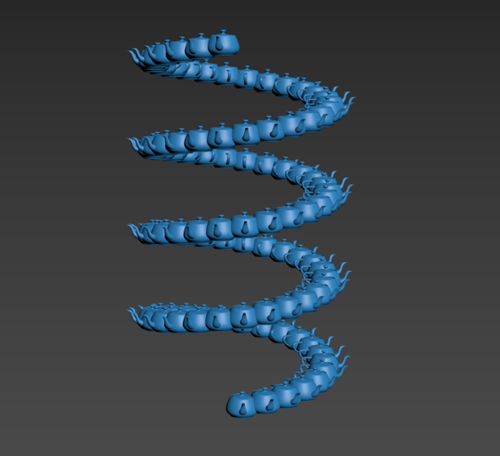
Moves each clone successively along the main axis of the array. This can be used to produce a helical pattern. In the following example, Axial is set to 40.
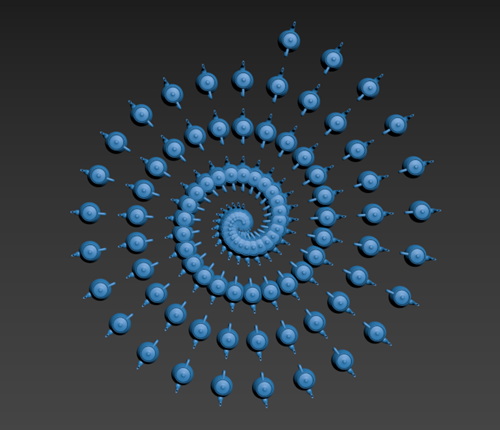
Radial
Moves each clone successively and tangentially (towards/away from) along the main axis of the array. This can be used to produce a spiral pattern. In the following example, Radial is set to 0.3.
Ring
Moves each ring of clones successively along the main axis of the array.
Radial Phase
Rotates each ring along the main axis via a phase, where a value of 1.0 equals 360 degrees of rotation.
Ring Phase
Rotates each ring in an alternating pattern along the main axis via a phase, where a value of 1.0 equals 360 degrees of rotation.