Array Modifier Remove Rollout
 Modify panel > Make a selection > Modifier List > Object-Space Modifiers > Array > Remove rollout
- Default menu: Make a selection > Modifiers menu > Parametric Deformers > Array > Remove rollout
The Array modifier's Remove rollout lets you delete a percentage of clones after an array has been created.
Interface
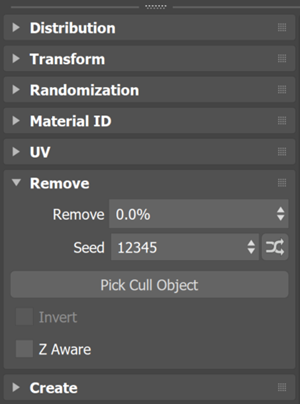
Remove
Sets the percentage of clones to delete.
Seed
Sets a random number seed to determine what clones to delete.
Seed Randomization
Click  to randomize the seed value.
Pick Cull Object
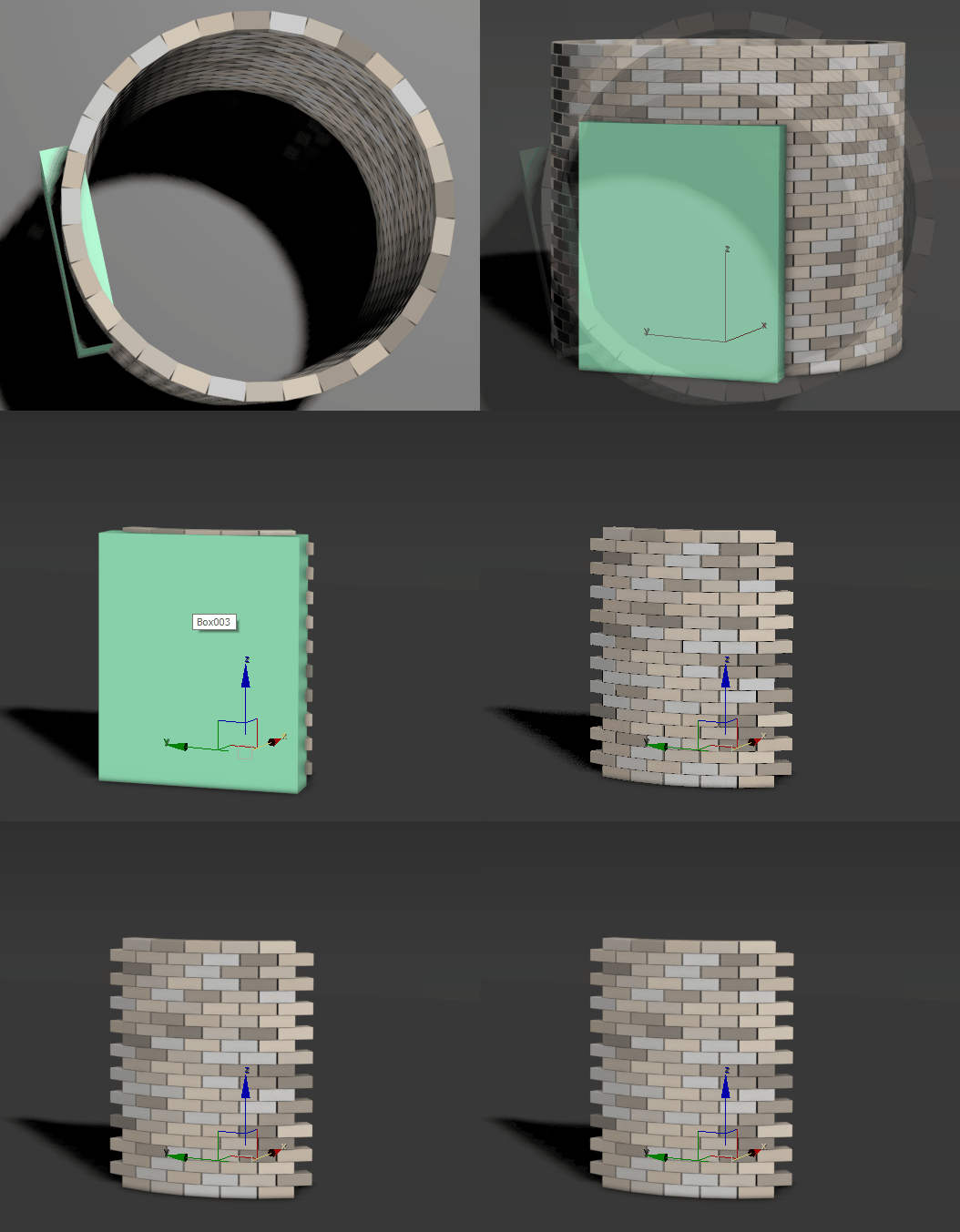
When a cull object is selected, clones are removed if they are outside of the volume of the selected polygon object.
In the following example, the rectangle is the cull object. All bricks from the tower are removed, except the bricks that are inside the volume of the rectangle.
Invert
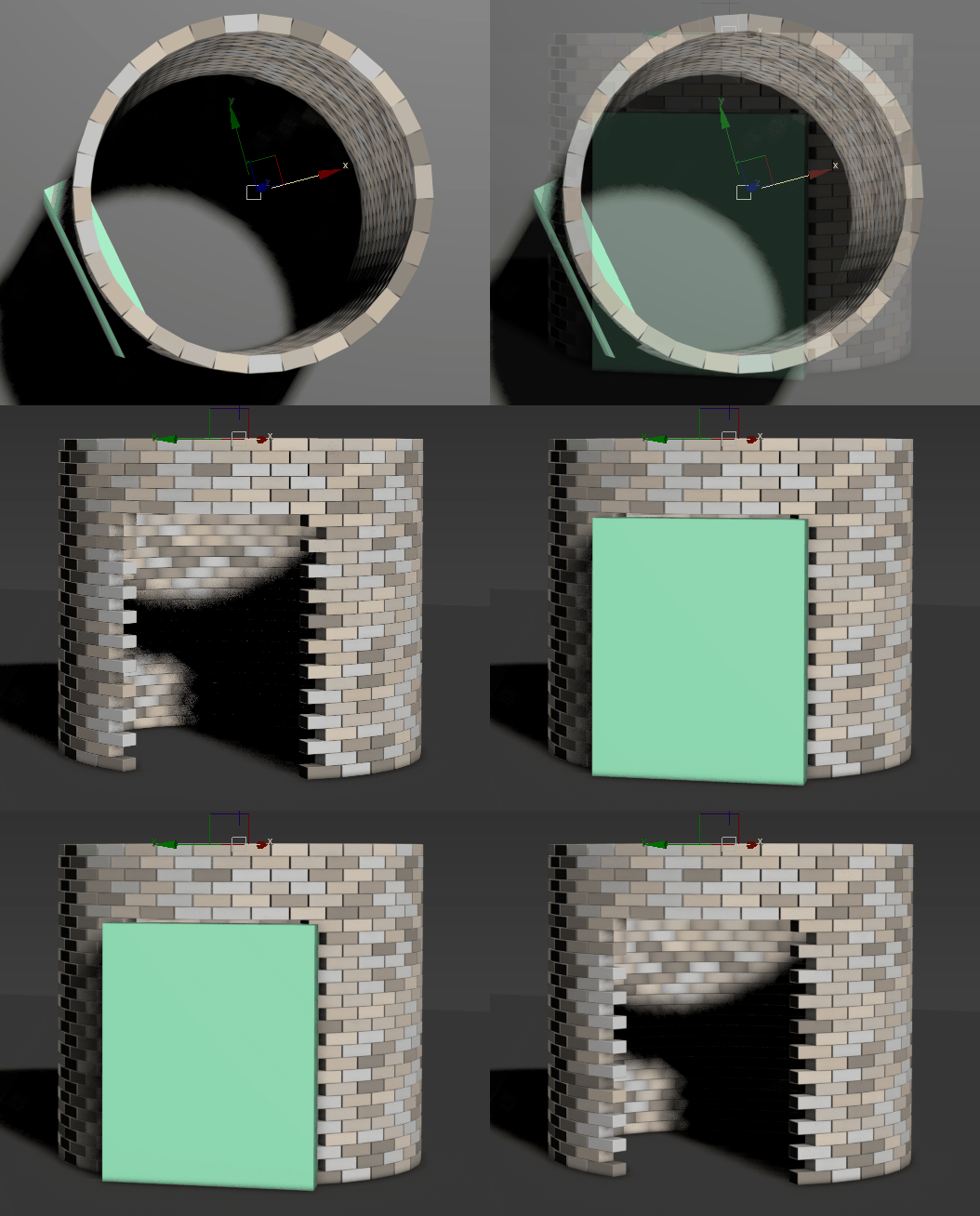
When selected, clones are removed if they are inside of the volume of the selected polygon object.
In the following example, this parameter has been used to create an opening in a brick tower. A rectangle, the cull object, has been positioned so it fully encloses the bricks. When the rectangle is hidden, we can see that the bricks enclosed within the volume of the rectangle have been removed from the tower.
Z Aware
When selected, Z Aware treats duplicates as stacked along the object's local Z axis, ensuring upper clones are only created when a supporting clone exists below. This prevents floating elements and enabling more natural stacked or piled results.
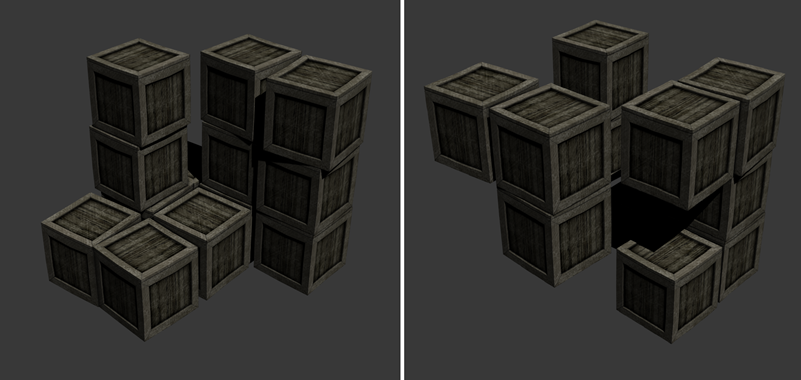
Without (left) and with (right) Z Aware