Boolean Modifier Options Rollout
 Modify panel > Make a selection > Modifier List > Object-Space Modifiers > Boolean > Options rollout
- Default menu: Make a selection > Modifiers menu > Parametric Deformers > Boolean > Options rollout
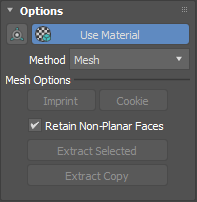
The Boolean modifier's Options rollout provides controls related to materials and a lets you select a boolean method.
Interface
Align icon
Aligns the selected operand's pivot to the base object.
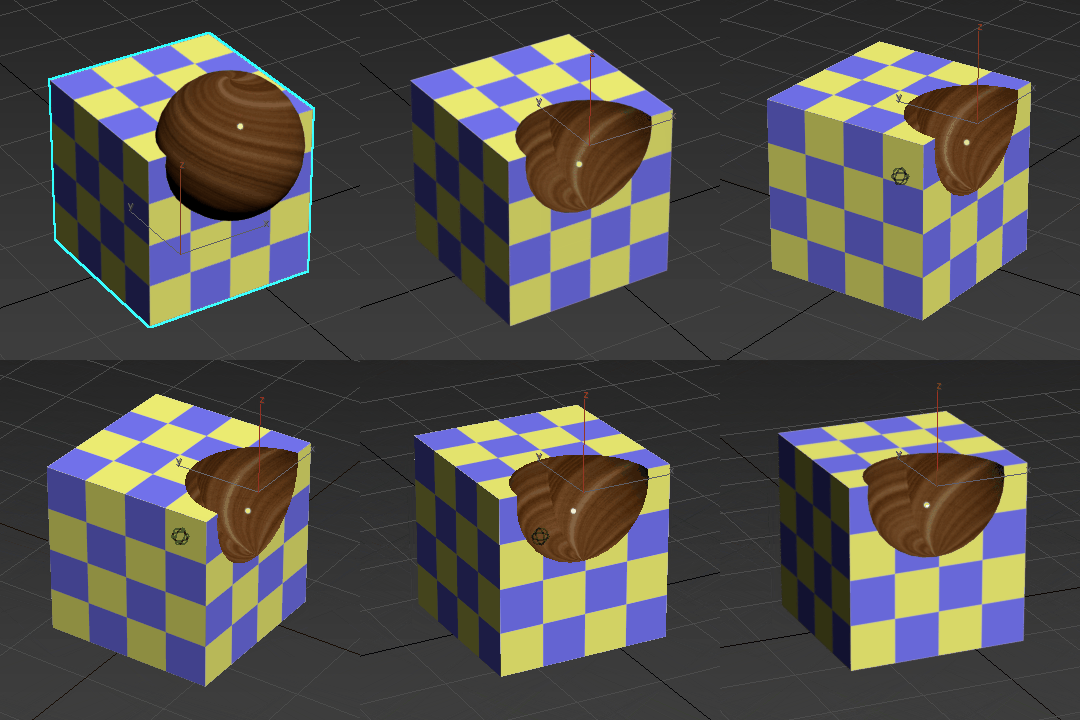
Use Material
When enabled, the boolean results use the operand's material.
If a boolean operand uses a different material from the base object, both materials are combined in the result:
Method
Sets how the boolean operation is performed. Select from the following options:
Mesh: Your base object remains a mesh object.
OpenVDB: Your base object is turned into a volume. When OpenVDB is selected, your operands are converted into volumes, where the Boolean operation is calculated. The Boolean result is then converted back to meshed quadrilateral polygons.
The OpenVDB method lets you produce topologically independent results from watertight geometry. The OpenVDB method computes reliably and mitigates mesh issues, like operands that contain polygonal errors.
This method is often successful on problematic geometry that causes the traditional Mesh method to fail. However, you sacrifice some detail on the original geometry. To see a detailed workflow example using the OpenVDB method, see Create a screwdriver using the Boolean Modifier.
Mesh Options
The following options are only available when Method is set to Mesh.
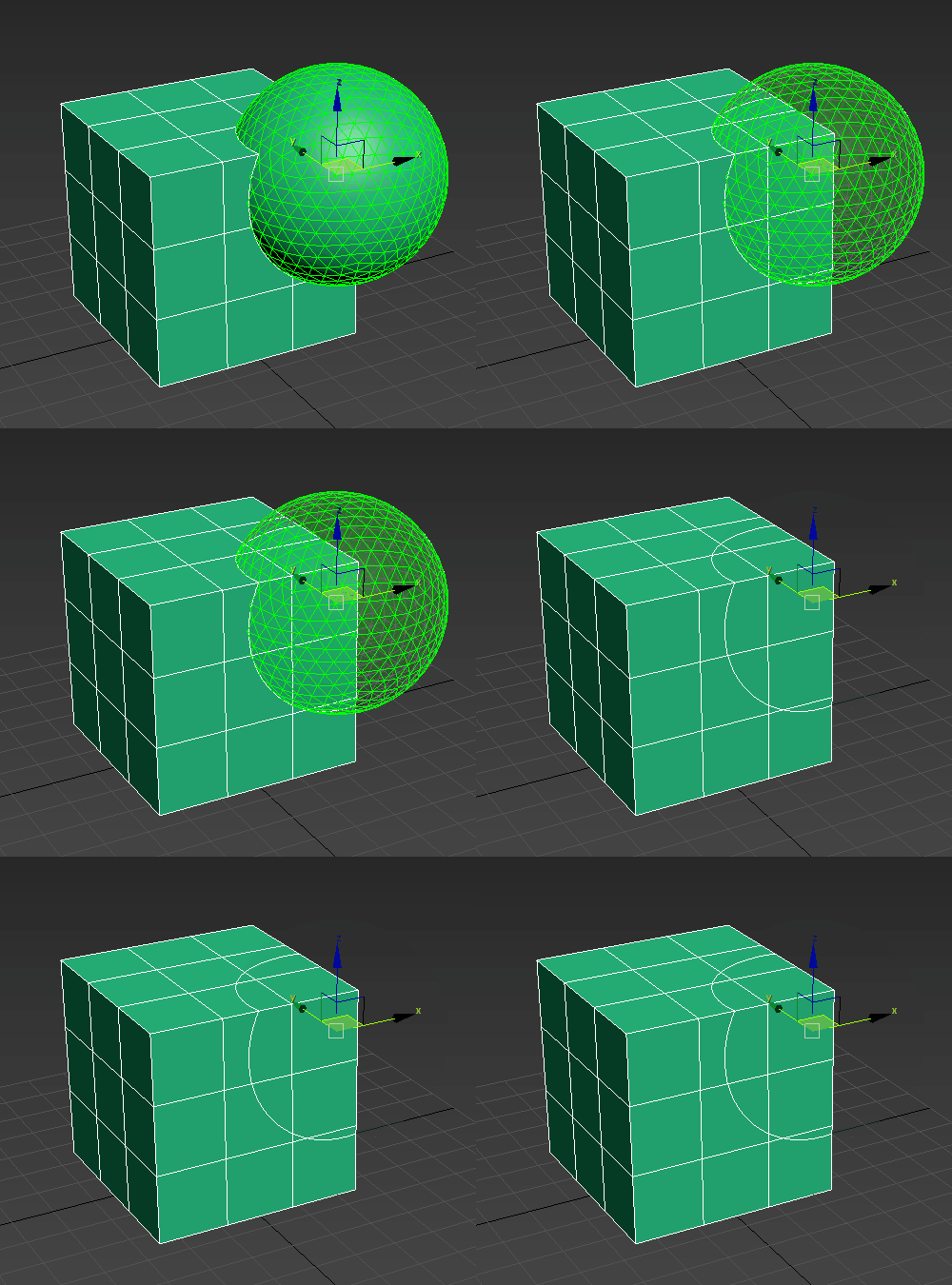
Imprint
This option is only available when an operand in the operand list.
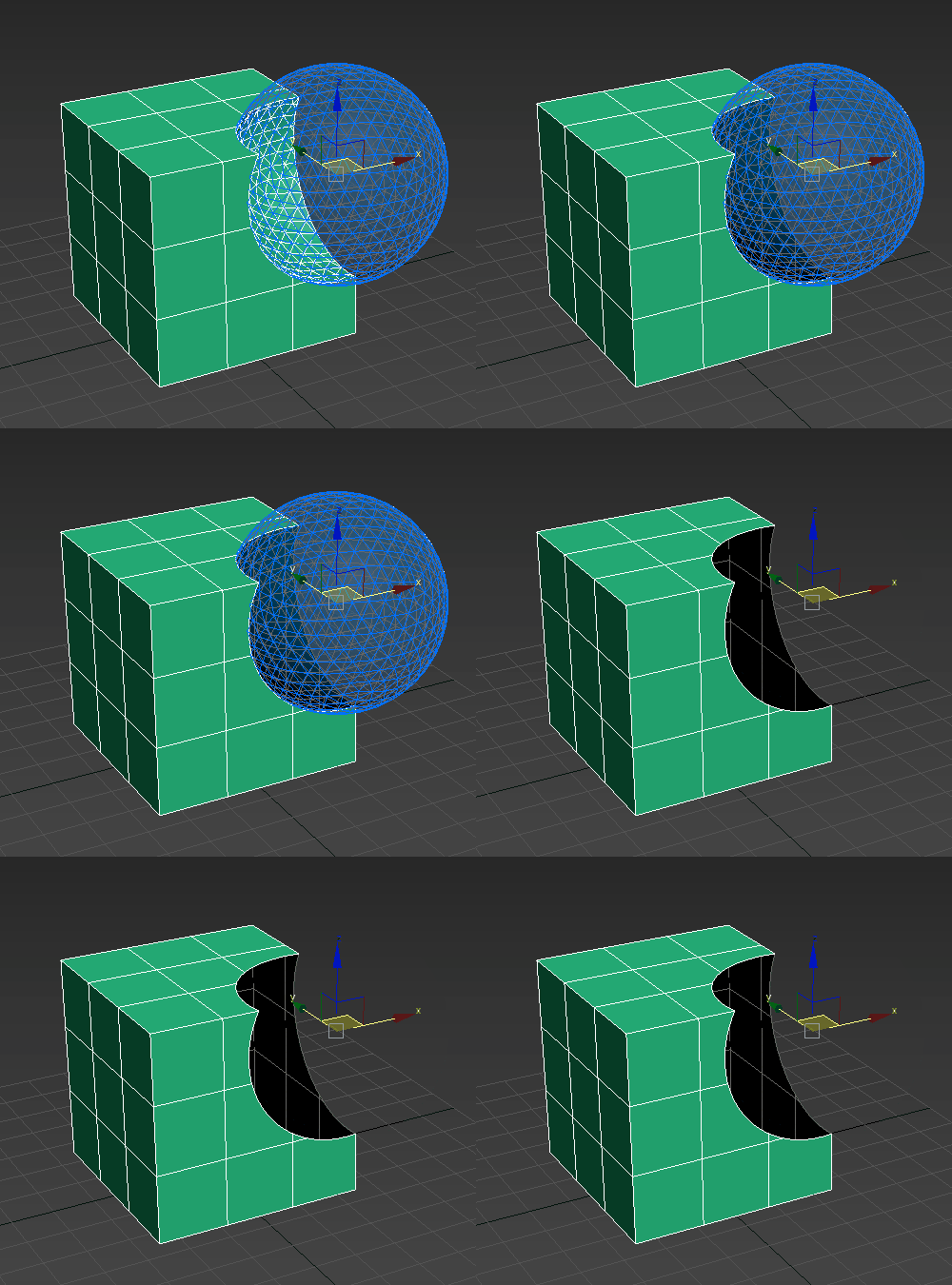
When on, Imprint splits faces and adds new edges to the base object. Intersection edges are inserted between the operands and the base object without removing or adding faces.
In the following example, the sphere (operand) and the square (base mesh) are unified. When Imprint is enabled, new intersection edges are inserted into the square:
Cookie
This option is only available when an operand is selected in the operand list.
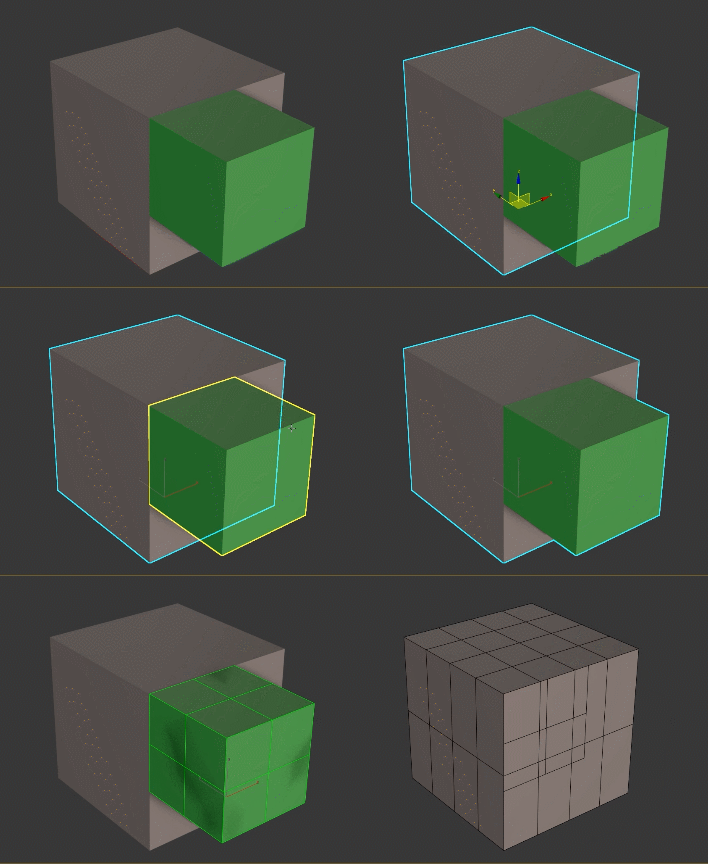
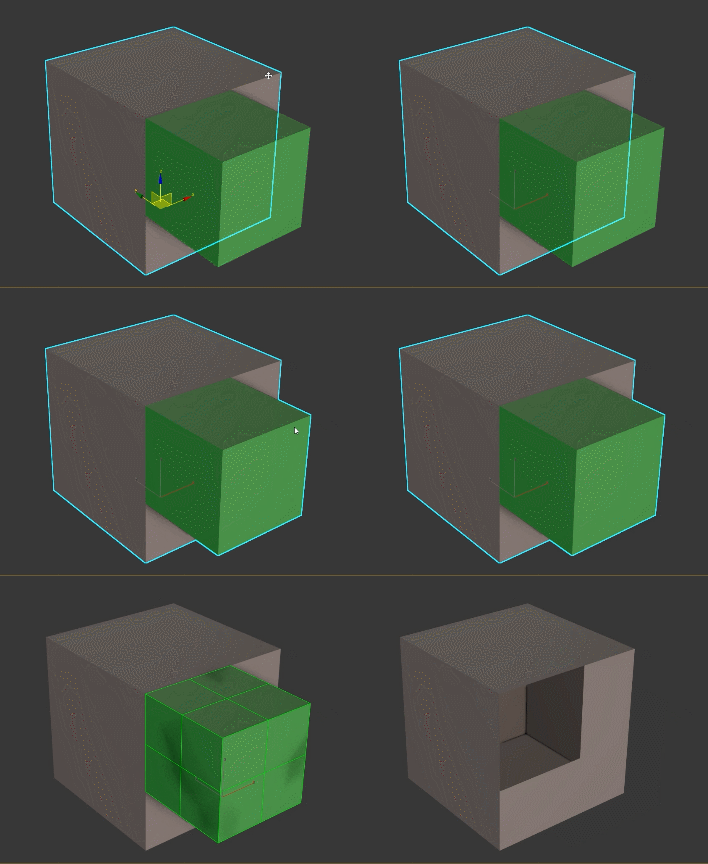
When on, performs the boolean operation without adding faces from the operands into the base mesh. The faces of the selected operand are not added to the boolean result. Turn on Cookie to cut a hole in a mesh or make parts of a mesh inside another object accessible.
In the following example, the sphere (operand) is subtracted from the square (base mesh). When Cookie is enabled, a hole is cut into the square:
Retain Non-Planar Faces
Keeps non-planar faces from the operands.
Extract Selected
Removes the selected operand(s) from the boolean operation and creates new object(s) using the operand's existing geometry and transforms.
Extract Copy
Removes the selected operand and creates a new object with an intact modifier stack.
Volume Options
The following option is only available when Method is set to OpenVDB.
Voxel Size
Controls how finely your mesh is encoded into a volume. The lower the voxel size, the sharper the results. A higher Voxel Size value produces rounder features because there is not enough resolution to produce hard edges. In areas where operands intersect, this softening can also create smooth transitional areas. This can produce results that appear more organic.
ESC key to call an abort request. This mechanism will help when you have accidentally set a Voxel Size that causes longer processing time or if you accidentally set your Voxel Size too low and want to abort the process. If you abort, 3ds Max will restore the Voxel Size value to the last processed value that was used. This abort might not be instantaneous and have a delay depending on how much CPU and RAM OpenVDB is utilizing.