New Point Object type
Edit 3DGS data or create point data from scratch using the new point data manipulation modifiers and object type.
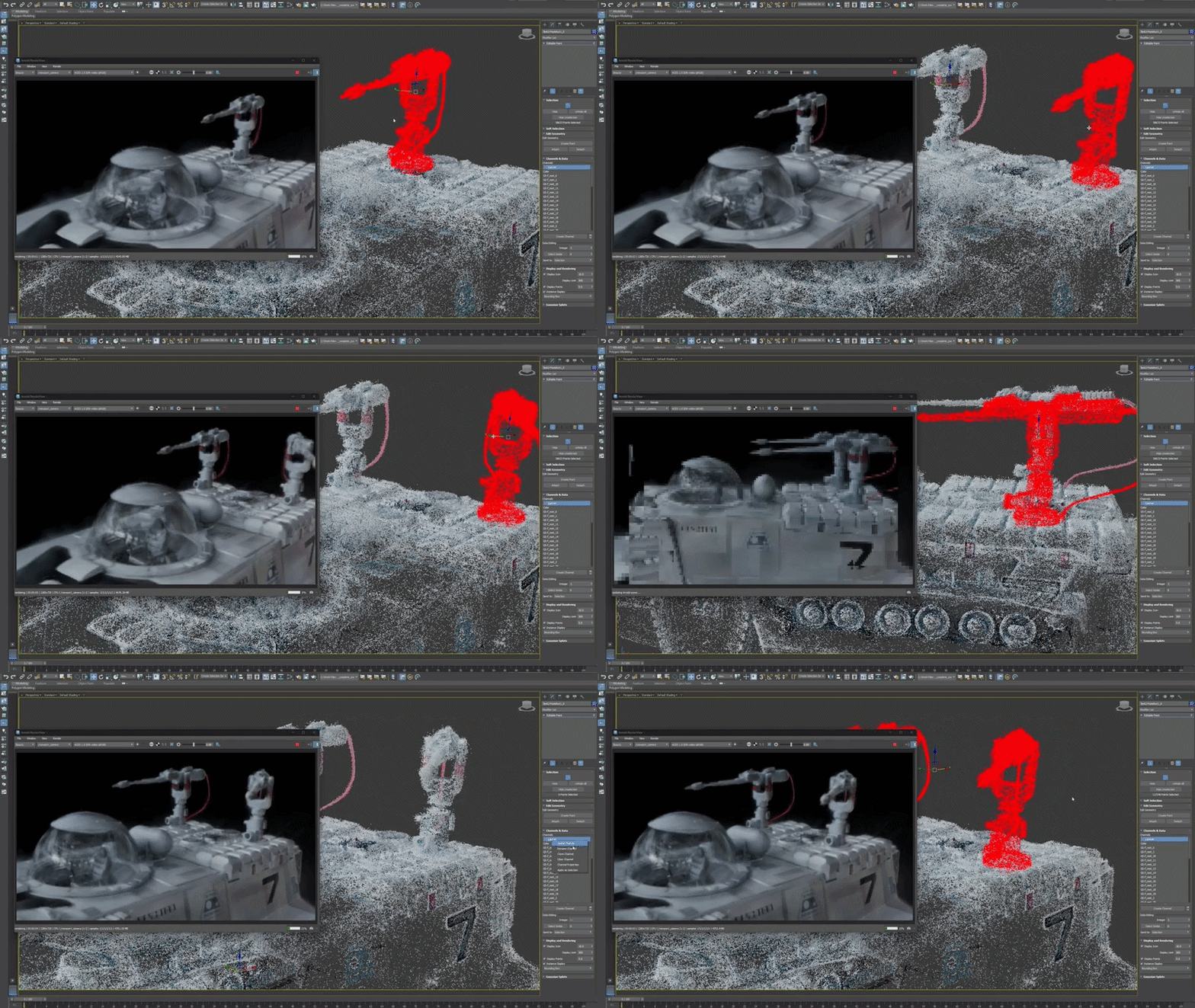
3ds Max 2027.2 introduces an entirely new Point data type and new modifiers that let you edit and work with 3DGS and Point data in your scene like you would other 3ds Max data.
This new toolset provides you with a variety of new options related to point data manipulation. You can use the following new features to edit 3DGS data or create your own point data from scratch:
Points object type: A polymorphic data format that lets you create Gaussian Splat, Editable Point, and Point Sphere objects. See Points Object.
Point Select modifier: Lets you select specific points on the object it is applied to in your scene. See Point Select Modifier.
Turn to Point modifier: Turns any object with a vertex into a Points object. You can select from various methods to determine how points are generated: based on vertices, surface count, surface density, or the volume of the object. See Turn to Point Modifier.
Point Instance modifier: References objects in your scene and uses them as instances that are placed at a point on the object being modified. See Point Instance Modifier.
- Note: The Point Instance modifier does not support Point Cloud objects or particle data.
Array modifier support: Array now supports Points as an input object type. You can also choose the output of an object modified with Array to be Points, even if the input was mesh polygon data. See Array Modifier.
Related documentation
To explore specific point data manipulation workflows, see the following: