What's New in USD for 3ds Max 0.16.2
Welcome to USD for 3ds Max 0.16.2!
USD for 3ds Max 0.16.2 adds diagnostic tools to help you manage asset paths. See all paths in your scenes—including tokens, environment variables, and file paths—and find issues before they affect your work.
Path Editor for Scene Management
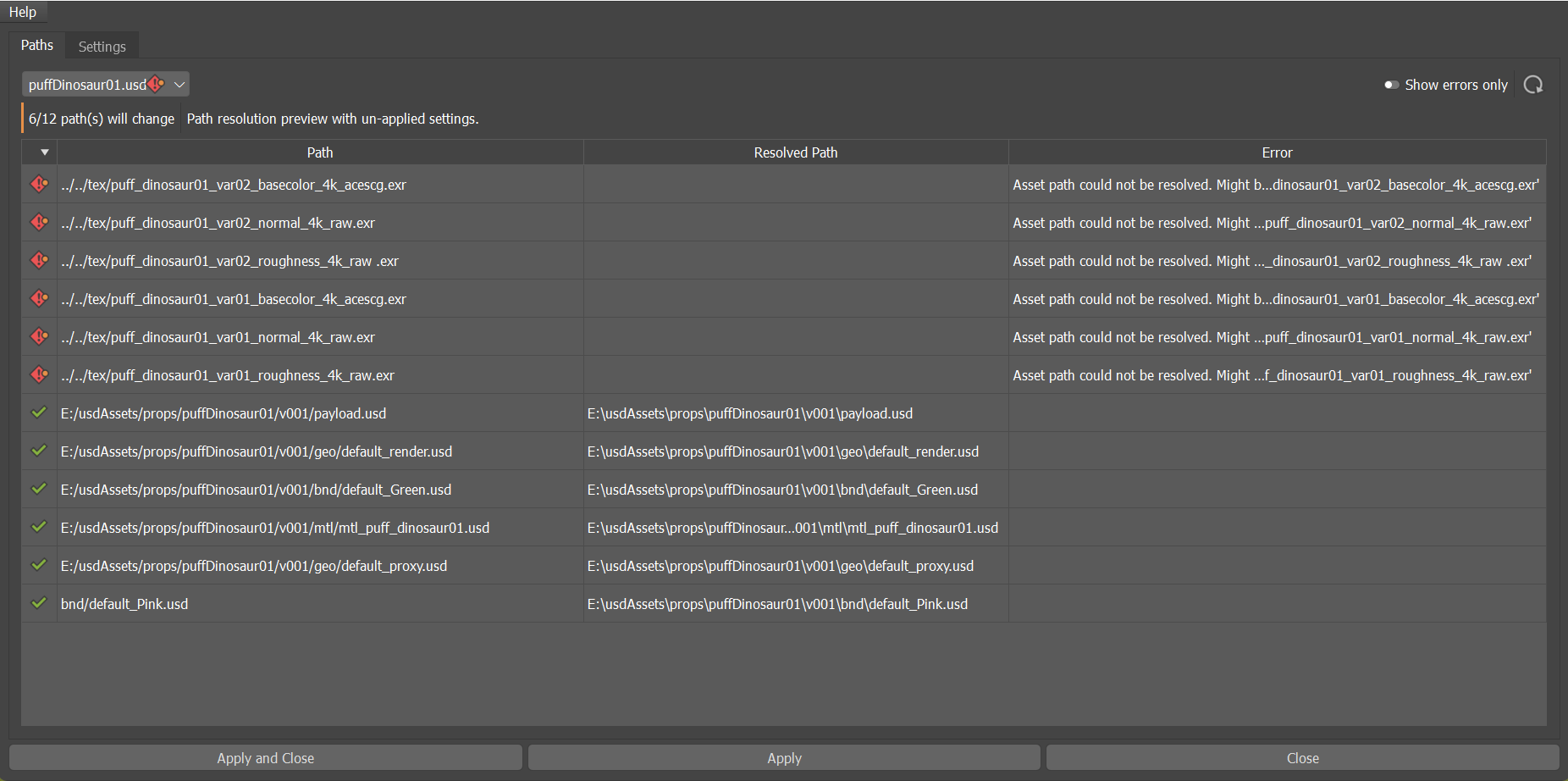
The new Path Editor shows all paths within your stage in one view. Search through tokens, file paths, environment variables, and other resolvable references quickly. Unresolved paths are clearly marked so you can spot problems immediately. Switch between stages from a dropdown menu while staying focused on your task. This saves time diagnosing path issues and helps ensure your scenes are configured correctly.
What else is new?
| Feature | Description |
|---|---|
| Preview path changes before applying | Before you apply modifications in the Path Editor, a preview shows how many paths will be affected. This helps you verify changes and avoid unintended side effects to your scene. |
| Identify stages with unresolved paths | Error icons now appear in the stage dropdown for any stage containing unresolved paths. This visual indicator helps you quickly spot and prioritize scenes that need attention. |
| View active regex path mappings | Asset Resolver Settings now display regex mappings organized by priority. Each mapping shows its expression and value pair, with a lock icon indicating they are managed externally. This helps you understand active path substitutions when working with references and sublayers. |
| Manage tokens and project settings | A new Tokens view in Asset Resolver Settings displays all available tokens grouped by type, showing their names and values. You can enable or disable project tokens using a toggle to control which tokens are active during asset resolution. |
| Review path mapping configuration | Asset Resolver Settings now display all path mappings organized by priority. Each mapping shows its name and value, with a lock icon indicating external management. This gives you clarity about which path substitutions are active during resolution. |