Shared part numbers
This content applies if you're using a hub that has collaborative editing enabled. Check for this icon  next to the hub name to confirm that you're using a collaborative editing hub. Learn about collaborative editing.
In Fusion, shared part numbers enable you to manage multiple variations of a model under one, shared part number. This simplifies business processes and data management. Using this single part number, you can keep track of one Bill of Materials (BOM) and all properties associated with the models.
What issues do shared part numbers solve?
Traditionally, multiple models of the same real-world component lead to multiple BOMs, each associated with different properties and file names. This can cause issues such as:
- Errors in systems due to the wrong BOM being used.
- Confusion when different team members access different BOMs.
- For Fusion Manage Extension users, redundant items leading to inefficiencies and increased error rates.
Example
Consider a component like a pump. Multiple models of this pump might be created for various reasons.
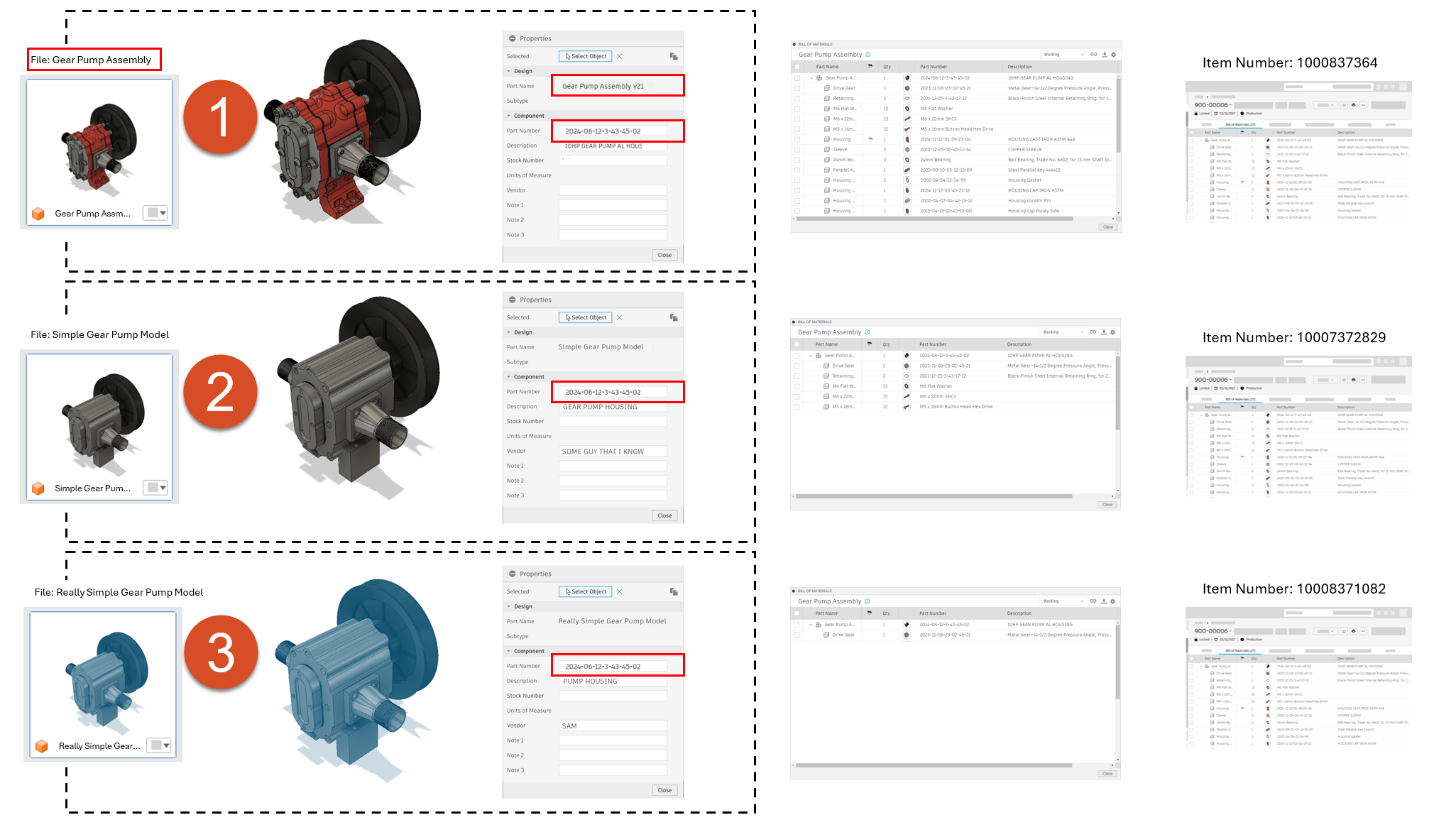
- Large model requiring more memory for maintenance
- Proprietary information removed so the model can be shared with anyone.
- Simplified model for specific assemblies.
These multiple models result in separate files and BOMs. This can make it difficult to reconcile data later, potentially leading to expensive mistakes, such as the wrong variant of the model being used for procurement or manufacturing, and so on.
Unified part number and properties
Shared part numbers address these issues by associating a single part number with all related models and their properties.
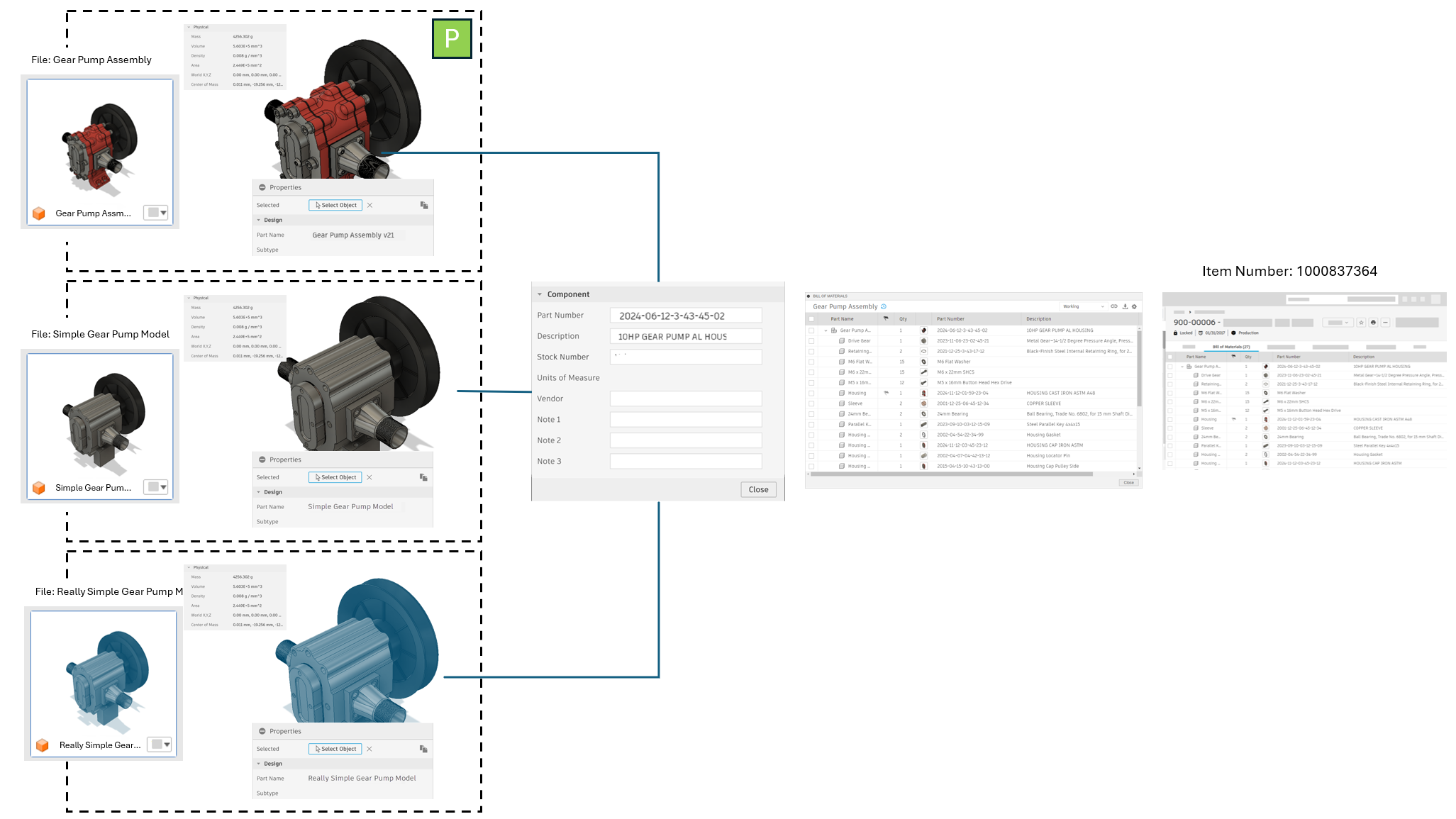
Key points include:
- A single part number owns all properties.
- Models are associated with this part number, maintaining consistency.
- Properties specific to each model include the model name (shared with the file name) and physical properties like mass and volume derived from the model.
When a version or change is recorded for a model with a shared part number, it is recorded for all models with that shared part number.
Primary model concept
To make sure that correct components are displayed in the BOM, shared part numbers include the concept of a primary model. You specify one variant of the model as the primary. The other variants then become secondary models. You can switch which variant is the primary at any time. The primary model determines which set of components is the one that should be shown in the BOM.
The single part number that owns all these properties also owns the BOM. The BOM is associated with the part number, not the model directly. You end up with a single part number, with a single set of properties, and a single BOM. If you’re working in an assembly and you insert this pump, you will always see the same BOM and properties for it, no matter which model variant you are using.
Centralized BOM Management
Since the BOM is associated with the part number rather than the individual models, this results in:
- A single part number with a unified set of properties.
- A single BOM for the part number.
- A single item number for Fusion Manage Extension, reducing redundancy and errors.
Consistency
Designers and manufacturers can create different models for various purposes while maintaining a single source of truth for the part's information. This ensures that regardless of the model version used within an assembly, the properties and BOM information retrieved are consistent and accurate.