Delete a custom property
Fusion Manage requires a separate license and can be used with Fusion or independently. Learn more.
 next to the hub name to confirm you're using a collaborative editing hub. Learn about collaborative editing.
Hub administrators can delete a custom property when it is no longer needed. This action is permanent and cannot be undone.
Before deleting a property, note that any values stored in that property for existing components (including historical values) will be permanently lost. Once deleted, the property is removed from all user interfaces, including Admin experiences, the Properties tab and panel, Bill of Materials (BOM), drawings, and other Fusion experiences.
Open the Fusion web client.
In the upper-right corner, click your profile image, then select Admin > Custom Properties.
(Optional) Use search to find the property.
Click the property row to open its details.
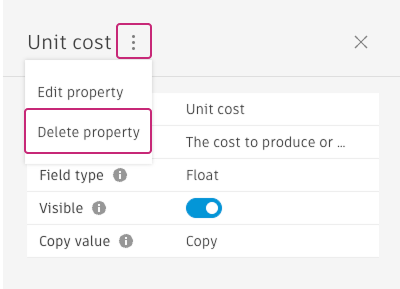
Click More
 in the panel header.
Select Delete property, then confirm the deletion.