Content Catalog Release Notes
Version 4.0.104
March 16, 2026
Fixes
Resolved an issue where 3D preview images were not being generated. Now, 3D previews load and function as expected.
Version 4.0.103
March 6, 2026
Enhancements
This release includes general updates and maintenance to improve overall stability and reliability.
Version 4.0.102
February 17, 2026
Fixes
Resolved an issue that prevented administrators from deleting a Collection.
Version 4.0.101
February 2, 2026
Enhancements
This release includes general updates and maintenance to improve overall stability and reliability.
Version 4.0.100
January 22, 2026
Fixes
Fixed an issue where duplicate revisions were created, which could cause Families not to upgrade correctly or result in upload errors.
Resolved an intermittent issue that caused Content Catalog to switch between Revit project connections unexpectedly, resulting in a more stable experience.
Fixed an issue where opening a File Details URL while signed into a different account could result in a blank details screen.
Enhancements
Users will now receive a warning when trying to overwrite content in a Collection they don’t have permission to access, helping prevent accidental changes.
You can now access the India BIM Country Kit from your Content Catalog Channels, offering region-specific BIM content to support projects based in India.
Version 4.0.98
December 11, 2025
Fixes
Fixed an issue where Channel Collections did not update correctly after resubscribing, ensuring content now refreshes as expected. Resolved an issue where Content Catalog would not process more than nine uploaded revisions within a single Revit year.
Version 4.0.97
November 25, 2025
Fixes
Thumbnails update and display correctly
Non-admin users with edit rights couldn’t update the default thumbnail image for content, preventing it from displaying for others. The new thumbnail now updates correctly and is visible to all users regardless of the editor’s role.
Version 4.0.96
November 12, 2025
Enhancements
Content Requests: Enable requesting new content in Content Catalog NEW!
Users can submit a request to admin(s) for content they need and can't find in Content Catalog. Admins can centrally review and manage the new content requests, in conjunction with their BIM management needs.
Manage Revit Materials in Content Catalog NEW!
Users can search, browse, and view materials details in Content Catalog and insert or export to and from Revit.
Fixes
File Details page layout fixed
We have fixed an issue where the File Details page would shrink after adding 2 or 3 preview images, ensuring a consistent and user-friendly layout regardless of the number of images added.
Insert button now activates in Revit
We have resolved an issue when connected to Revit where the insert button was not active when users clicked the Share File Details link, ensuring a smoother file-sharing experience.
Collection images display fully in ACC
We have fixed an issue where collection images appeared cropped in Autodesk Construction Cloud (ACC), ensuring that images are now displayed correctly and fully.
EU hub redirection issue resolved
We have resolved an issue where users were incorrectly redirected to the US hub instead of the EU hub when refreshing a page on the EU hub, ensuring consistent access to the correct regional hub.
User group update error fixed
We have fixed an issue in Content Catalog where users encountered a "Failed to update user group" error when saving a newly added member, ensuring smooth and error-free user group updates.
Version 4.0.95
October 21, 2025
Fixes
Collection image upload messaging correction
ACC now displays the correct success or failure message when uploading a collection image.
PDF File Preview Viewer advances properly
Fixed an issue in the PDF File Preview Viewer where advancing through additional pages did not work.
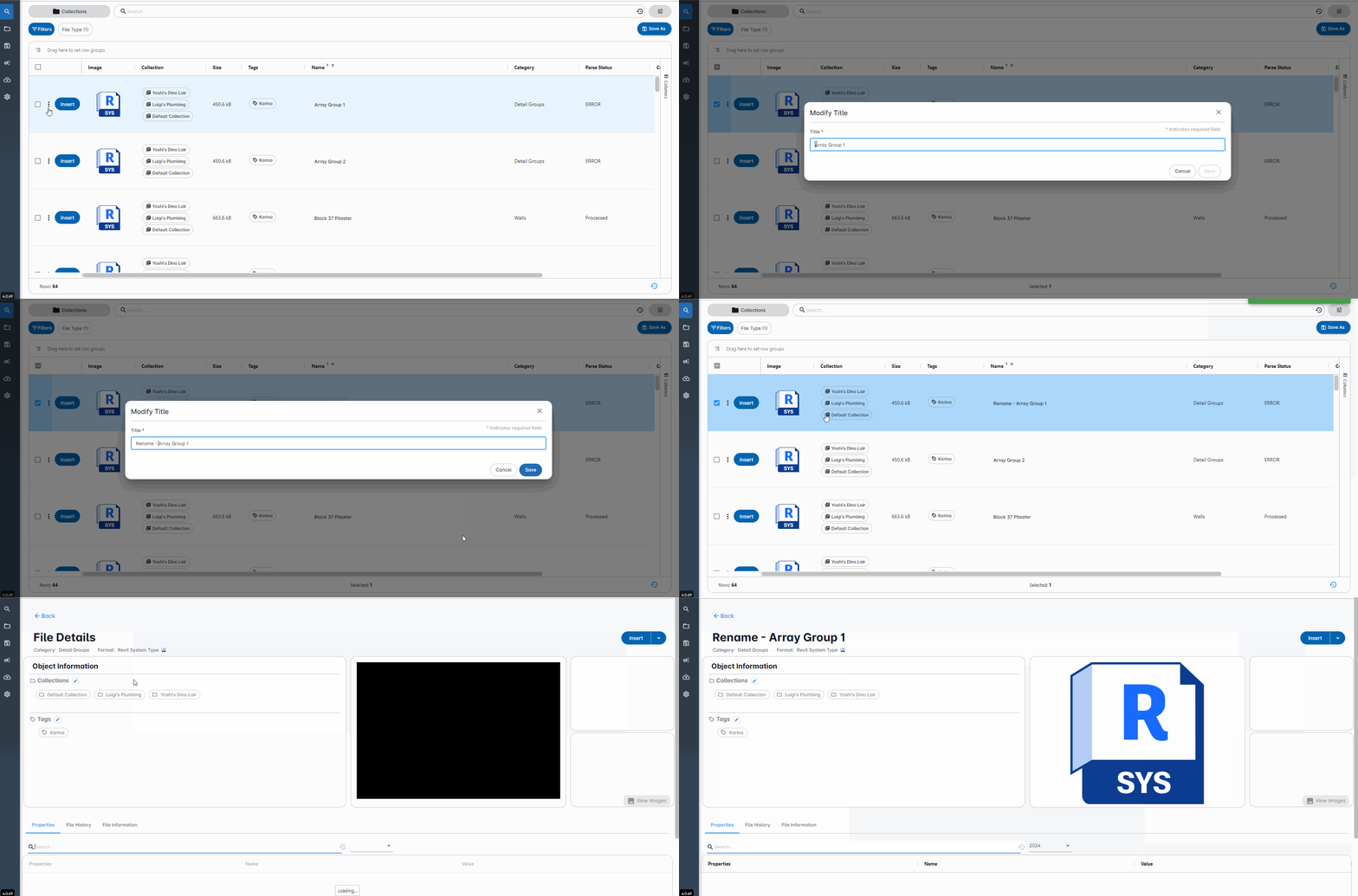
Renamed Revit files insert correctly
Resolved an issue where renaming Revit files would prevent them from being inserted into Revit.
Parameter data restored in saved searches
Fixed an issue where parameter names and values were not being restored in search results from a saved search.
Saved search view now retained
Fixed an issue where the selected view for a saved search was not being saved.
Content removal from collections fixed
Fixed an issue where removing content from the collection was not possible.
Enhancements
Improved sync between CC user access and ACC account
Enhanced account synchronization with ACC to streamline changes to user's access to Content Catalog.
Content Catalog aligns with Revit region
Launching Content Catalog from Revit now checks the active Revit Cloud Model and sets the same region in the Content Catalog.
Performance improved for large datasets
Enhanced handling and retrieval process of large data sets for improved performance and efficiency.
Saved Search icons updated for AEC users
Updated Saved Search icons to provide a more relevant experience for AEC customers (screen shot attached).
Version 4.0.94.1
October 21, 2025
Enhancements
Removed limitations on Collection creation
You can now create and manage as many Collections as you need, providing greater flexibility and efficiency in organizing your content.
Fixes
Displaying correct regional accounts
Addressed an issue that ensures that the correct regional accounts are displayed.
Version 4.0.94
October 14, 2025
Enhancements
Handling large data sets
Enhanced performance for handling and retrieving large data sets, enabling faster access to extensive content.
Group membership changes will reflect account access automatically
Content Catalog now automatically updates account access to reflect changes in group membership instantly, without needing to log out and back in.
Content Catalog aligns with Revit Cloud Model region
Content Catalog will now open in the same region as your active Revit Cloud Model for improved performance and efficiency.
Fixes
Collection images display fully
Resolved an issue where Collection images appeared cropped, ensuring full visibility of all images.
Renamed drafting views can be inserted
Fixed an issue that prevented renamed drafting views from being inserted into Revit projects.
Create multiple tags for a family
Fixed the error "Cannot read properties of undefined" when creating multiple tags for a family.
Generate 3D image previews
Resolved an issue where 3D image previews were not being generated, ensuring accurate visual representations.
User confirmation for creating new tags
Fixed an issue where creating new tags would automatically save the tags without user confirmation.
Version 4.0.93
September 29, 2025
Enhancements
Load and display unlimited user lists
The Content Catalog has been enhanced to reliably load and display user lists, regardless of the number of users.
Improved guidance for users without an Autodesk Docs license
Users without an Autodesk Docs license will now be directed to an updated "Unable to Verify Autodesk Docs Subscription" page for improved clarity and guidance.
Fixes
Fixed loop for users with unassigned collections
Resolved an issue where ACC members in user groups without collection assignments were getting stuck in a perpetual loop, ensuring they can now recover and continue their tasks seamlessly.
Version 4.0.92
September 22, 2025
Enhancements
Update user emails and group access in ACC
You can now update an end user’s email address in Autodesk Construction Cloud (ACC) and assign them to additional groups. Upon login, users will automatically see all groups they have access to.
Version 4.0.91
August 26, 2025
Fixes
Fixed file upload failures for large files
Large files previously failed to upload. This has been fixed, improving file handling and enhancing the overall upload process.
Approval permissions now enforced correctly
Users were able to approve uploads to collections they did not have edit permissions for. Approval functionalities now correctly respect users' edit permission settings.
Integer parameter values display correctly
Integer parameter values were incorrect in selected family types. All integer parameters now display the correct values as expected.
Improved reliability for batch uploads
Intermittent failures occurred during batch uploads. Users can now expect improved reliability and consistency when uploading files in batches.
Type Catalog insertion restored
Users were prevented from inserting Type Catalogs. Users should now be able to insert Type Catalogs successfully.
Login issues for some accounts resolved
Users were prevented some accounts from logging in to Content Catalog. All affected users should now be able to log in without any problems.
File removal from upload queue fixed
Users were unable to remove files from the content request upload queue. This has been fixed, ensuring smoother file management and improved user experience.
Enhancements
Comments field now visible for rejected requests
The Comments field is now visible for rejected content requests. The comment column is visible in the drawer and can be selected to show in the grid for content requests.
Improved performance with large content datasets
Improved performance and stability when handling large content datasets.
Version 4.0.90
August 13, 2025
Fixes
Fixed access issue for Administrators
Customers reported issues with administrators being unable to view collections and user groups correctly on the ACC Admin pages. New administrators were unable to create new user groups or collections.
This issue has been resolved. Affected customers should log out and log back in for the changes to take effect.
Version 4.0.89
August 4, 2025
Enhancements
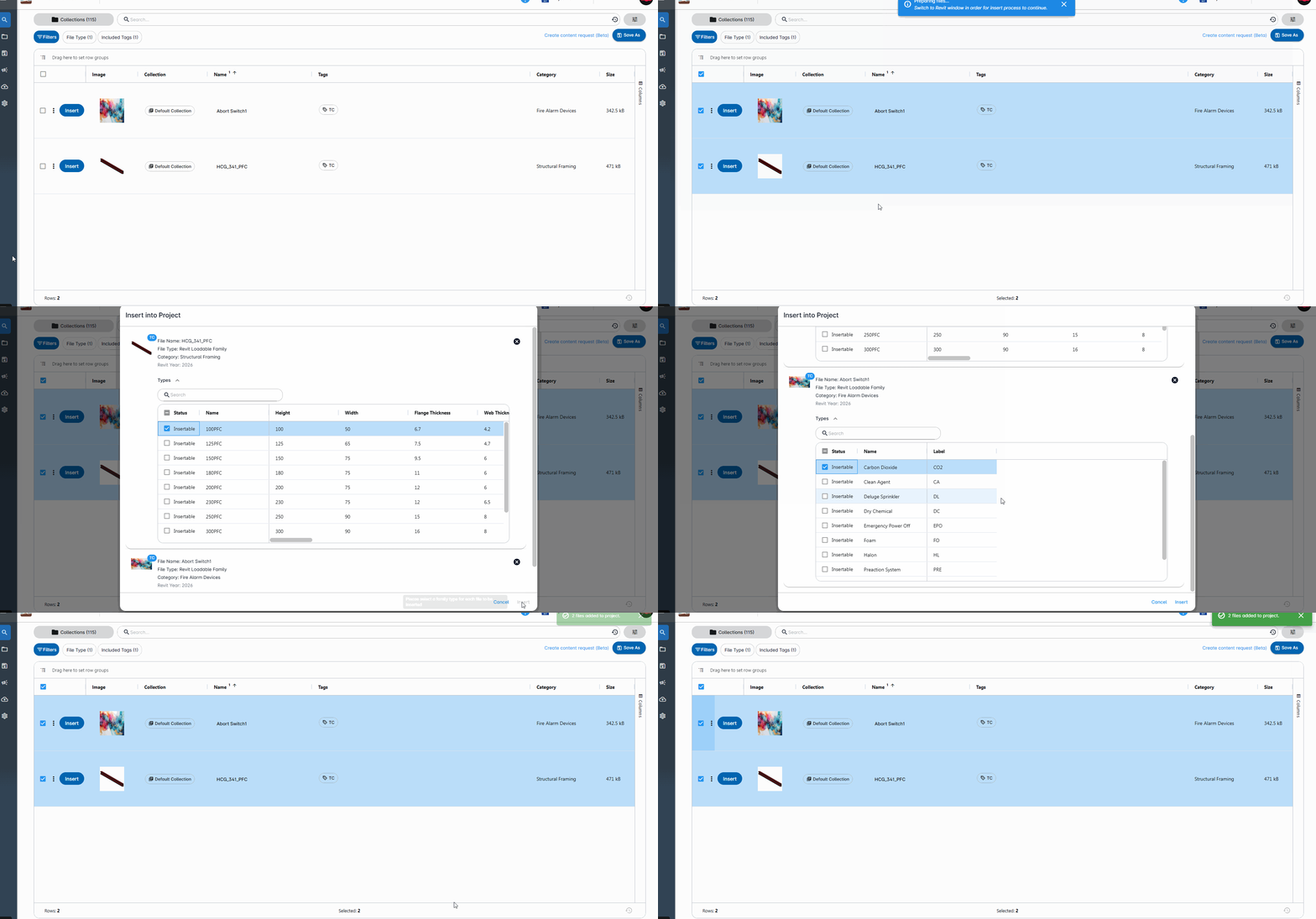
Cannot batch insert multiple type catalog families
The insert button is now active when users batch insert multiple families that have type catalogs.
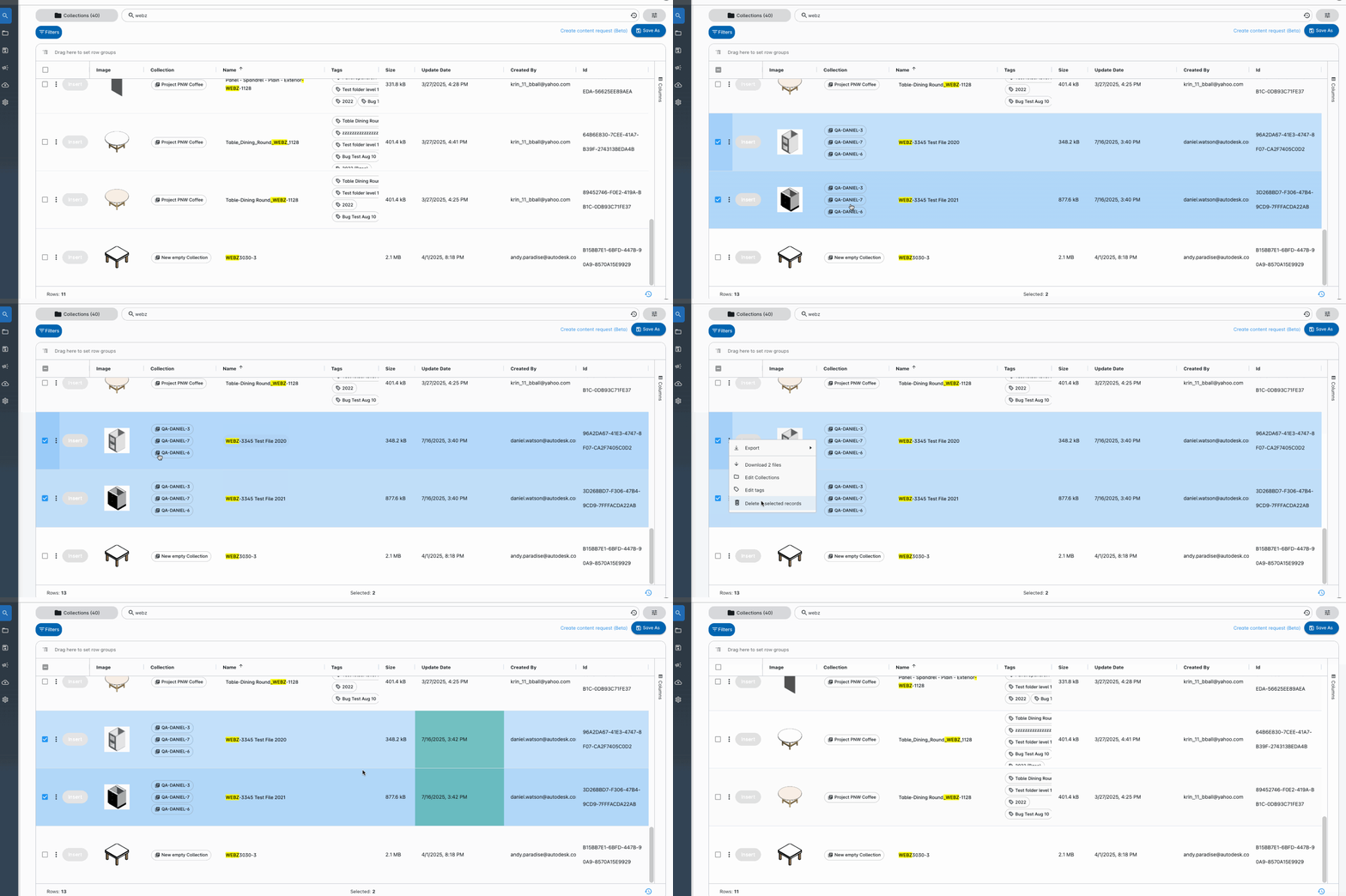
Unable to bulk delete multiple families
Users who delete multiple content in multiple collections are removed immediately, and it doesn't reappear after navigating away and returning to the search page.
Version 4.0.88
July 9, 2025
Enhancements
Backend performance and stability improvements
This release includes backend performance and stability improvements. There are no customer-facing changes in this version.
Version 4.0.87
July 2, 2025
Fixes
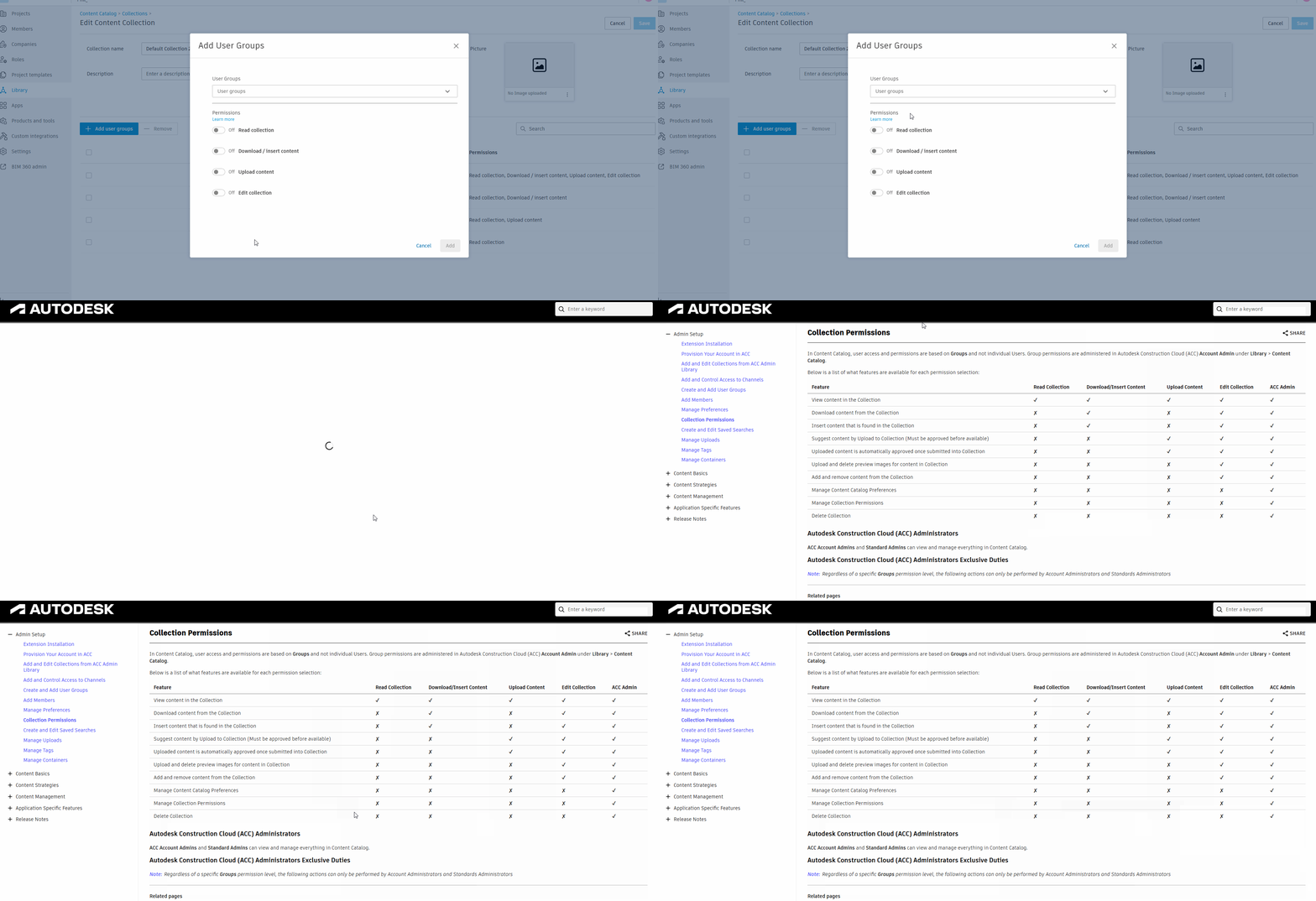
Permissions Help Link redirect update
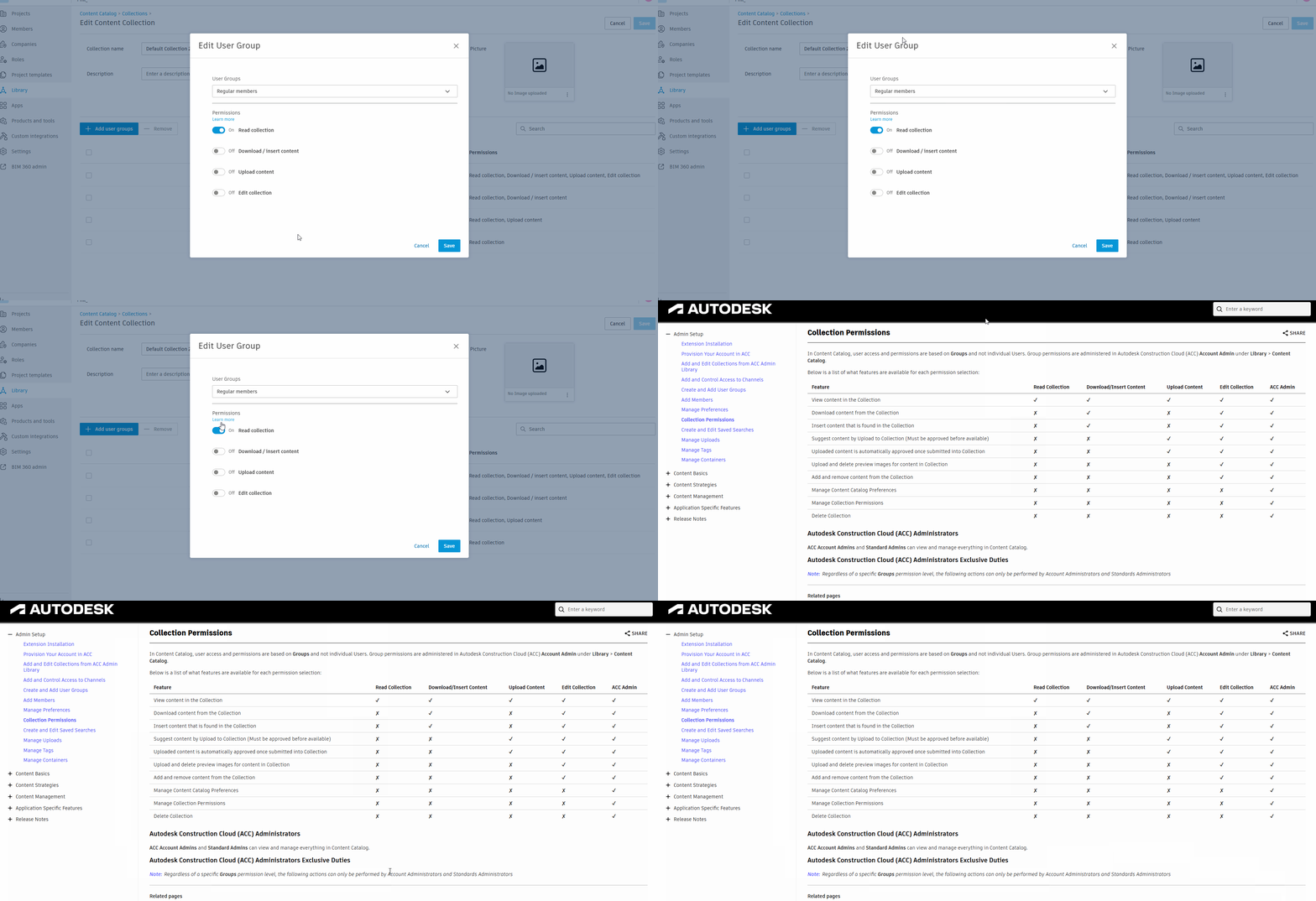
The "Learn more" link under collection permissions within the Add/Edit user group modal should now redirect users to the new Autodesk Help page.
Login Issue: Continued login improvement
We addressed an issue where Content Catalog would load indefinitely if a user chose to refresh the browser during initial account selection.
This update enables users to enter the application even after refreshing, and all content results will load as expected.
Version 4.0.86
June 26, 2025
Fixes
Login issue: Can't access Content Catalog with 75 or more collections
A short-term cap of 75 collections is now in place to resolve the login failure some users have been experiencing.
Account access: Can't access Content Catalog (internal token size limitation)
We've addressed an issue related to handling large numbers of accounts.
Login issue: Endless loading and/or missing content when switching accounts
We have addressed an issue in which Content Catalog would load indefinitely when users switched from one account to another using the account picker. Users can now switch accounts, and Content Catalog will load the selected account and its associated content without requiring a refresh.
Login Issue: Content Catalog fails to finish loading
After logging into Content Catalog, some users had been getting stuck in a persistent loading state. Users should now be able to enter the application cleanly after login, with all content results loading as expected.
Version 4.0.85
June 6, 2025
Enhancements
Improved backend stability user access Additional improvements and fixes have been made for users experiencing issues with idling and large number of ACC accounts. These updates resolve an issue where the Content Catalog would hang on the 'Content is syncing', typically seen when the account and request pages load, but no content is displayed. With this latest release, users should no longer encounter this issue.
Version 4.0.84
May 29, 2025
Enhancements
Improved login flow
Improvements have been made to reduce instances where users get stuck on the loading page after logging in.
Improved upload content experience
Additional improvements have been made to ensure the upload content processes work as expected.
Version 4.0.83
May 12, 2025
Enhancements
Frontend and backend stability.
Version 4.0.82
May 2, 2025
Bug
"No Access to Collection" error
When a member with multiple accounts selects the account with no collection access, the "No Access to Collection" error page displays. When switching to the account with collection access, the member logs in as expected.

Fixes
Unable to login directly to AUS
Issues with users logging into Content Catalog from APAC have been resolved.
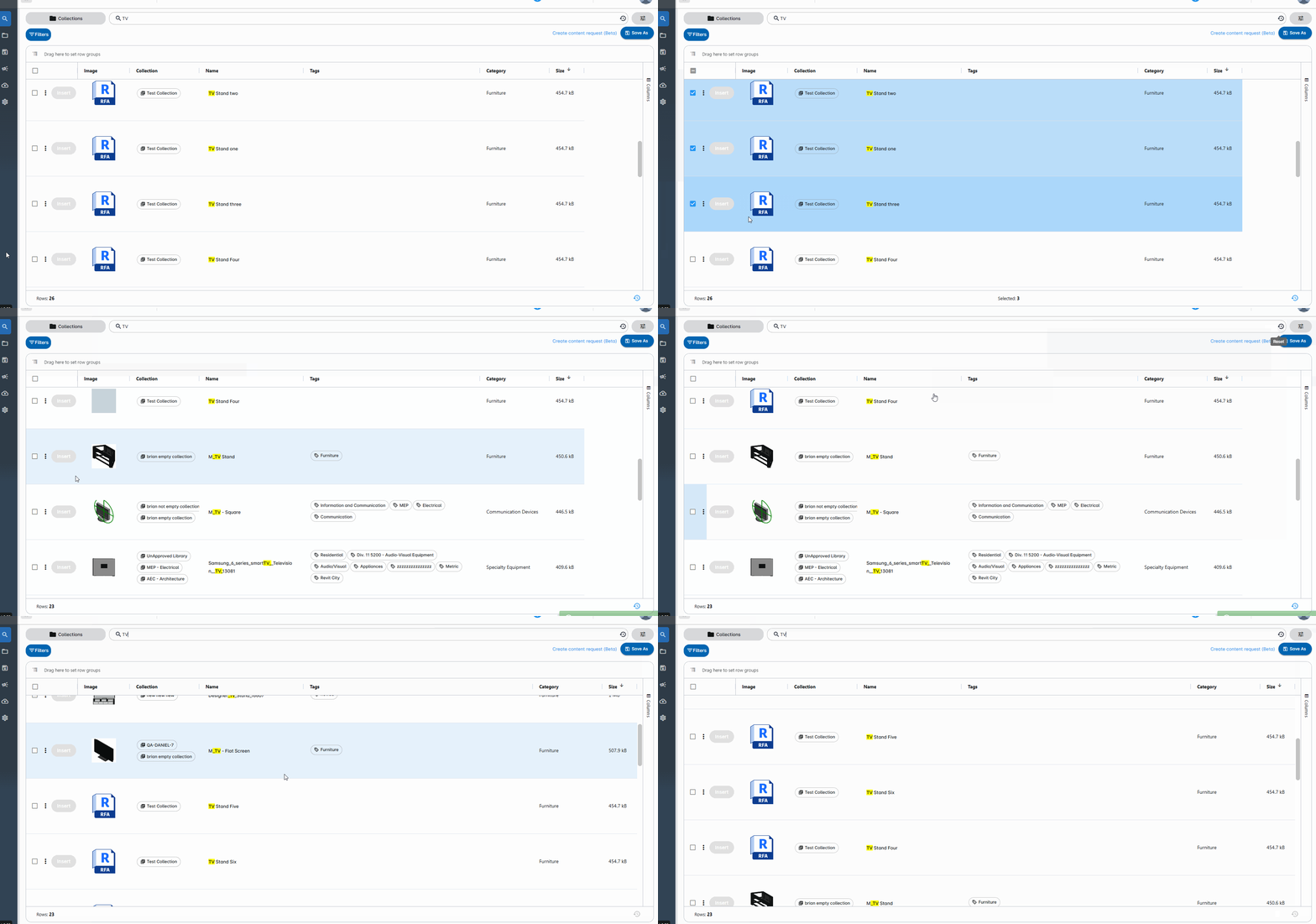
Unable to bulk delete multiple Families
Users can delete content, and it doesn't reappear after navigating away and returning to the search page.
User Logout on 403 Error
Users will now be automatically logged out when a 403 error occurs, such as from an expired token. This helps prevent bad states by clearing cache and prompting a clean re-login.
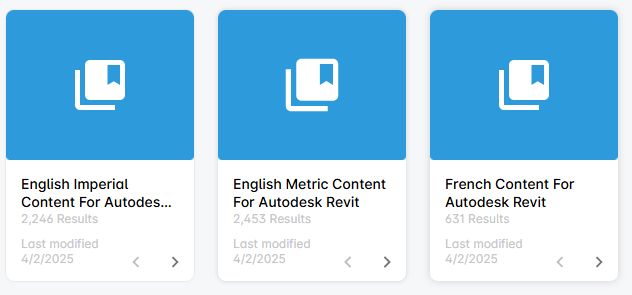
Channels displaying "O Content" incorrectly
We have fixed an issue where some Channels showed "0 content" incorrectly. Counts now display accurately.
Version 4.0.81
April 2, 2025
Fixes
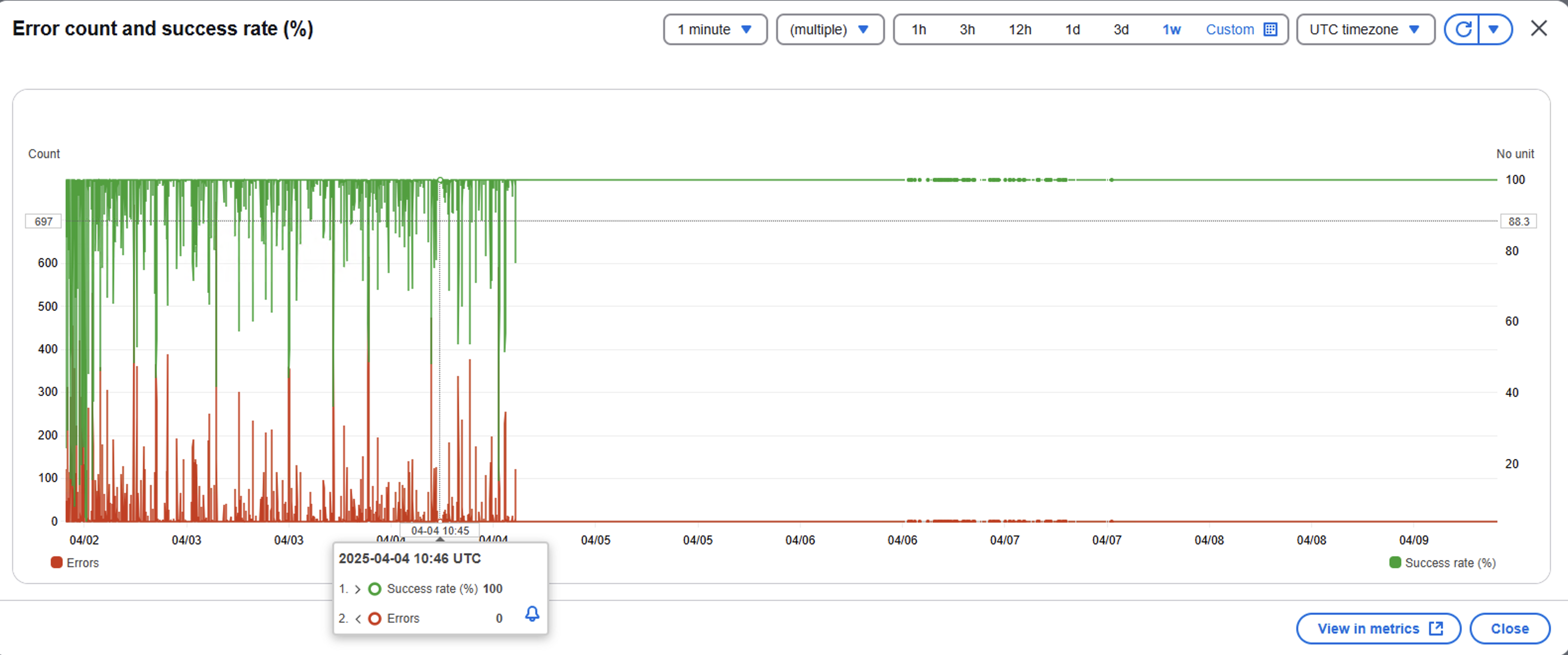
Application failing under heavy loads
Exceptions were thrown that prevented content from processing. We identified the issue and have resolved the problems found.
Authentication and licensing updates
We have addressed several concerns regarding access and authentication. We will continue to improve on these topics, but this update is the first of several updates.
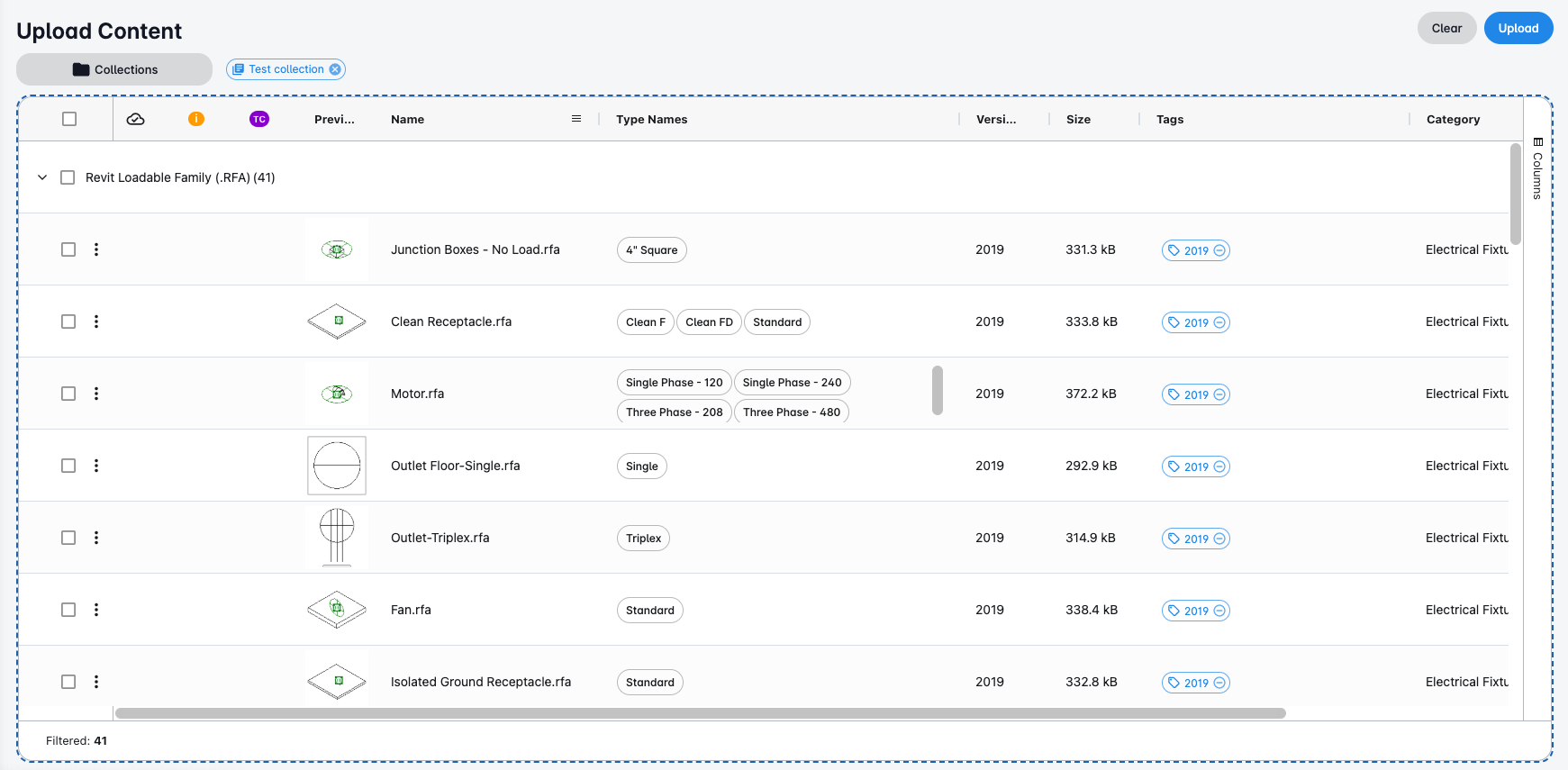
Missing thumbnail previews during upload
Thumbnail images were failing during content upload. This issue has been resolved.
Version 4.0.80
March 19, 2025
Fixes
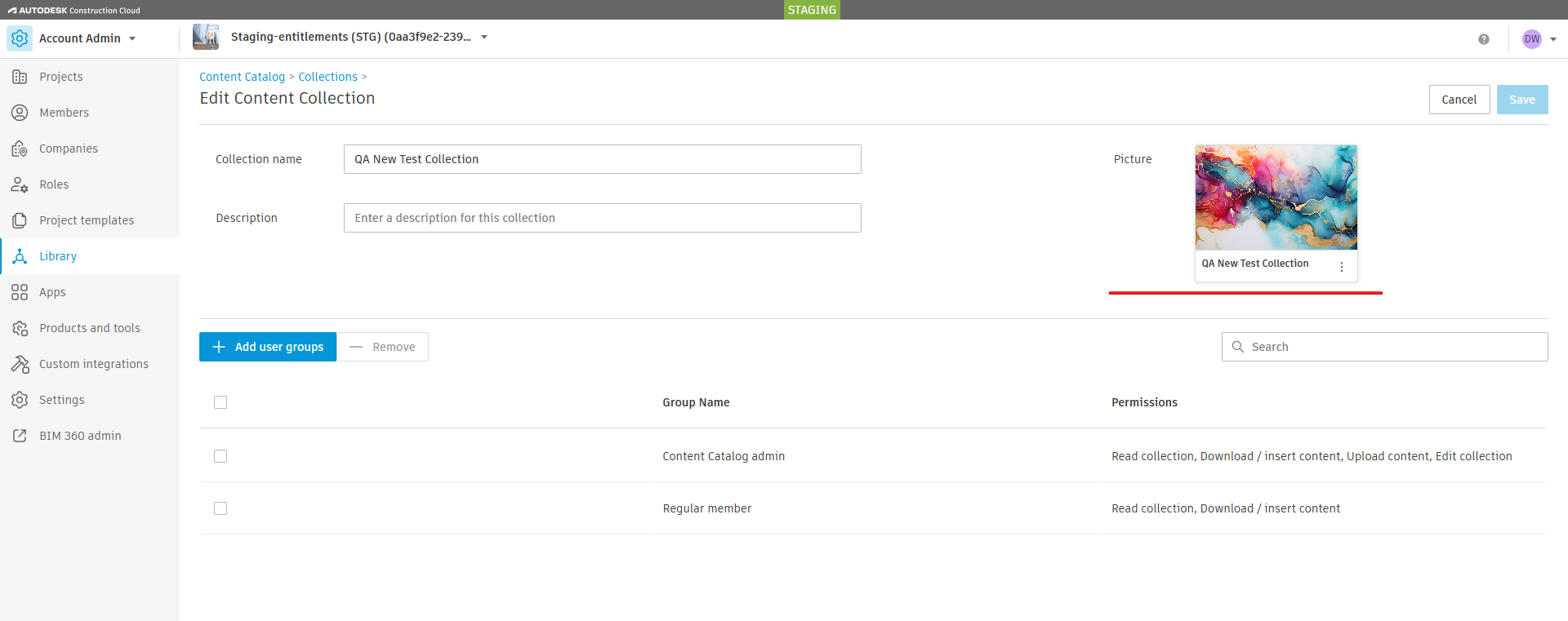
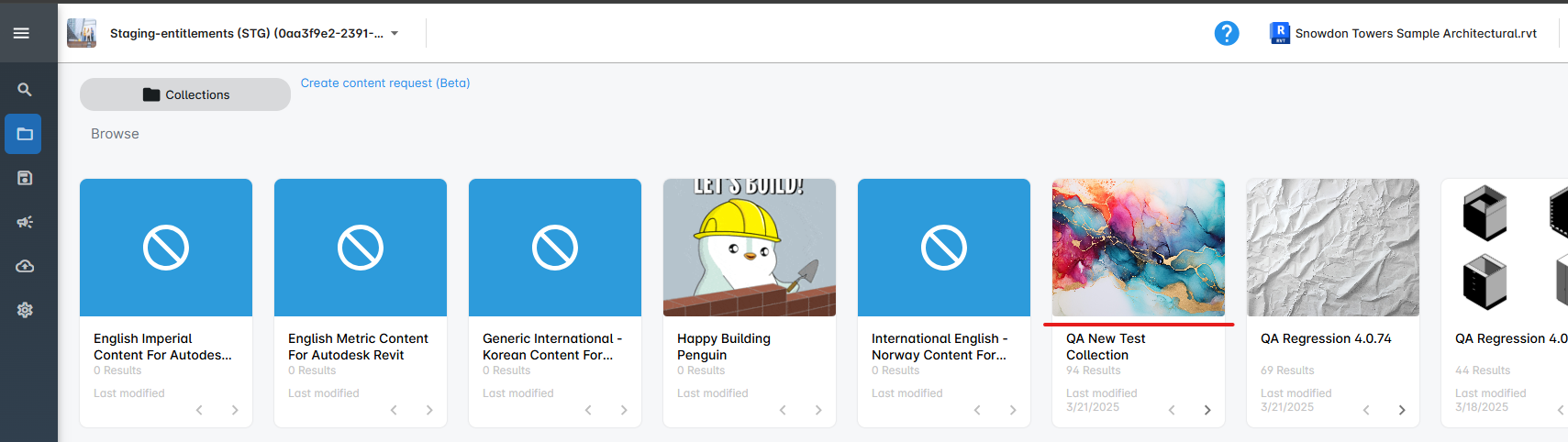
Display custom image uploaded to ACC Collection
Images that are added to ACC Collections now appear associated with their collections in Content Catalog on the Browse page, regardless of the number of pieces of content added to the collection.
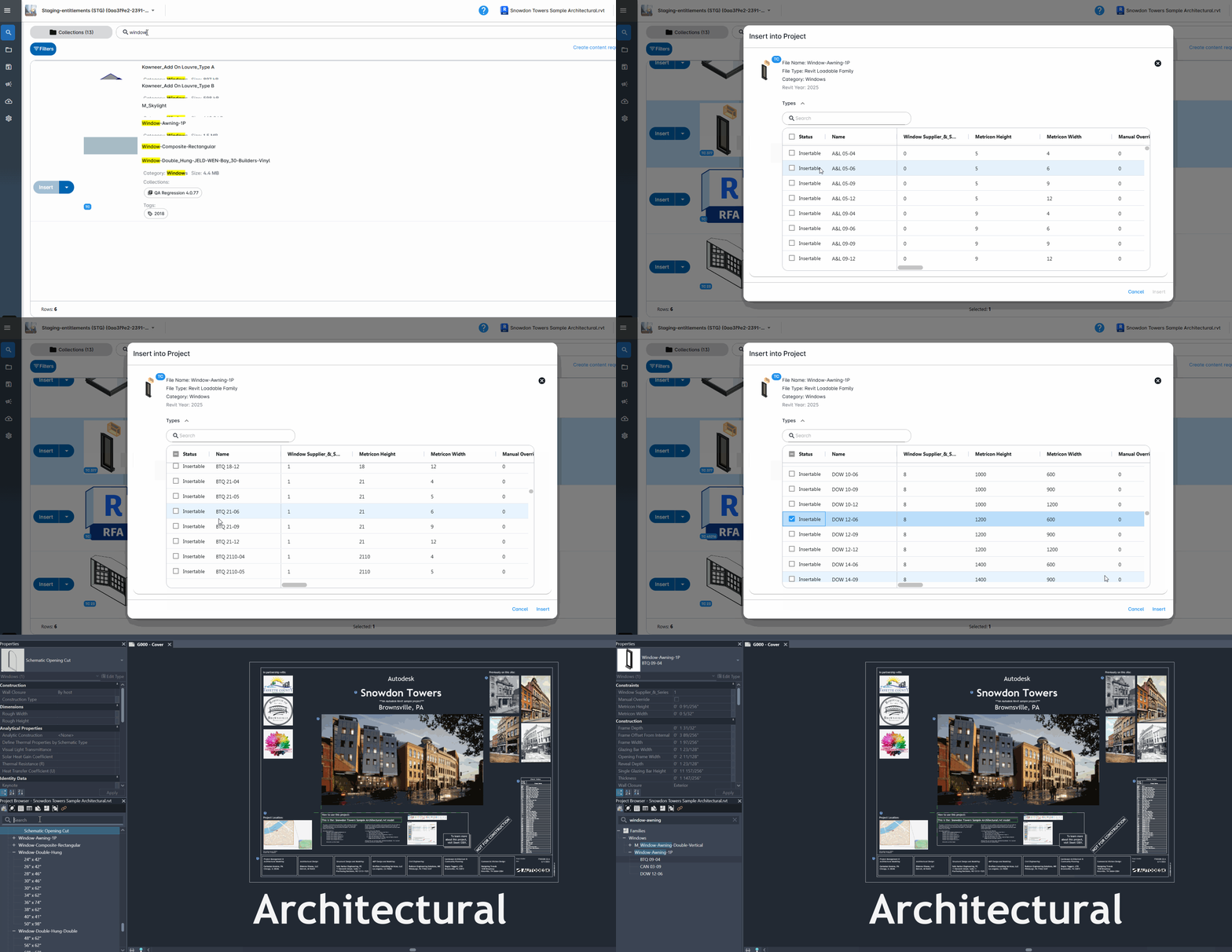
Insert type catalog family: Selecting multiple types
When selecting types to insert from a type catalog family in Content Catalog, the type list now remains in the same position after each type is selected, allowing an easier and faster experience for the user.
Version 4.0.79
March 14, 2025
Enhancements
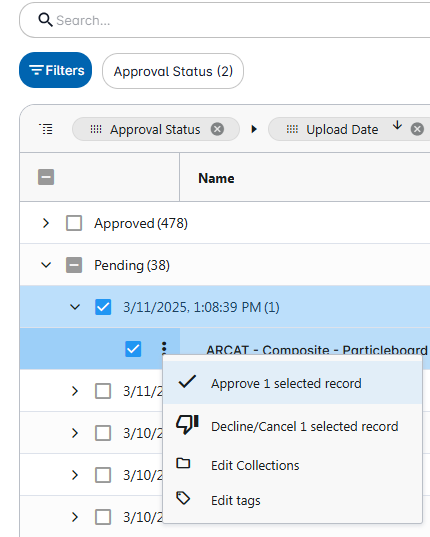
Remove “Delete” and restrict kebab menu availability
The delete option for the kebab menu has been removed from the upload request tab on the Request Center page.
Improved upload content processes
Additional improvements have been made to ensure the upload content processes work as expected.
Version 4.0.78
March 4, 2025
Fixes
Critical Response Items: Update resolvers needed to handle edit user groups
We have fixed an issue in which users were no longer able to see pinned collections after a user group was edited. Users should now be able to see their pinned collections.
Version 4.0.77
February 12, 2025
Enhancements
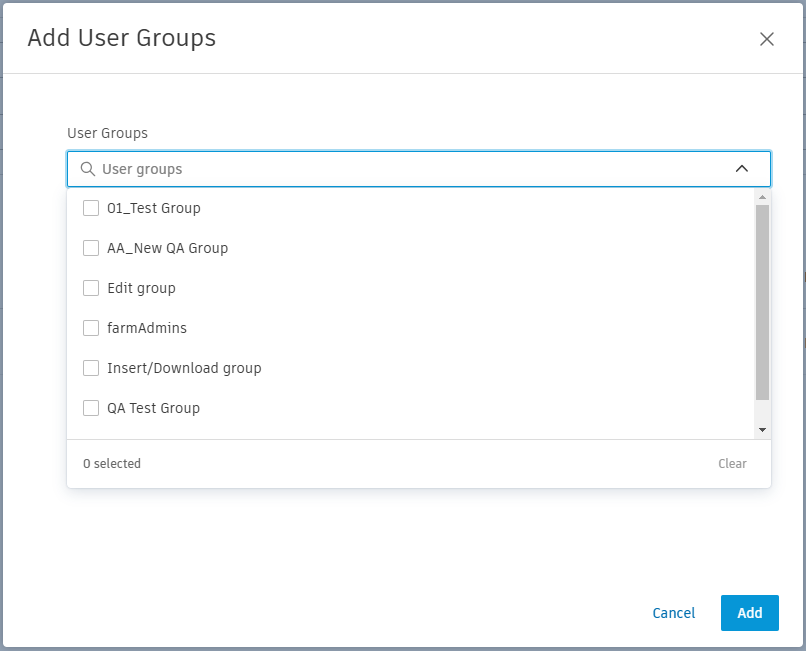
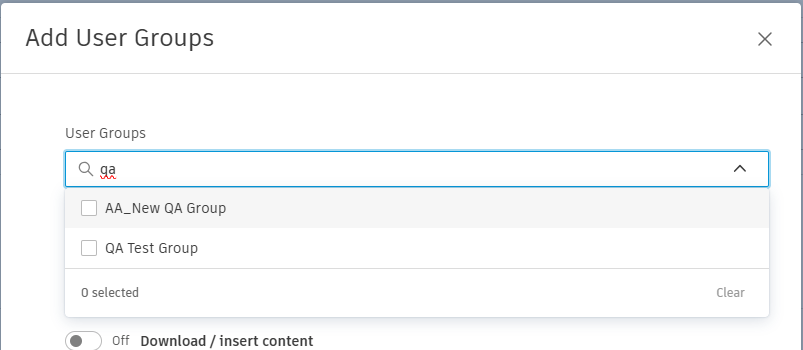
ACC Account Administration pages: Alphabetical sorting for user groups
When adding user groups to collections in ACC, the user groups are listed in alphabetical order, and admins can search at the top of the dropdown to filter the results.
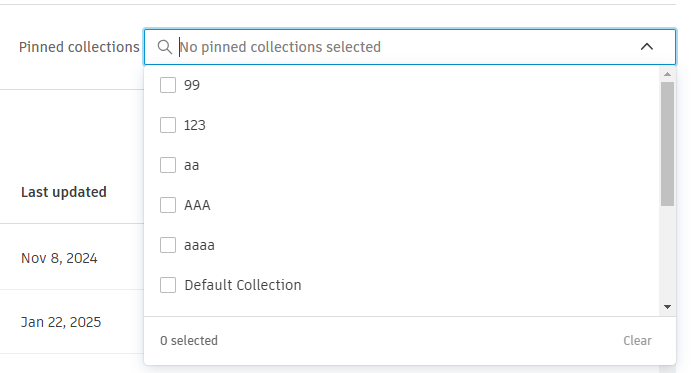
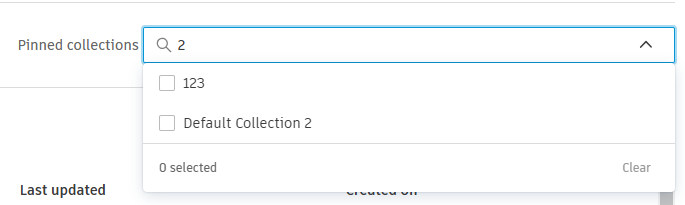
ACC Account Administration pages: Pinned Collections - Add Search & Sort alphabetically
When editing pinned collections for a user group, the collection dropdown displays the collections in alphabetical order, and admins can search for a collection at the top of the dropdown.
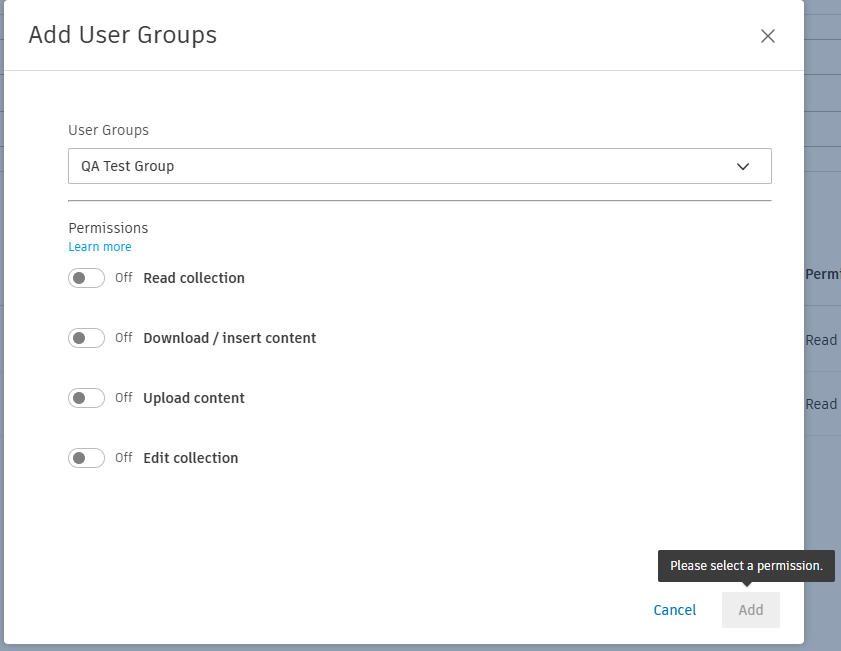
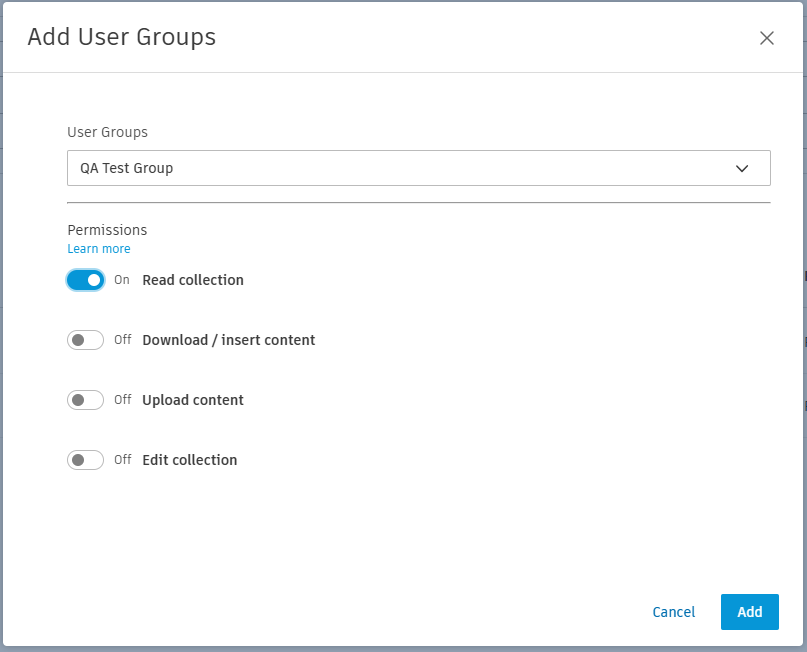
ACC Account Administration pages: Require permission selection when adding a user group to a collection
When adding a user group to a collection, the "Add" button remains grayed out until both a user group and permission have been selected.
Fixes
ACC Account Administration pages: Channels were unavailable in US region
Due to an unforeseen event, Channels were unavailable in the US region. This has been corrected.
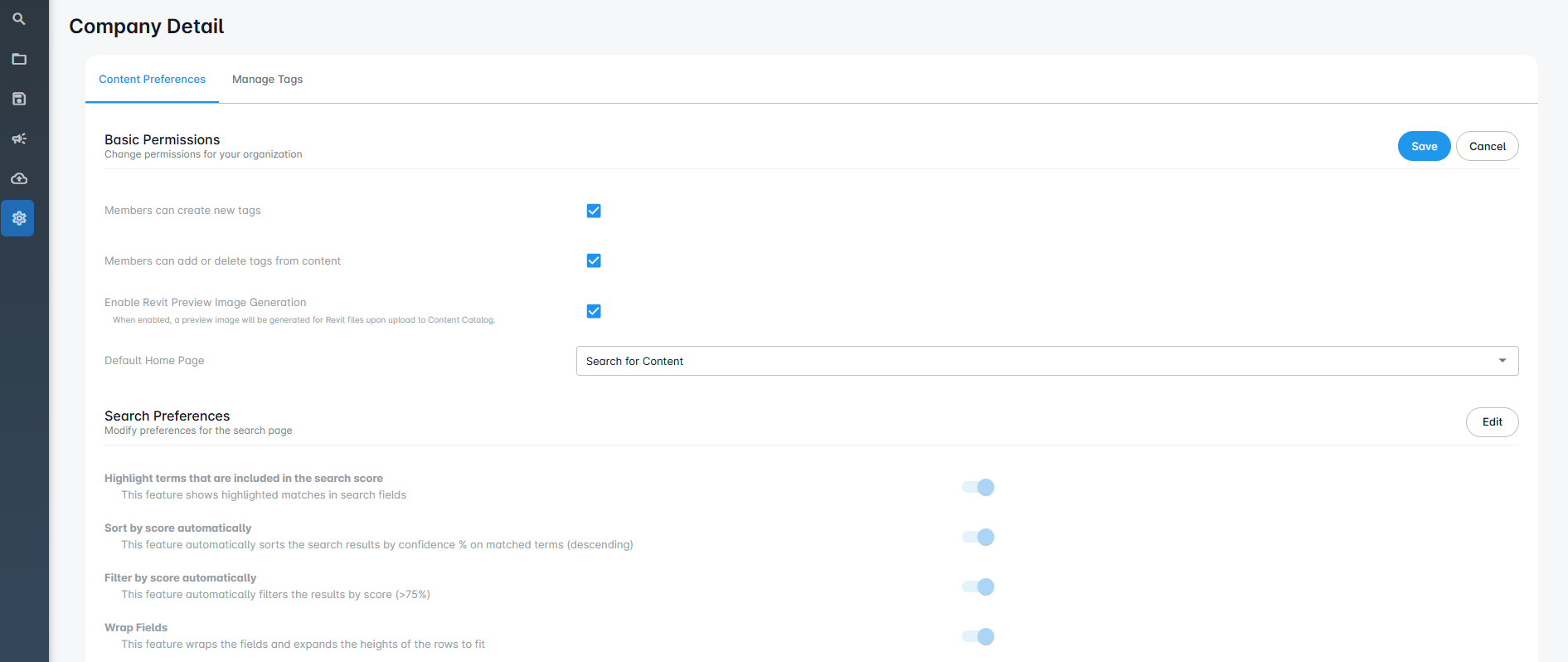
Critical Response Items: When landing on Company Detail page from ACC user is unable to save edits to settings
We have fixed an issue affecting admin users' ability to edit settings on the Content Catalog Company Detail page when launching from ACC. Users can now edit and save these settings as expected.
Critical response items: Regular users unable to insert content from channels
We have addressed an issue related to regular members not being able to insert content from channels. Regular members with the proper Insert permissions are now able to insert from channels.
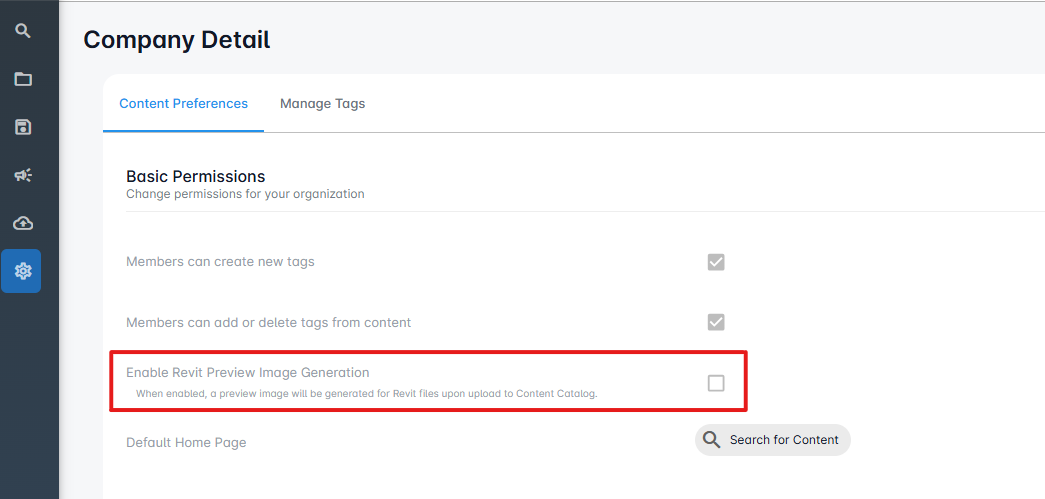
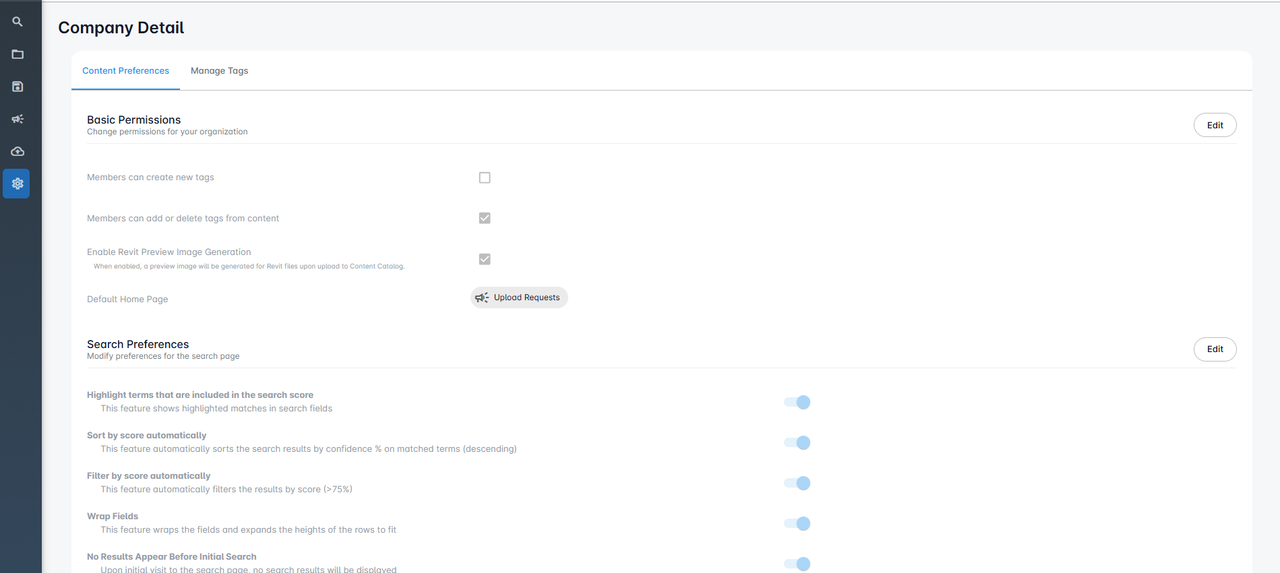
Critical response items: Disabling ‘Enable Revit Preview Image’ continue to generate preview
We have resolved an issue where high-resolution preview images were still being generated even with the "Enable Revit Preview Image Generation" toggle on the Company Detail tab unchecked. Thumbnail preview images will no longer be overwritten when files are uploaded with the toggle turned off.
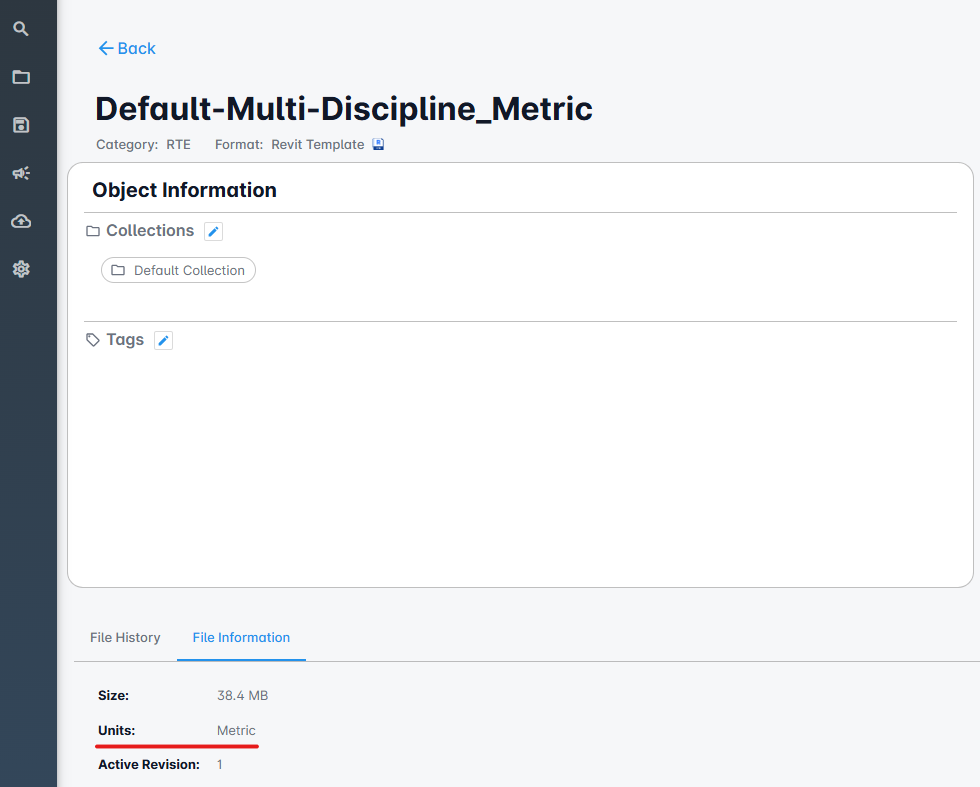
Critical response items: Metric system families captured as Imperial
We have fixed an issue in which metric families were showing as "Imperial" on the File Information tab. Metric families now show as "Metric" on the File Information tab.
Version 4.0.79
January 29, 2025
Enhancements
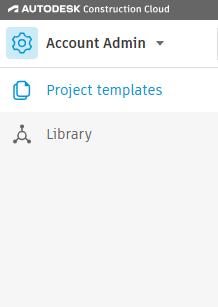
ACC Account Administration pages: Standards Admin user should be added to Content Catalog Admin Group
Once added to the Content Catalog Admin Group, the ACC Standards Administrator has full system administrator access to Content Catalog.
- Standards Admin checked
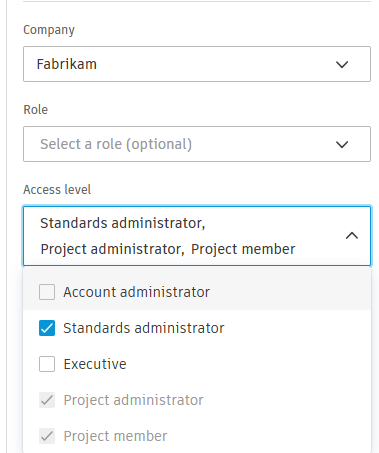
- Verified the User is logged in as an Admin in Content Catalog
- In ACC the options as a Standards Admin
Version 4.0.75
January 17, 2025
Enhancements
ACC Account Administration pages: Added tooltip to Content Catalog Admin group page A tooltip has been added to explain why the CC Admin Group cannot be modified.
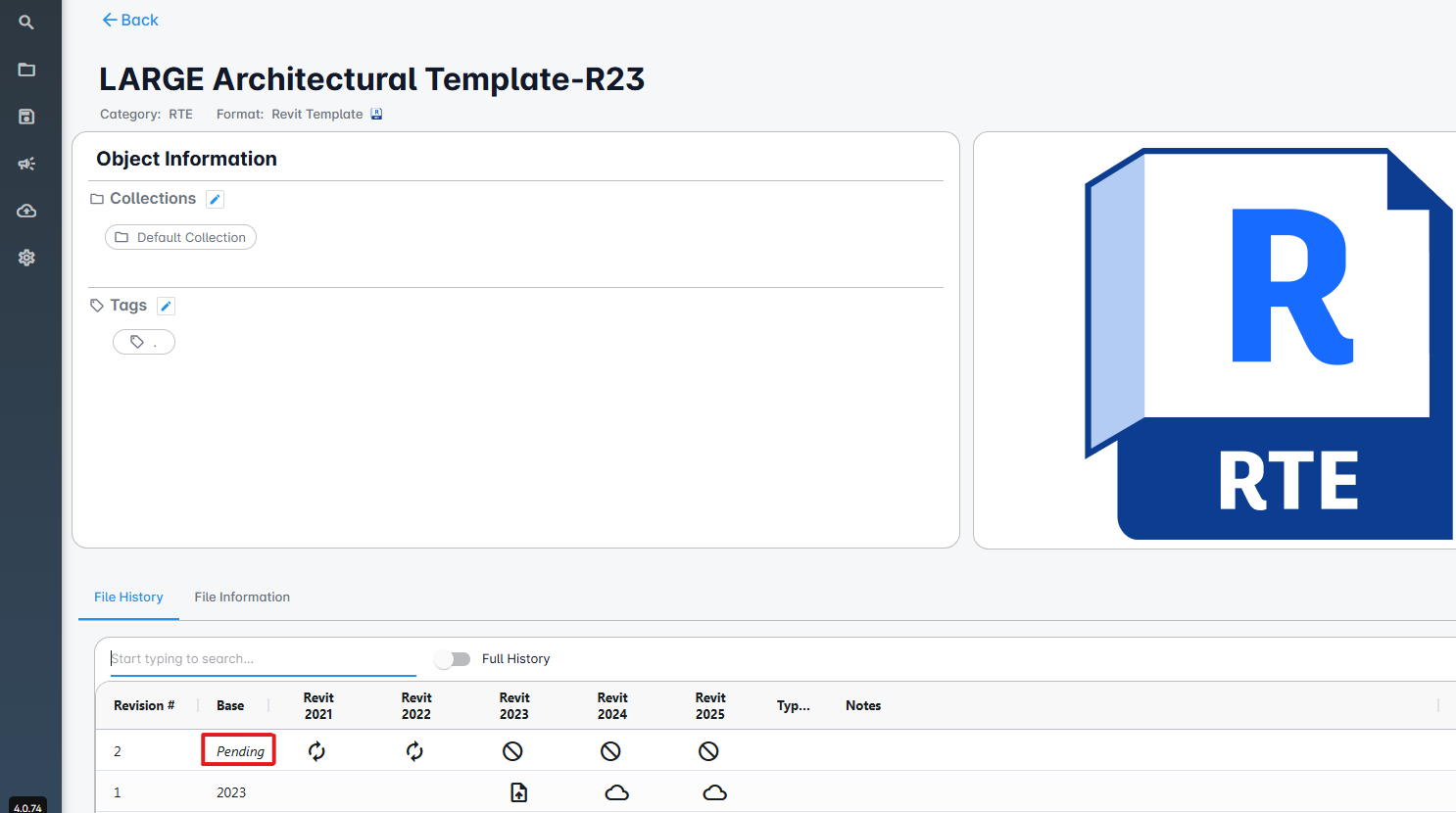
Critical response item: Pending status when large files are uploaded
When uploading large RTE files, the base year now shows as "Pending" until the file has finished being processed.
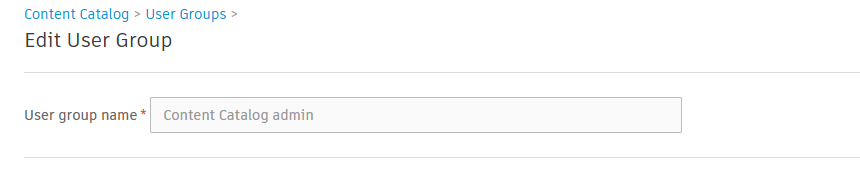
ACC Account Administration pages: Rename Content Catalog Account Admin Group to Content Catalog Admin
The Admin user group is renamed to "Content Catalog admin"
Fixes
Account picker displays accounts to which the user has lost access
Additional work has been completed to ensure the account picker works as expected.
Critical response items: Type catalog processing issues
Additional work has been completed to ensure that processing files with Type Catalogs works as expected.
Critical response items: Deleting content from browse pushes user out of the category
Deleting a piece of content within browse using the dropdown on the content card is now working as expected.
Critical response items: Renaming content from the Browse Collection card does not work
Renaming content through browse using the dropdown menu on the content card is now working as expected.
Critical response items: Families with type catalogs not inserting
We have addressed an issue that was preventing the ability to insert type catalog families. Users can now insert type catalog families into their Revit project.
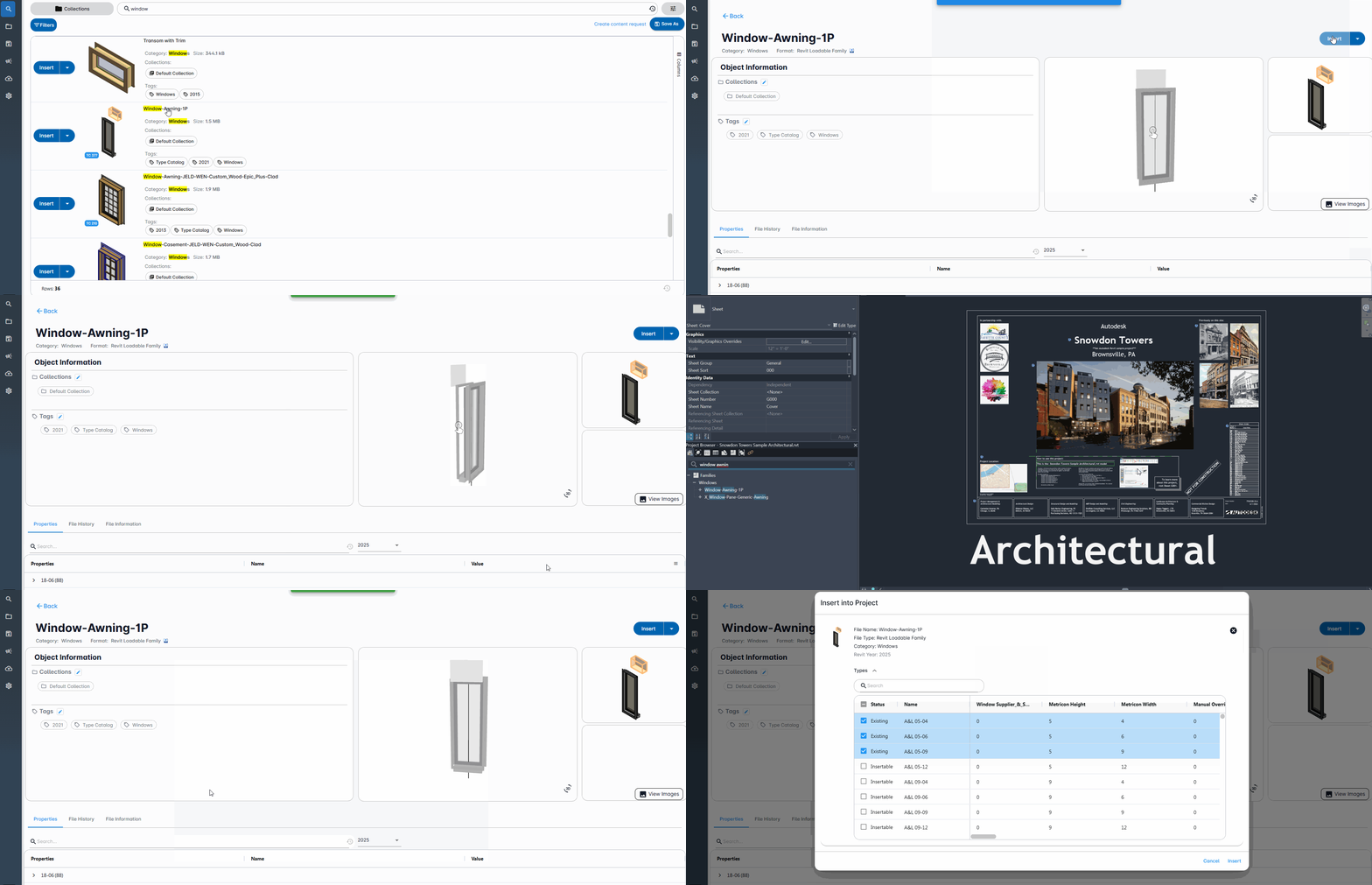
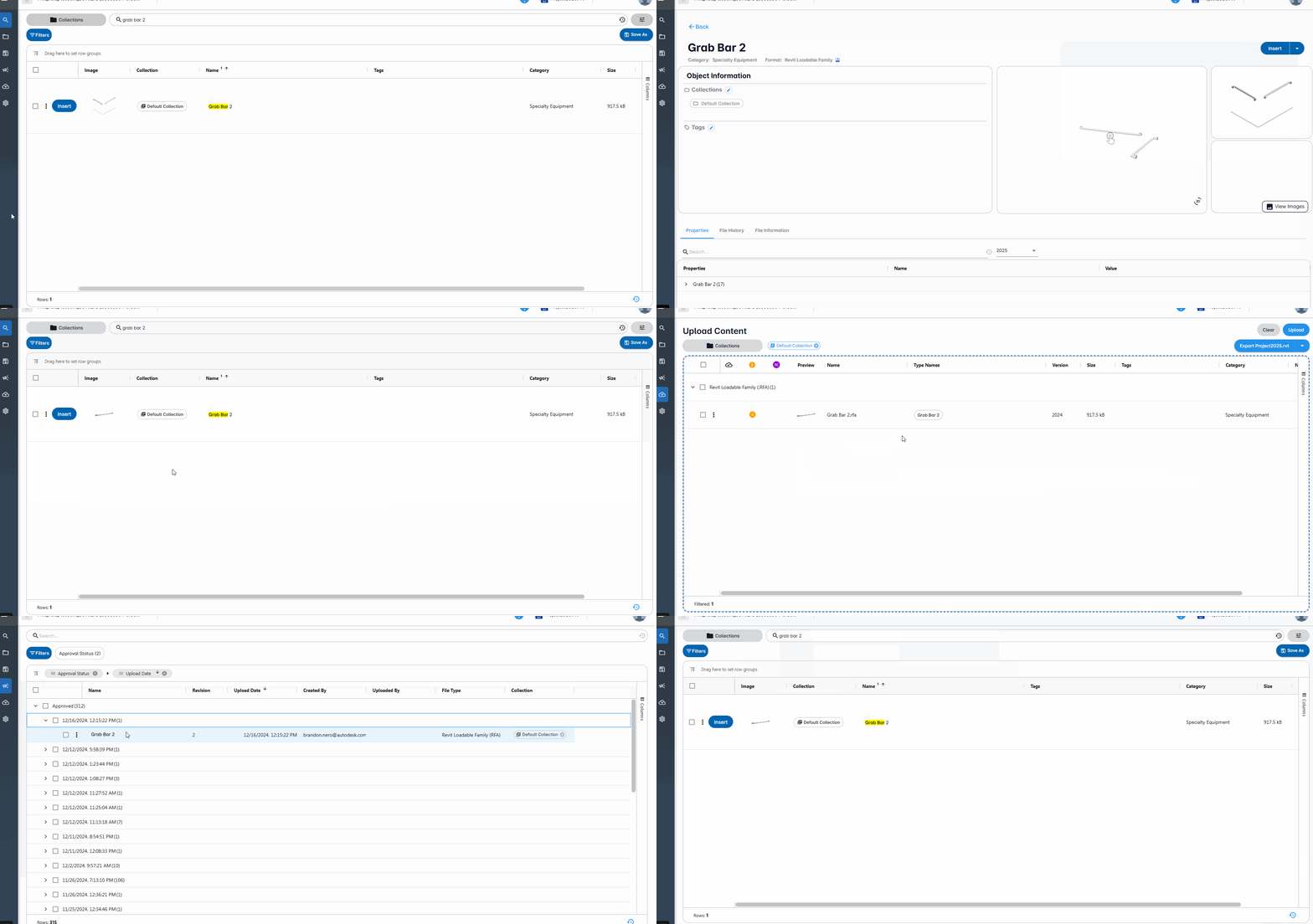
Critical Response Items: Custom thumbnails uploaded as an image lost after updating family
Custom thumbnails are no longer lost after uploading a new family revision.
Version 4.0.74
January 10, 2025
Enhancements
Fronend and backend stability.
Version 4.0.73
December 13, 2024
Enhancements
Backend stability and security enhancements.
Version 4.0.73
November 21, 2024
Enhancements
Critical Response Items: Uploading new revision collection association
Additional work has been completed to ensure that uploading new revisions maintains associations with both the original and newly specified collections.
Critical Response Items: Issue with inserting Families with type catalogs
Additional work has been completed to ensure that inserting files with Type Catalogs works as expected.
Version 4.0.71
November 5, 2024
Enhancements
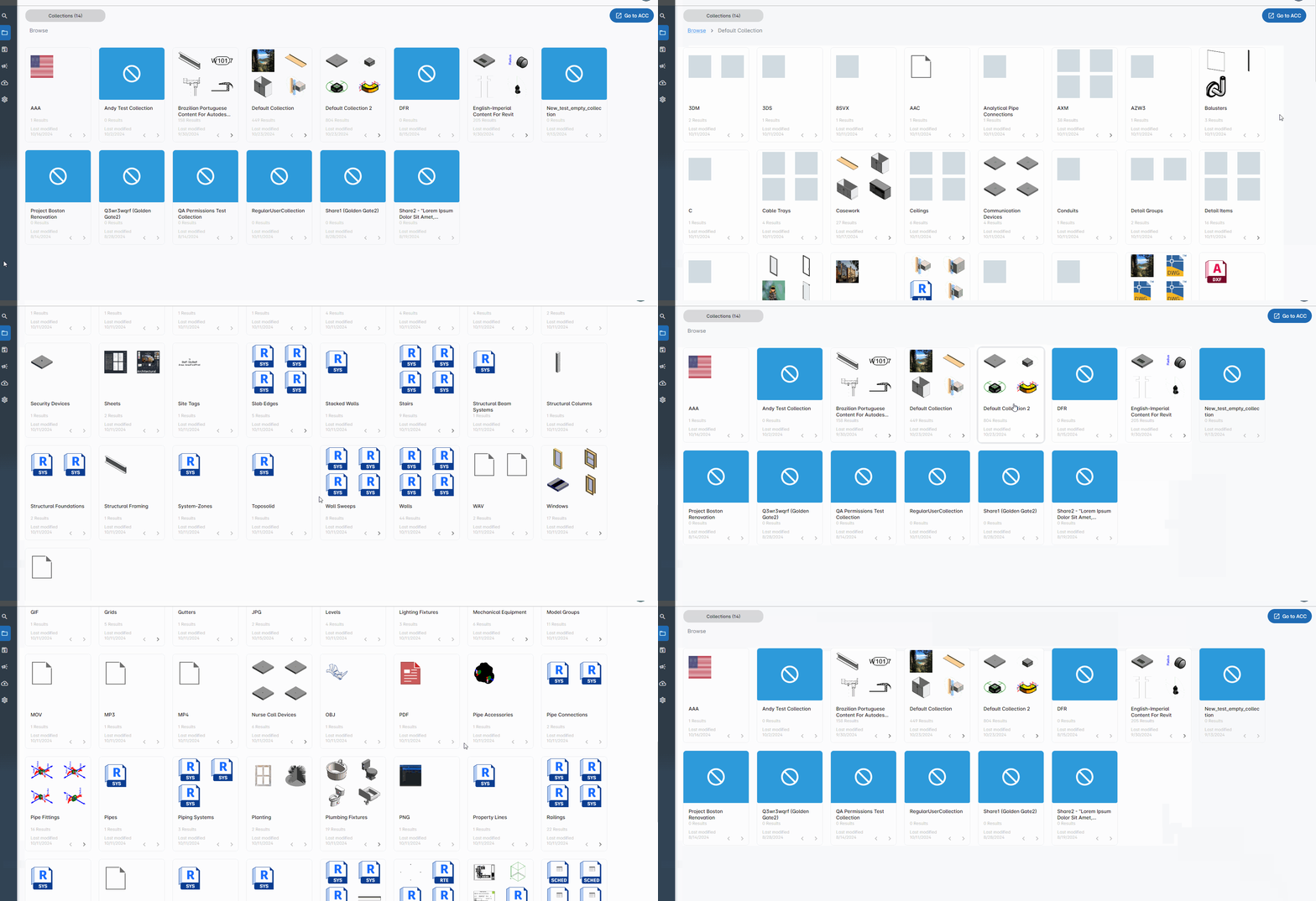
Default thumbnails for collection and category levels
On the browse page, thumbnails have replaced the folder icons used in the collection and category levels. Also, if there are no thumbnails to show a custom not available icon displays.
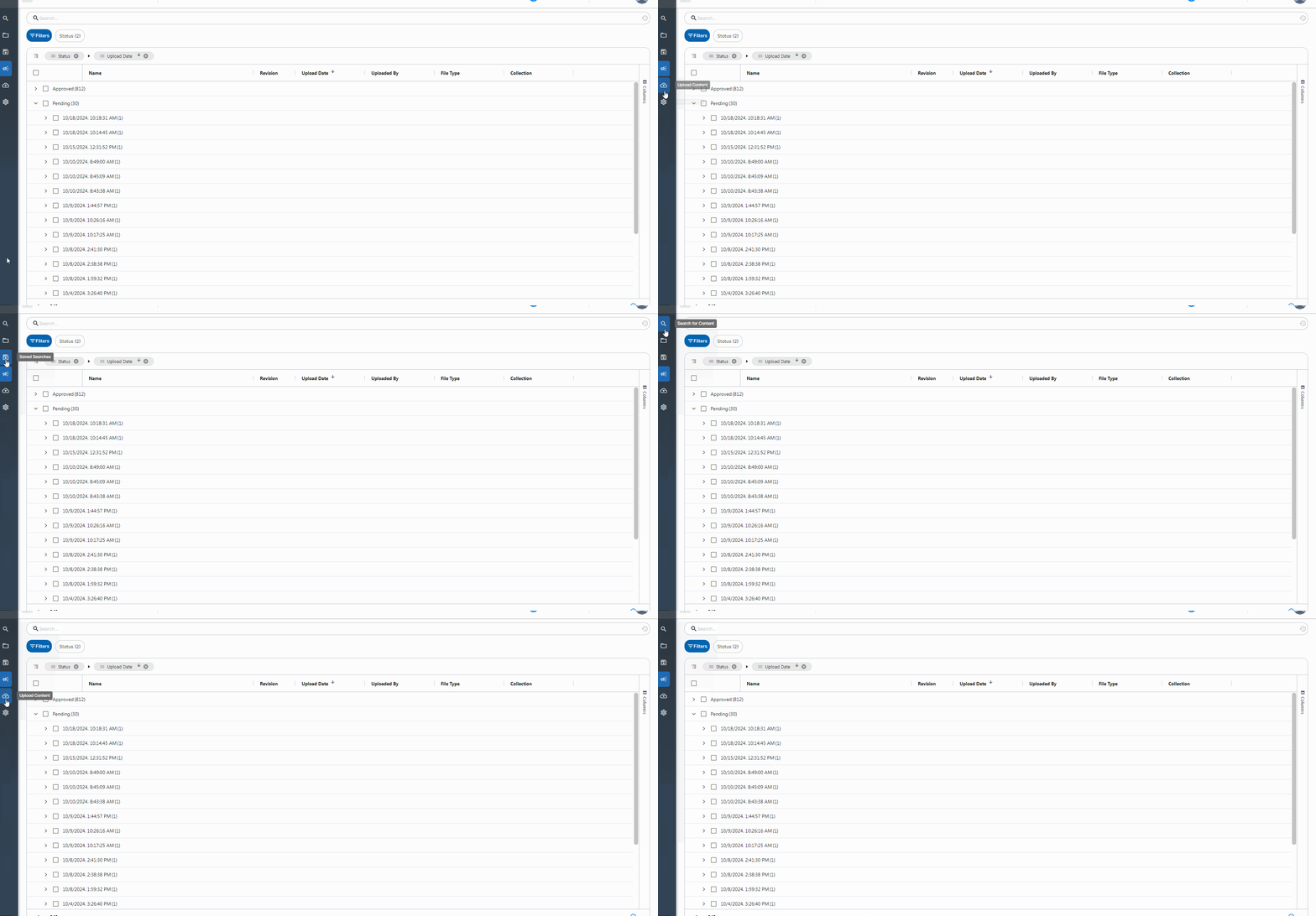
Tooltips on menu navigation should always appear
Tooltips on menu navigation appear even on an active selected page.
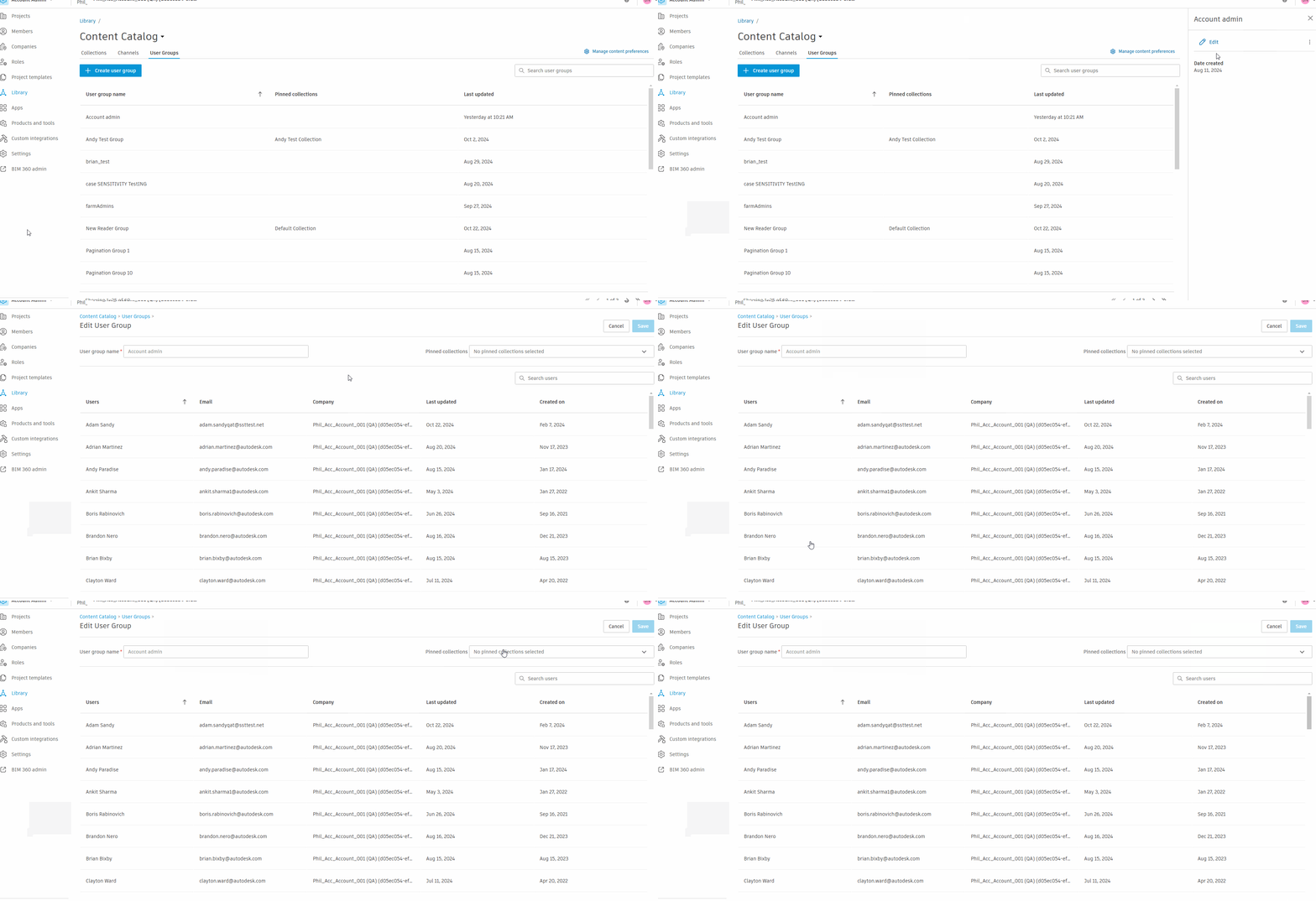
ACC Account Administration pages: Account admin group should not be editable
The Account Admin user group is now non-editable. Only pinned collections can be changed.
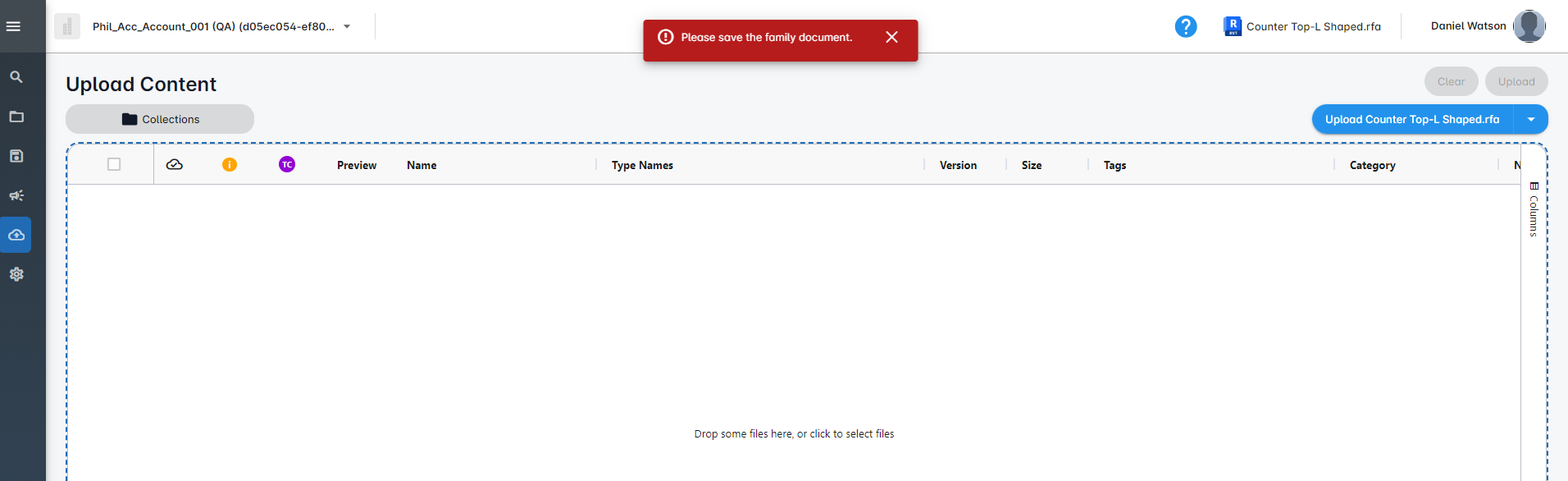
Batch Export button not working when connected to RFA
When trying to export an RFA from Revit, users are now presented with a red error message stating, "Please save the
Version 4.0.70
October 25, 2024
Enhancements
ACC Account Administration pages: Prevent seleting of the last collection
Users will be restricted from deleting the Default Collection if it is the only collection present.
Fixes
Critical response items: Batch export hangs when exporting backup families
We have corrected an issue in which backup families within a Revit project, upon being batch exported, were showing in Content Catalog with truncated names, appearing as duplicates and causing the process to hang indefinitely. Backup families are now automatically excluded from the batch export process.
Critical response items: Batch export fails for sheets with dotted sheet numbers
We have corrected an issue in which sheet names containing periods were getting truncated upon being batch exported from Revit to Content Catalog. Sheet names containing periods now show correctly when exported to Content Catalog.
Version 4.0.69
September 27, 2024
Enhancements
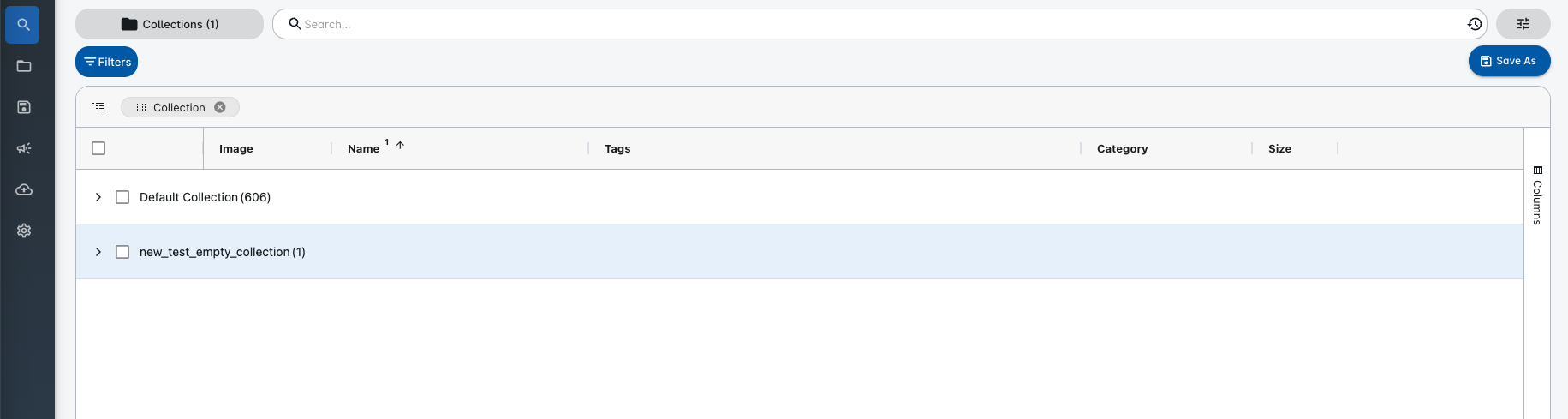
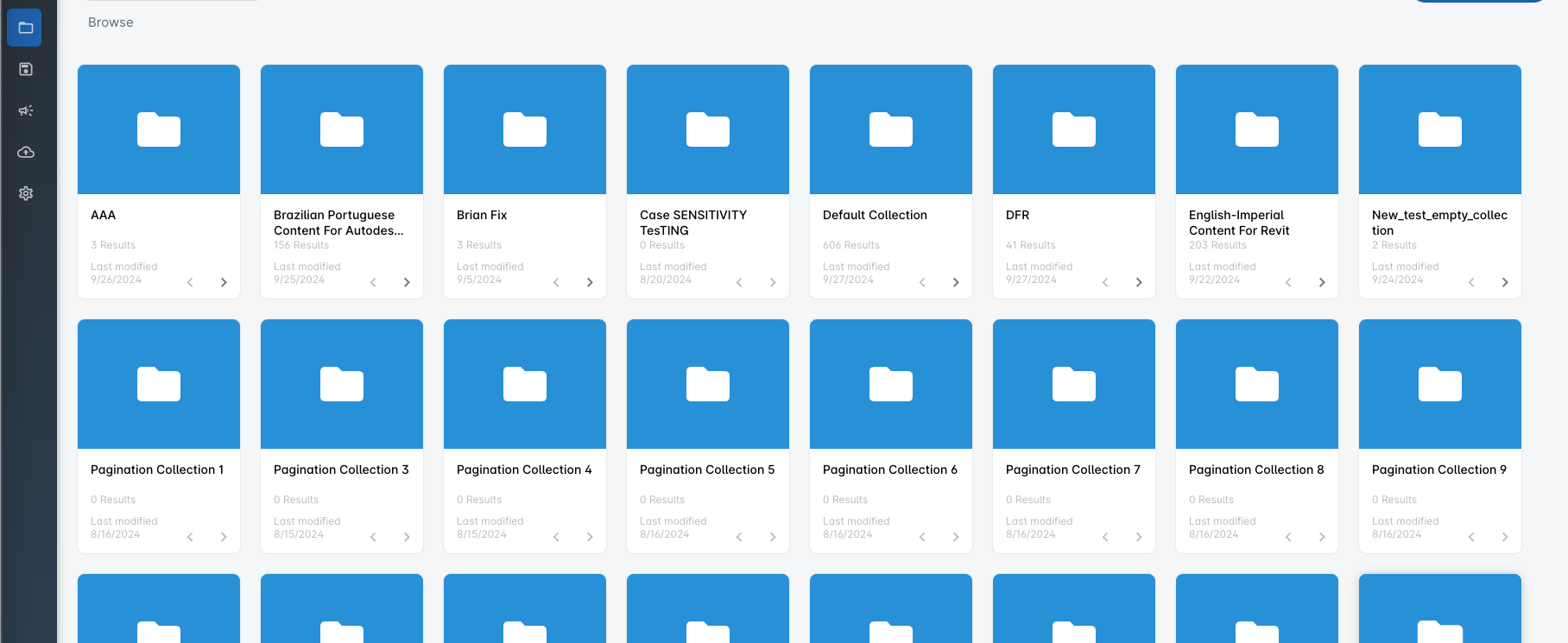
Grouping by collection in search will omit collections with no content
Browse will continue to show all collections.
Search:
Browse:
Fixes
Image caching enhancement to assist Edge browser
An issue was seen with image caching in the Edge browser. We have resolved this issue. If a member updates the preview image for a file, the image will be updated for other users upon navigating away (or refreshing) from the selected page.
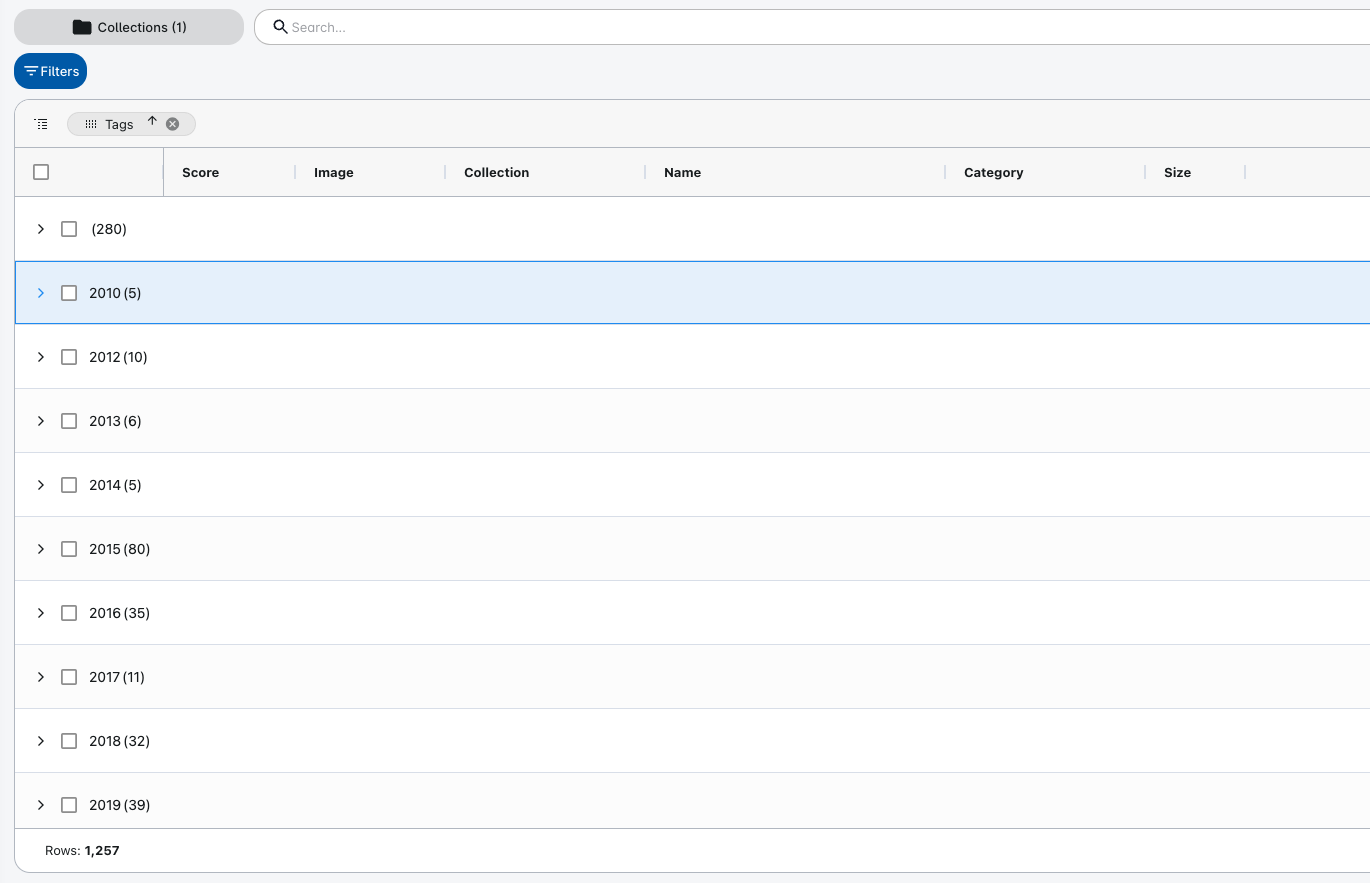
Critical beta response items: Tag names do not appear when grouping
When grouping by Tags, the names of the tags are visible for every grouping.
Critical beta response items: Renaming system families with hyphen cuts off Name before the first hyphen
We fixed an issue affecting the renaming of system families. System families can now be renamed to include a hyphen "-" in the name.