
Sharing your published presentation allows others to view and explore your scene.
Send the .zip presentation to others using your favorite cloud collaboration service, such as Autodesk A360. Once the file has been uploaded to the cloud, you can share it by sending a link in an email.
Using Autodesk A360
To upload your file to A360:
- On the internet, navigate to the A360 homepage.
- Log in to your existing Autodesk account, or create a new one.
- Create a new project or open an existing one.
- Upload or drag the .zip file into the project.
The file can now be shared with others.
To share your file by email using an A360 link:
- Hover over the file and click Share
 .
.
- In the Share dialog, click Email.
Tip: Alternatively, click Copy Link to send the link using a method of your choosing.
- Enter the email address and message.
- Click Send.
Your mail application will open with the email populated with the information you provided.
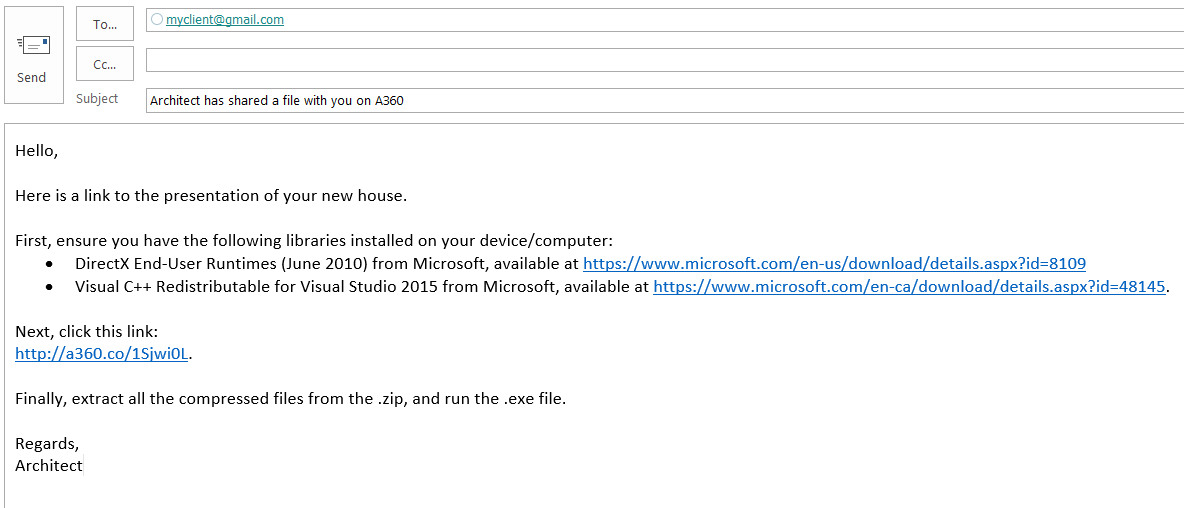
- Send the email.
Using another cloud collaboration service
To share your file using a cloud collaboration service (not A360):
- Upload or drag the .zip file into your cloud collaboration service.
- Share the file by sending a link or by the available means.