
Power BI
Utilizing Power BI with AVT
Table of Contents
- Overview
- Best Practices Checkset Report
- Single Revit Project Tracking
- Multiple Revit Project Tracking
- Chargebacks Dashboard
- Sustainability Analysis Readiness Report
- Adding Your Dashboard Into Your Docs Project Page
- AU Class
Overview
AVT will generate reports in Excel format that can be read by Power BI to populate a dashboard. Watch the following video on how this works.
You can also download a whitepaper on this subject.
Best Practices Checkset Report
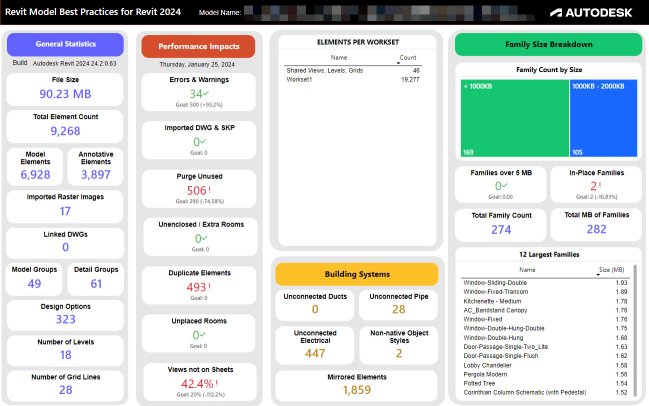
You can download a sample Microsoft PowerBI template and instructions that work with Excel results exported from the Revit Best Practices Model Checker checkset.
Single Revit Project Tracking
You can download a sample Health Dashboard Model Checker checkset XML, a Microsoft PowerBI template, and instructions. This sample will track a single Revit project over time. You can also watch a video on this template here:
Multiple Revit Project Tracking
You can download a sample Health Dashboard Model Checker checkset XML, a Microsoft PowerBI template, and instructions. This sample will track multiple Revit projects over time. You can also watch a video on this template here:
Chargebacks Dashboard
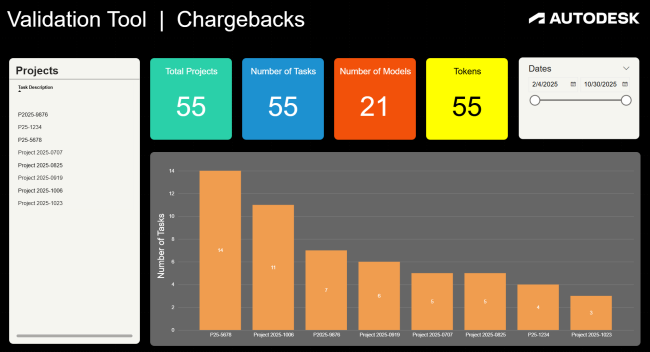
You can download a sample Microsoft PowerBI template that will track token consumption per project for chargebacks utilizing the description field of your tasks.
Sustainability Analysis Readiness Report
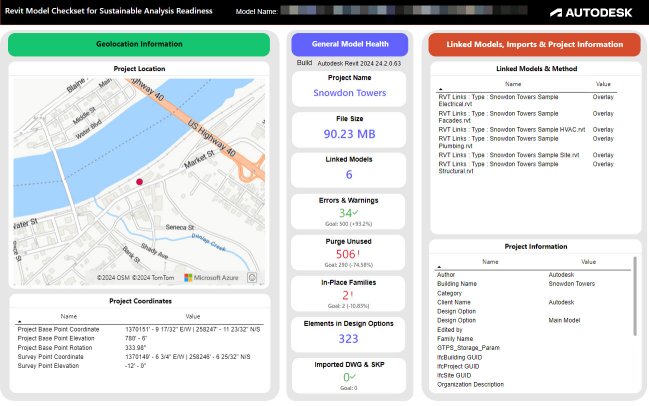
You can download a sample Microsoft PowerBI template and instructions that work with Excel results exported from the Revit Model Checkset for Sustainable Analysis Readiness.
Adding Your Dashboard Into Your Docs Project Page
Watch a video covering how to add your Model Health Dashboard right to your BIM 360 Project page.
AU Class
Watch Leandro Agüero's AU class and access valuable resources to use the Model Checker and Power BI Dashboard in Spanish.