
Start a free trial of an extension
If an extension isn't included in your subscription, you can start a free trial in Fusion. A trial of an extension lasts 14 days.
If you're on a free trial of Fusion, all extensions are automatically enabled for the duration of your Fusion trial.
In the top-right corner, on the Application bar, click Extensions
 to open the Purchase Manager.
Select the Advanced Capabilities tab.
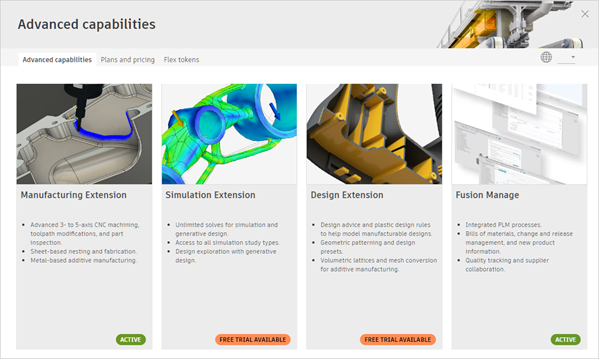
Click to select an extension.
The screen updates to display an Overview tab for the selected advanced capability.
Tip: Check the What's Included tab to see all features that come with the advanced capability and where they appear in Fusion.Under Access Options, select Free Trial.
Click Start Trial Now.
After your trial ends
When your trial ends, access stops automatically and you won't be charged.
To keep using the advanced capability, purchase access. You can pay monthly or yearly using a payment card. The Fusion Design Extension and Fusion Manufacturing Extension also offer daily access using Flex tokens.