Share

Personalization first launch - Get started tab

create a schematic

Create a schematic

Make a schematic in moments.

Create a schematic

projects and workflow

Projects and workflow external link icon

Projects and workflow

Help topic / 3 mins

add components to a schematic

Add components to a schematic

Choose your components.

Place components

work with a new schematic

Work with a new schematic external link icon

Work with a new schematic

Help topic / 10 mins

import components

Import components

Create a managed library in Library.io.

Create a managed library in library.io

importing libraries and library elements

Importing libraries and library elements external link icon

Importing libraries and library elements

Help topic / 2 mins

author components

Author components

Add a new component to a library.

Create a component

about creating library components

About creating library components external link icon

About creating library components

Help topic / 2 mins

add a package from the package generator

Add a package from the Package Generator

Create a 3D package and its related footprint in a new custom library.

Create a package

about 3d packages

About 3D packages external link icon

About 3D packages

Help topic / 2 mins

switch to schematic workspace

Switch to Schematic workspace

An electronics design is multifaceted. It's important to open the actual electronics design itself to keep things in sync.

About electronics design

manage electronics documents

Manage electronics documents external link icon

Manage electronics documents

Help topic / 2 mins

connect components with nets

Connect components with nets

Create connections between components using nets.

Net draw

drawing nets

Drawing nets external link icon

Drawing nets

Help topic / 2 mins

simulate toolpaths

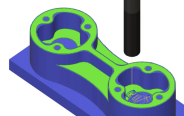
Simulate toolpaths

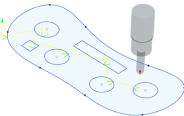
Simulate operations to view how a part can be manufactured.

Simulate a manufacturing operation

simulate the toolpath

Simulate the toolpath external link icon

Simulate the toolpath

Video / 6 mins

browse parameters

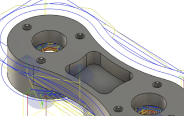
Browse parameters

Review the parameters that make up an operation.

Browse parameters of an operation

copying toolpaths

Copying toolpaths external link icon

Copying toolpaths

Video / 4 mins

generate machine code

Generate machine code

Generate the instructions, such as G-code, which a machine uses to manufacture a part.

Create an NC program

nc program

NC program external link icon

NC program

Video / 10 mins

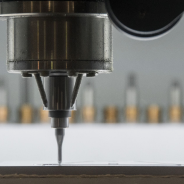
milling

Milling

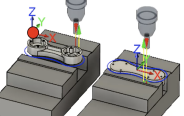
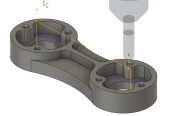
A manufacturing process that involves a rotary cutter advancing, typically in X, Y and Z directions, into a piece of stock material.

Milling workflow

milling basics

Milling basics external link icon

Milling basics

Video series / 1 hour 30 mins

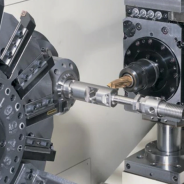
turning

Turning

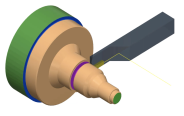
A manufacturing process that involves a tool advancing into a rotating piece of stock that is secured by a chuck.

Turning workflow

turning basics

Turning basics external link icon

Turning basics

Video series / 1 hour

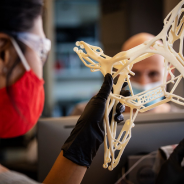
additive

Additive

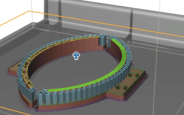
A manufacturing process, such as 3D printing, which deposits and fuses material layer-by-layer to create a part.

Additive workflow

additive fff and sla technologies

Additive FFF and SLA technologies external link icon

Additive FFF and SLA technologies

Video series / 20 mins

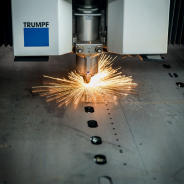
fabrication

Fabrication

A manufacturing process that involves a cutter moving around the outer profile of parts that are typically on a flat sheet of metal.

Fabrication workflow

generate a 2d profile toolpath

Generate a 2D Profile toolpath external link icon

Generate a 2D profile toolpath

Help / 2 mins

set up view navigation

Set up view navigation

Control how you move around in Fusion.

Navigation

set your preferences

Set your preferences external link icon

Set your preferences

Help / 8 mins

use the timeline

Use the Timeline

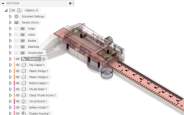
Use the Timeline to review the modeling process.

Use the Timeline

parametric vs. direct modeling

Parametric vs. direct modeling external link icon

Parametric vs. direct modeling

Video / 6 mins

create a sketch

Create a sketch
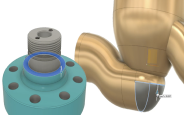
Create sketch profiles that drive the shape of solid, surface, and T-spline bodies in your design.

Create a sketch
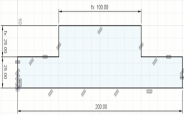
Fusion sketch fundamentals
Fusion sketch fundamentals external link icon

Fusion sketch fundamentals

Blog / 10 mins

create a component

Create a component

Use components and bodies to organize your designs.

Create a component

components and bodies

Components and bodies external link icon

Components and bodies

Video / 8 mins

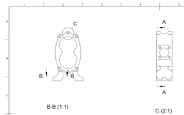
create a drawing from a design

Create a drawing from a design

Create and detail a drawing.

Create a drawing from a design

intro to Fusion drawings

Intro to Fusion drawings external link icon

Intro to Fusion drawings

Video series / 12 mins

capture design history

Capture design history

Record design changes and parametric relationships in a timeline.

Switch a design to Parametric Modeling mode

parametric vs. direct modeling

Parametric vs. direct modeling external link icon

Parametric vs. direct modeling

Video / 6 mins

upload a design

Upload a design

Upload a design to a Fusion project.

Upload a design

duplicate components in a distributed design

Duplicate components in a distributed design external link icon

Duplicate components in a distributed design

Video / 6 mins

Was this information helpful?