
Manufacturing Extension what's included sub-tab
Machining
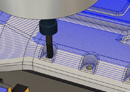
Simplify the drilling and milling of complex, feature-rich parts with a range of intelligent 3-axis strategies that can be applied to an entire part for faster CAM programming.
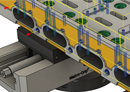
Access more strategies and tool axis controls that can use the rotary axes of your CNC machine to drill and mill entire parts with 3+2 (positional) machining.
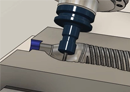
Unlock multi-axis strategies and tool axis options to drive the linear and rotary axes of your CNC machine simultaneously to machine the most complex shapes safely and efficiently.
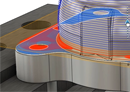
Access a range of powerful modification tools to make global or local edits to toolpaths without needing a complete recalculation. Modifications can themselves be edited for greater flexibility.
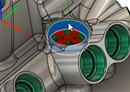
Measures features in-process with the probing cycles on your machine. Verify dimensions and positions of critical geometric features, update tool wear parameters, and pause or stop your programs to address out-of-tolerance features.
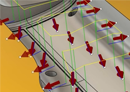
Use CAD-based probing capability to measure the accuracy of complex surface geometry with a spindle-mounted probe. Use intelligent part alignment to automate the setup and machining of nonprismatic parts, like forgings and castings.
Additive
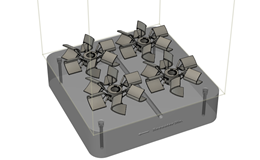
Choose from metal powder bed fusion (MPBF) and directed energy deposition (DED) machines in the Machine Library.
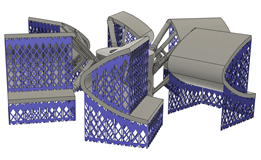
Access extra types of support structure when using MPBF, SLA (stereolithography), FFF (fused filament fabrication), and binder jetting machines.
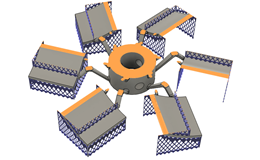
Output builds to machine-specific files and run them directly on your MPBF machines.
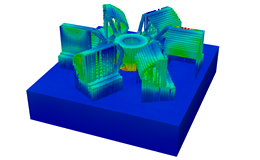
Predict distortion and common print failures based on thermomechanical simulation.
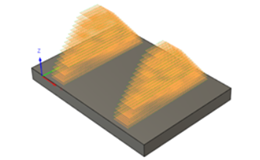
Generate multi-axis additive toolpaths to drive machines using directed energy deposition (DED) technology.
Nesting and fabrication
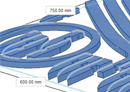
Arrange on multiple sheets and control object orientation allowances.
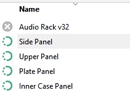
Select which types of objects in the design that you want to include in the nest, such as sheet metal, sketches, or selected entities.
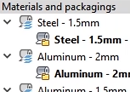
Set and manage the materials and packaging that you want to use in your nest studies.
Set global nesting defaults for components, add parts to your nest that are not in the current design, and more.
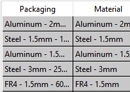
Create nest studies with multiple nest alternatives so you can preview and configure how parts are arranged on your materials.
Export sheets to DXF (drawing interchange format) or MSI (TruNest) formats.
Create, use, and share presets of commonly used materials and packaging.