The drawing templates manager allows to define how the structure drawings of elements in Autodesk AutoCAD Structural Detailing - Reinforcement will be created. It includes defining parameters of appearance of individual structure elements (colors, scale, plans, reinforcement descriptions, etc.); drawing templates for each type of element are created this way.
Note: All the parameters defined in the dialog refer to the link between the Autodesk AutoCAD Structural Detailing - Reinforcement and Autodesk Revit Structure or Autodesk Robot Structural Analysis. The reinforcement drawings generated for the structure elements transferred to Autodesk AutoCAD Structural Detailing - Reinforcement from the applications mentioned above will be created in accordance with the settings saved in the drawing templates manager.
The Drawing templates manager dialog can be open from:
- Menu: Reinforcement > Structure elements - reinforcement > Construction drawing - settings
- Ribbon: ASD Reinforcement > Settings > Styles > Construction drawing - settings or ASD Structure elements > Settings > Styles > Construction drawing - settings
- Command line: STYLE_DG.
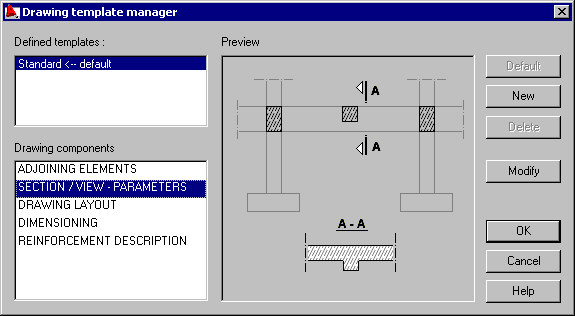
The structure drawings are parametrized by a set of styles. They are divided in groups which parametrize the specified components of a structure drawing of an element.
The following components of drawings are available:
Use the buttons on the right to work with drawing components:
- Default - click this to designate a template as a default drawing template for a selected drawing component.
- New - click this to open a dialog where you can define a new template for drawing components.
- Modify - click this button to open a dialog where you can modify a selected template for a drawing component.
- Delete - click this to delete a highlighted template.