Copy Matching Parameter Values to Replaced Assets (available in the 2017 Feature Update Pack)
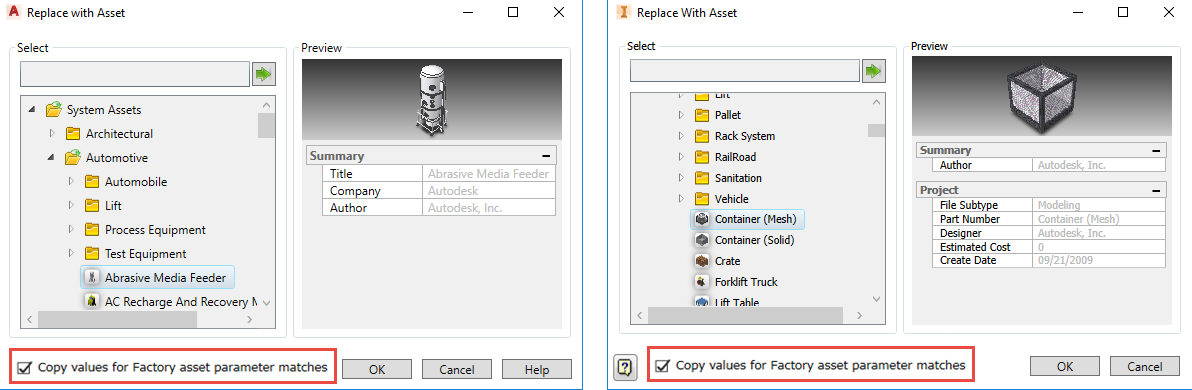
You can select or deselect a Copy values for Factory asset parameter matches option in the Replace with Asset dialog box to save time and effort. Selecting this option transfers all of your parameters with the same name (not case sensitive) to your replaced asset.
Related help topics:
Inventor Factory: Replace and Object with an Asset
AutoCAD Factory: Replace and Object with an Asset
Include Key Parameter Expressions in Asset Property Definitions
You can now enter expressions in Asset Property definition fields to reference model parameters. If, for example, you enter "=The height of the model is <Height>" in the Description field, the description that appears for an asset in the palette, preview, tooltips, drawings, and exported spreadsheets will include the actual height of the selected asset. So, if an asset is 70 inches tall, the description appears as "The height of the model is 70 in".
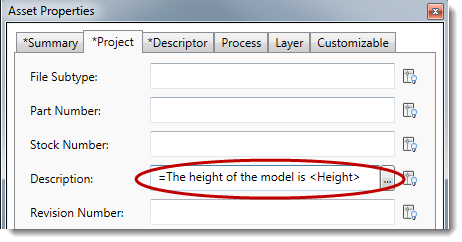
Expression values are searchable. Hovering over a value in the Factory Properties browser reveals the expression defined for the field.
This feature is available in Inventor Factory and AutoCAD Factory layout environments and in Inventor Asset Builder.
Related help topics:
Inventor Factory: Defining Asset Properties
AutoCAD Factory: Assigning Asset Properties
Control Which Asset Properties Display in AutoCAD
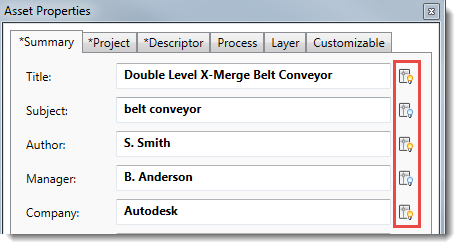
A new light bulb icon next to many of the Asset Properties fields determines if the property value appears on the block in AutoCAD. Click the icon to turn on the display. Leave the icon turned off to hide the display in AutoCAD.
Related help topics:
Inventor Factory: Defining Asset Properties
AutoCAD Factory: Assigning Asset Properties
Enter Descriptors in Asset Properties
Descriptor information, previously entered via the Descriptor command on the Asset Builder Annotations panel, can now be entered in the new Asset Properties Descriptor tab. Moving it to Asset Properties helps consolidate asset information in one place.
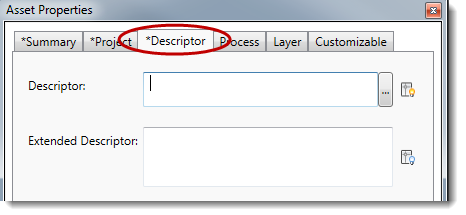
This change applies to both AutoCAD Factory and Inventor Factory.
Related help topics:
Inventor Factory: Defining Asset Properties
AutoCAD Factory: Assigning Asset Properties
Search for Asset Properties in AutoCAD
This feature, which exists in Inventor Factory today, makes it easier to locate specific assets in AutoCAD layouts based on search criteria you enter. Search across all asset data, or narrow the search to only look at asset properties, descriptors, or asset tags. Hovering over a search result with your mouse highlights the asset in the layout.
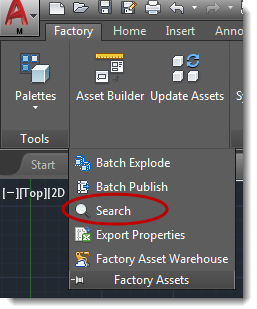
You'll find the new Search command on the Factory Assets panel drop-down menu on the AutoCAD Factory ribbon.
Related help topics:
Select a Layer, Measure Distance, and Sort Properties Alphabetically in the AutoCAD Factory Properties Browser
To move toward a more consistent look and feel between Inventor Factory and AutoCAD Factory, we've made some changes to the AutoCAD Factory Properties browser:
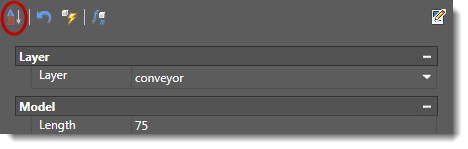
- Sort asset properties alphabetically within each group:
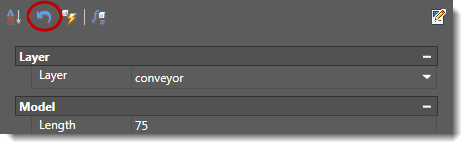
- Click Refresh to cancel unsaved changes and revert to your last-saved content:
- Removal of the Update Other Instances button; now only one Update button is needed.
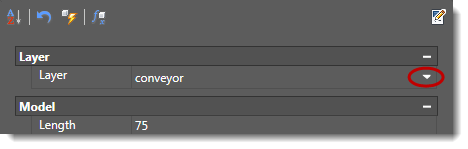
- Switch layer settings by selecting from the Layer drop-down menu:
- Measure distances when defining measurements by selecting two points:

Related help topics: