Ensure your data is organized with logical names by incorporating Vault numbering schemes. In addition, Autodesk recommends using a Data Standard sheet to standardize how file data is provided in AutoCAD and the Vault client.
File Numbering and Data Sheets
Use a default or customized numbering scheme to ensure that all files in a vault are named in a consistent format. This will help with file organization.
Autodesk recommends that you use Data Standard sheets to leverage the numbering scheme capabilities in Vault.
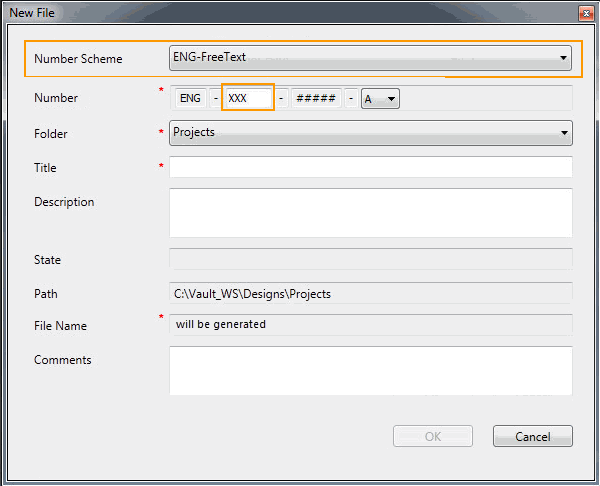
- The file name
- Where the file is saved
- If the Vault Check-in dialog is displayed
- Which AutoCAD TitleBlock properties are synchronized with the Data Standard entries.
See Map AutoCAD DWG Properties in Data Standard for more information.
These settings ensure that all AutoCAD Mechanical files adhere to the same numbering scheme and are saved in the same location, and that all title block properties are automatically synchronized.
A standardized workflow creates a familiar, reliable path for users to check files into a vault from AutoCAD Mechanical, and it eliminates the risk of user error.
Item Numbering
When an item is created, the default numbering scheme is used to generate the item number.
Use the out-of-the-box numbering scheme or create your own to reduce user workload and standardize the item numbering process.
For example, if a numbering scheme requires user input, users are immediately prompted to fill in the required values so there is no need to go back and edit the item record later.