Conform Modifier Advanced Rollout
 Modify panel > Make a selection > Modifier List > Object-Space Modifiers > Conform > Advanced rollout
- Default menu: Make a selection > Modifiers menu > Parametric Deformers > Conform > Advanced rollout
The Conform modifier's Advanced rollout provided additional parameters to control the deformation effects.
Interface
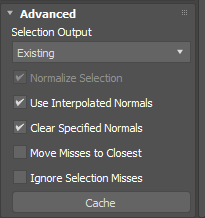
Selection Output
Te following options let you select the data that is passed up the stack:
Existing: If there is a selection before the Conform modifier on the stack, the selection is retained and passed up the stack.
Selection: The weighted value per vertex as determined by the specified Influence and Falloff parameters in the Conform Modifier Rollout is passed up the stack.
Missed: Vertices that are not conformed to the target object are selected and passed up the stack.
Ray Distance: Measures the distance traveled by each vertex from its initial position to the target object and passes this distance up the stack.
Note: Any subsequent offsets are not used to determine this value.Min/Max Hit Distance: Measures the linear distance traveled per vertex starting at the minimum distance and maximum distance defined by the Min and Max values and passes this distance up the stack.
Normalize Selection
Values determined by the Ray Distance or Min/Max Hit Distance Selection Output methods are scaled to stay within a range of 0-1.
This option is only available when Selection Output is set to Ray Distance or Min/Max Hit Distance.
Use Interpolated Normals
The conform object uses interpolated normals from the target surface for a more accurate deformation.
Clear Specified Normals
Clears existing normals on the object.
Move Misses to Closest
Moves vertices that are not conformed to the target object to the closest point on the target object.
Ignore Selection Misses
Any vertices that are included in a soft selection area, as determined by the specified Influence and Falloff parameters in the Conform Modifier Rollout, but miss the target object are moved back to their original, undeformed position.
Cache
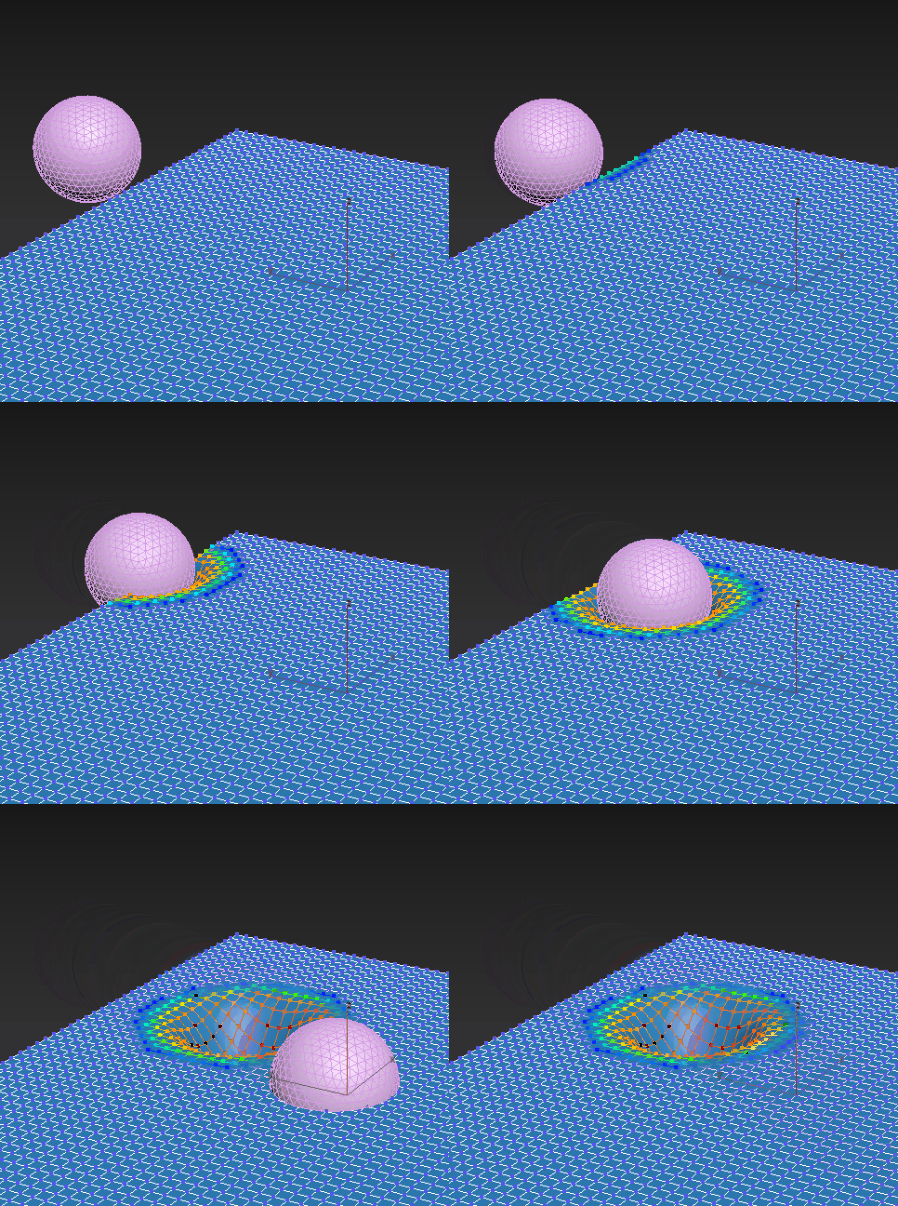
Caches the deformation at a specific frame. In the following example, when the Cache button is clicked halfway through the animation, the deformation is stored at that frame. Click Cache again to remove the stored deformation.