Before you can create folders and upload support files to an Autodesk project in Forma Data Management, you must connect to the project using Desktop Connector. Starting with AutoCAD 2027, there is an option to install Desktop Connector from the AutoCAD installer. If Desktop Connector is not installed or you need information on how to connect to a project, see the following topics in the Forma Data Management help:
- Once you have an initial project selected in Desktop Connector, in Windows File Explorer, browse to the
Forma Data Management folder.
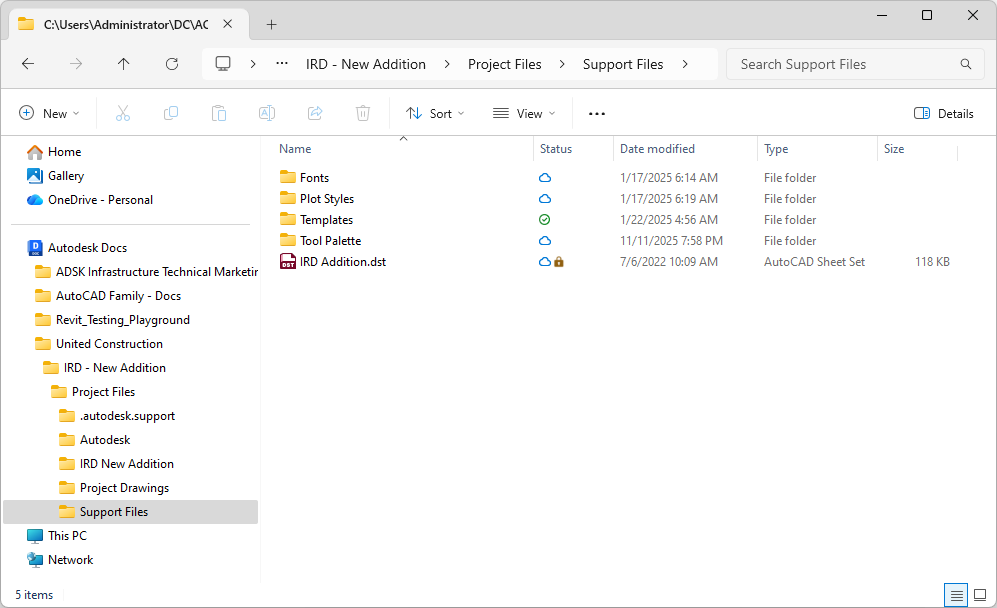
- In the Forma Data Management folder, navigate to your project's folder and add any additional folders needed to organize your support files.
- In your support folders, copy your support files that should be used by the drawings in your project.
The support files added to the local folders will be synchronized to Autodesk project with Desktop Connector.
In addition to using the Forma Data Management folder in Windows File Explorer, you can also upload the support files directly to Forma Data Management using your web browser. For information on uploading support files to Forma Data Management, see the Upload and Manage Files topic in the Forma Data Management help.