Customize Bill of Materials columns
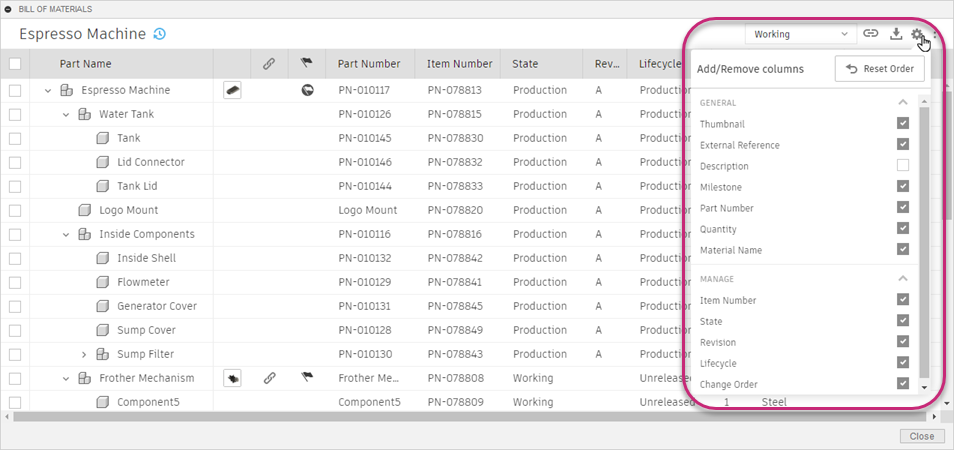
At the top right of the Bill of Materials, click Column Settings
 to open a list of available columns.
 Note: If you're using Fusion for education, the Bill of Materials will look slightly different for you.
Select or deselect the column names you want to show or hide.
Drag column headers side-to-side to change their order.