Change the Bill of Materials layout
Note: This content doesn't apply if you're using Fusion for education.
Click the Layout Switcher at the top left of the Bill of Materials.
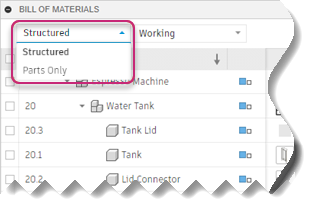
From the drop-down menu, select the type of layout you want to use.
- Structured: A hierchical view of assemblies and subassemblies.
- Parts Only: A list of parts and their quantities without any hierchical information.