Select Bill of Materials items
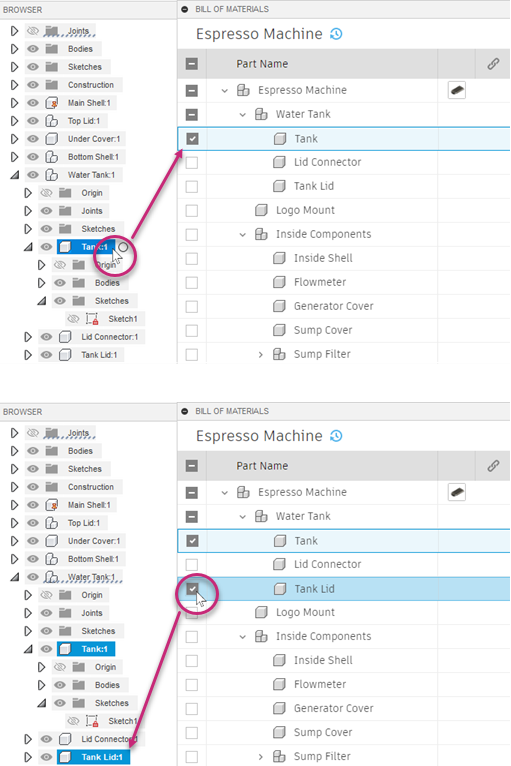
You can select items both from inside the Bill of Materials and in the Fusion canvas. Selections in one are reflected in the other.
Note: If you're using Fusion for education, the Bill of Materials will look slightly different for you.
Selection behaviors include:
- If you select a parent item in the browser, none of its children are selected; if you select a parent item in the Bill of Materials, it and its children are selected.
- If you select a child item in the browser, its parent is not selected; if you select a child item in the Bill of Materials, its parent is partially selected.
- In both the browser and the Bill of Materials, Ctrl+click an item to select it without selecting its parent.
- In both the browser and the Bill of Materials, Ctrl+click multiple items to select them all; no parents or children of the items are included in the selection.