Change Log
The Change Log provides a record of all updates made to an item. Use it to track who made changes, when they occurred, and what was modified. Each entry includes:
- Date and time of change
- User who made the change
- Action taken
- Description of what was changed
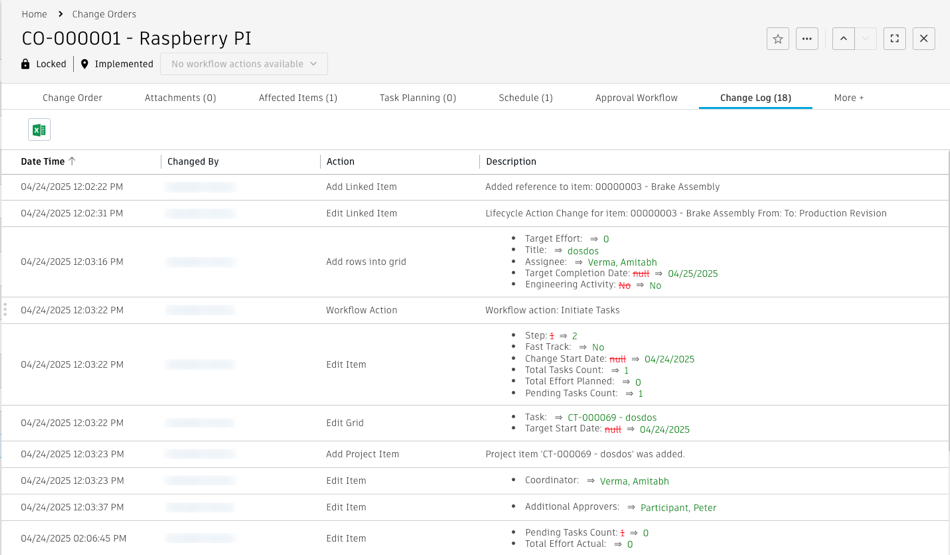
Description of changes
In the Description column, additions appear highlighted in green. Removals or changes appear in red with strikethrough text. This visual formatting helps you quickly identify what was added or removed.
Sorting
Changes display from most recent to oldest by default. Click the Date Time column header to change the sort order.
Export
To export the Change Log, click the Export as Excel icon and download the data for offline use.