
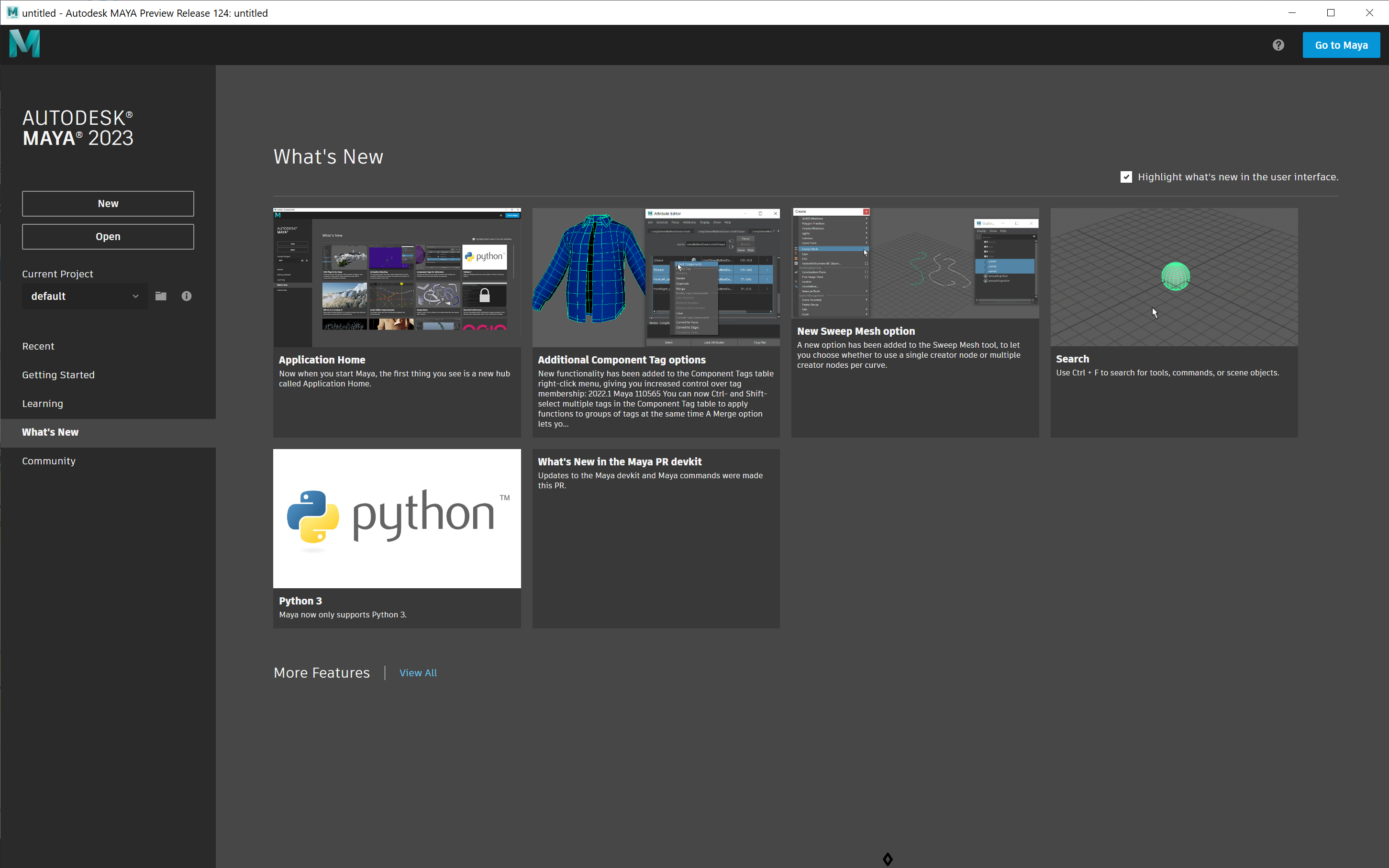
In-product Display of What's New Content
DPE provides an API call that greatly simplifies the display of What's New content directly in-product.
The only prerequisite is that the target topic is designated as that product's What's New topic.
To Designate a What's New Topic
Add the applicable context id to the topic's source, depending on whether or not the product has a release year:
- PRODUCT_WHATSNEW (without release year)
- PRODUCT_WHATSNEW_<release> (with release year)
To Access What's New Content In-product
Use the applicable call below.
Without release
https://beehive.autodesk.com/community/service/rest/caas/resource/caasdoc2/?contextid=<context-id>&p=<upi>&l=<language>With release
https://beehive.autodesk.com/community/service/rest/caas/resource/caasdoc2/?contextid=<context-id>&p=<upi>&v=<release>&l=<language>Example call
https://beehive.autodesk.com/community/service/rest/caas/resource/caasdoc2/?contextid=PRODUCT_WHATSNEW&p=AKNTEST&l=ENUThe HTML markup for the body of the What's New topic is assigned to caasContent in the JSON returned by the call and can be displayed directly in-product.
The link below returns the JSON for the designated AKNTEST topic, What's New Cards (PRD):