
Export a Data Tree
You can export a data tree to Microsoft Excel, and depending on the data tree content, Autodesk Revit.
To export a data tree, do the following:
From the Project Dashboard, select Edit Project at the top, right corner of the page.
The Project Settings dialog appears.
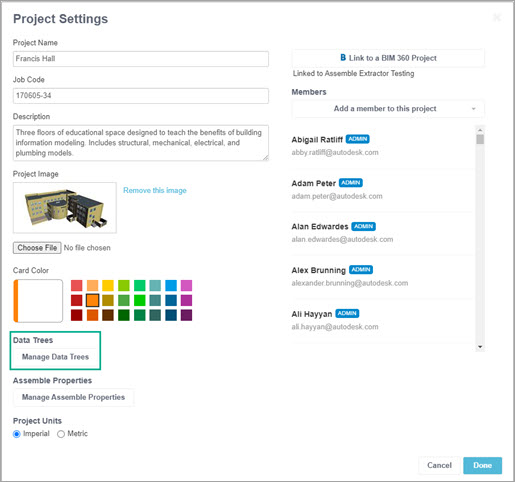
Select Manage Data Trees.
The Manage Data Trees dialog appears.
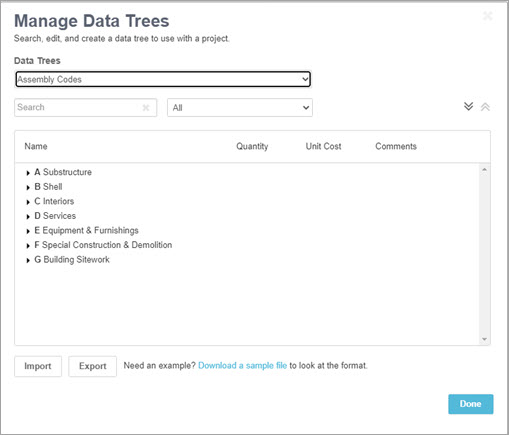
In Data Trees, select a data tree to export from the dropdown list.
Do one of the following:
If an Export dialog appears, select either Export for Autodesk Revit or Export to Microsoft Excel, then select Export.
If an Export dialog does not appear, go to the next step.
The exported file displays in the bottom, left corner of your screen.
Select the exported file to open it in the new application.
Additional Resources
- Create a Data Tree
- Import a Data Tree
- Edit a Data Tree
- Manage Assemble Properties