
Forma Build
Project Management
Submittals | Previous Revisions in Export – Submittal exports now include previous revision details, giving reviewers a complete history in one report. Previous revisions appear in both PDF and Excel formats alongside the current submittal version.
RFIs | Submission Dates – Submission dates are now tracked in the RFI workflow. Add the Submitted for review on column to your list view to see exactly when each RFI entered the review stage.
Schedule | 4D Schedule – 4D Schedule is now available as a public beta. Connect your schedule activities to 3D model elements so your team can see exactly where planned work happens. Click an activity to highlight the linked model elements, or run a simulation to watch the build sequence over time.
RFIs | RFI Pushpins on Sheets – Place RFI pushpins directly on a sheet to create an RFI in context. Each pushpin color reflects the current RFI status. Your team can spot open questions at a glance while reviewing drawings on web or mobile.
RFIs | Excel Reports Column Control – When you export RFIs to Excel, a column picker lets you choose which fields appear in the report. The picker reflects the columns visible in your RFI list view, so your export stays relevant and easy to share.
Submittals | Quick Filters on Mobile – Quick filters on mobile let you instantly narrow the submittals list to items that matter most to you. Tap a filter to show only items where you're the ball in court, items in review, or other common views—without building a filter from scratch.
RFIs | Date Types in Custom Fields – Administrators can now create custom RFI fields with a date type. Date fields let your team track important dates - such as expected response deadlines or milestone dates - alongside standard RFI data.
Field Management
Forms | Section Assignees in Library and Project Templates – Project teams can now require section assignment on form templates in the Hub Library and Project Templates. Assignment rules carry over to new projects, speeding up project setup and helping teams keep form standards consistent across a hub.
Issues | 2D/3D Pins for Revit Files Beta – Issue pins placed on Revit sheets now connect across views. The pin you place is matched to a view in the model and appears in every other view that covers the same spot, including other sheets and the 3D model. All connected pins belong to one issue, so they share its ID, status, and details, and moving the source pin repositions the issue everywhere at once. Learn more
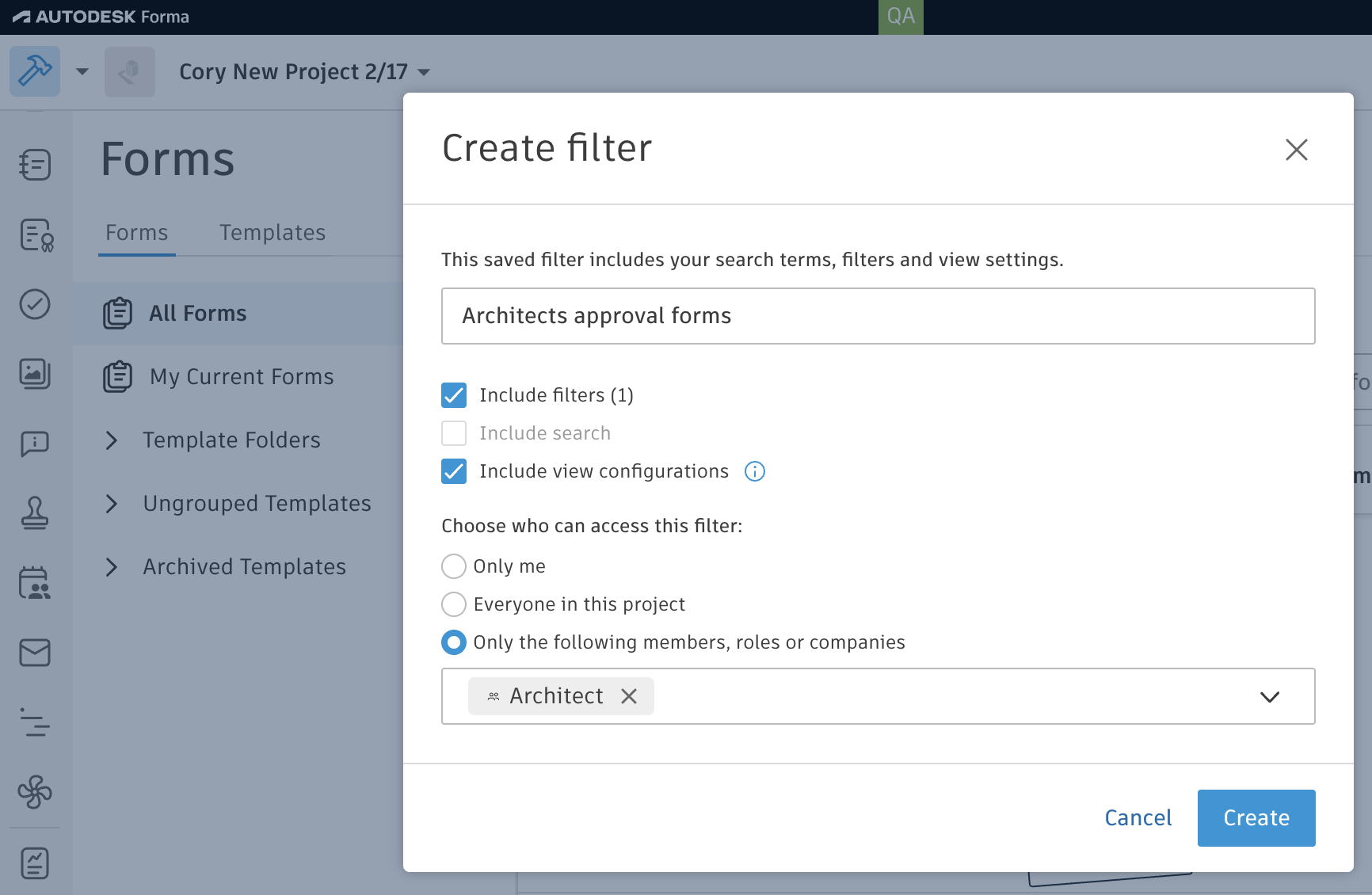
Forms | Share Saved Filters – Project administrators can create saved filters and share them with everyone in the project or with selected members, roles, or companies.
Issues | Enhancements - Quick Create Issues (Standard) – You can now start Quick Create issues with AI workflow from a sheet or a 2D view in the mobile app, on Android and iOS. Place a pushpin on the problem area and take a photo. AI generates the issue details in the background, so you can keep capturing. AI also fills in all issue details, including the assignee, watchers, and due date, based on similar issues recently created in the project.
Issues | Project Administrators Can View Unpublished Issues. – Starting in September, project administrators will be able to view and edit unpublished issues directly in their projects, including in the Issues log, sheets, models, and generated reports. Previously, unpublished issues were visible only to their creator, current assignee, and watchers. This change gives administrators full visibility into unpublished issues across the projects they manage. Learn more
Issues | Nested Issue Markups on Mobile – You can create, edit, and delete nested markups on 2D sheets and files in the mobile app, on Android and iOS. Nested markups attach to an issue pin instead of sitting loose on the sheet, so the visual context stays with the issue it belongs to.