
This dialog is displayed when you click New in the Open Database dialog for an on-premise workgroup or cloud database.
New Cloud Database dialog
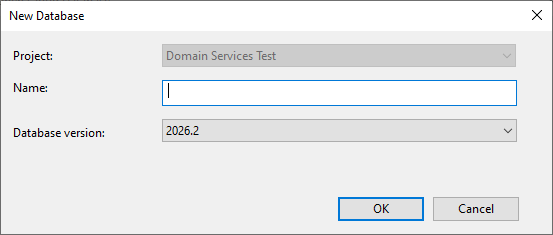
The dialog is used to:
- Select the project where the new cloud database is to be stored
- Specify the name for a new cloud database
- Select the version of the database that is to be used to create the new cloud database
Dialog description
| Item | Description |
|---|---|
| Project |
The name of the project where the new cloud database is to be stored. Note: Only projects which you have access to are displayed in the dropdown.
|
| Name |
The name of the database. |
| Database version |
The database version for the new database. The available versions are listed in the dropdown. Note: The oldest version available is 2023.0. |
| OK |
Saves any changes and closes the window. |
| Cancel |
Cancels any changes and closes the window. |
New Workgroup Database dialog
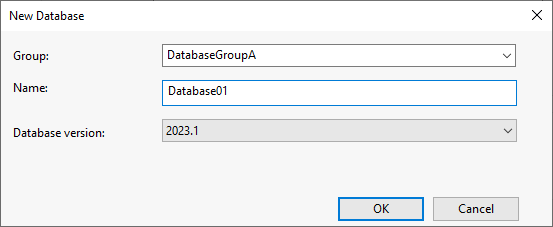
The dialog is used to:
- Select or add a new group to which the new workgroup database can belong
- Specify the name for a new workgroup database
- Select the version of the database that is to be used to create the new workgroup database
Dialog description
| Item | Description |
|---|---|
| Group |
The name of a group that the workgroup database can belong to. The names of groups already defined are contained in the dropdown. |
| Name |
The name of a workgroup database. |
| Database version |
The database version for the new workgroup database. The available versions are listed in the dropdown. Note: The oldest version available is 2023.0. |
| OK |
Saves any changes and closes the window. |
| Cancel |
Cancels any changes and closes the window. |