Move Assets Between Folders and Asset Libraries
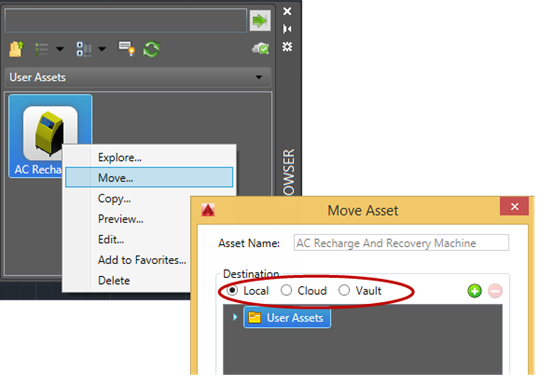
Right-click on an asset in the Asset Browser, and select Move from the context menu to move the selected asset to another folder or asset library (including local, cloud, and Vault). This feature is available in AutoCAD Factory and Inventor Factory.
Related help topics:
Inventor Factory: Inserting Factory Assets
AutoCAD Factory: Factory Asset Browser Reference
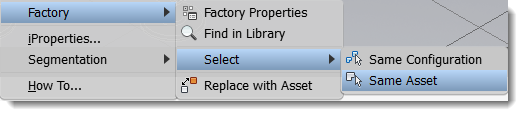
Use Select to Locate Same or Similar Assets
- Same Configuration: Selects assets with the same asset ID and identical parameters.
- Same Asset: Selects assets with the same asset ID, but with different parameters.
Right-click on an asset in the layout to access the context menu.
Related help topics:
Inventor Factory: Searching for Assets
AutoCAD Factory: Searching for Assets
Delay Tooltip Display
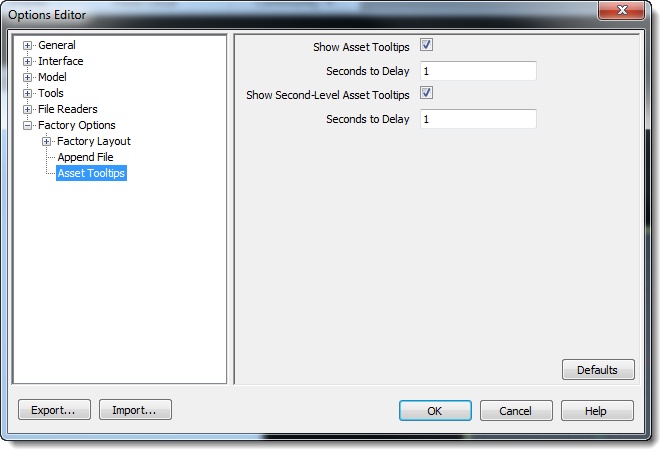
AutoCAD Factory and Inventor Factory now take advantage of the tooltip and second-level tooltip delay settings in Options. This setting can prevent tooltips from popping up as you move your mouse around your layout; you must hover over an asset for the amount of time specified in the settings before the tooltip displays. This setting did not previously exist in Navisworks, but has been added in this release. The settings are in Asset ToolTips in Factory Options.
Related help topics:
Inventor Factory and AutoCAD Factory: Refer to Inventor and AutoCAD online help for information about these settings
Navisworks Factory: Factory Options - Tooltip Settings
Designate the Layer in Which Text Annotations Appear in AutoCAD
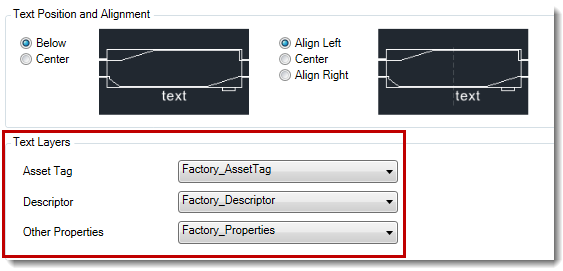
New Text Layers settings on the AutoCAD Options Factory Annotations tab indicate the layer in which asset tags, descriptors, and other properties appear. You can select a different layer for each text category.
Related help topics: