Bulk Download and Update Assets from the Asset Browser
You can now quickly and easily download or update an entire library folder and its subfolders of Factory assets recursively from the Factory Asset Browser.
Previously, you had to update your Factory assets one at a time. This new feature allows you to quickly download or update your Factory assets in bulk.
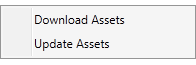
To bulk download or update your Factory assets:
- Select any folder, subfolder, or list of Search Results from the Asset Browser.
- Right click your selection to access the new list of context menu options.
- Select Download Assets or Update Assets from the menu.
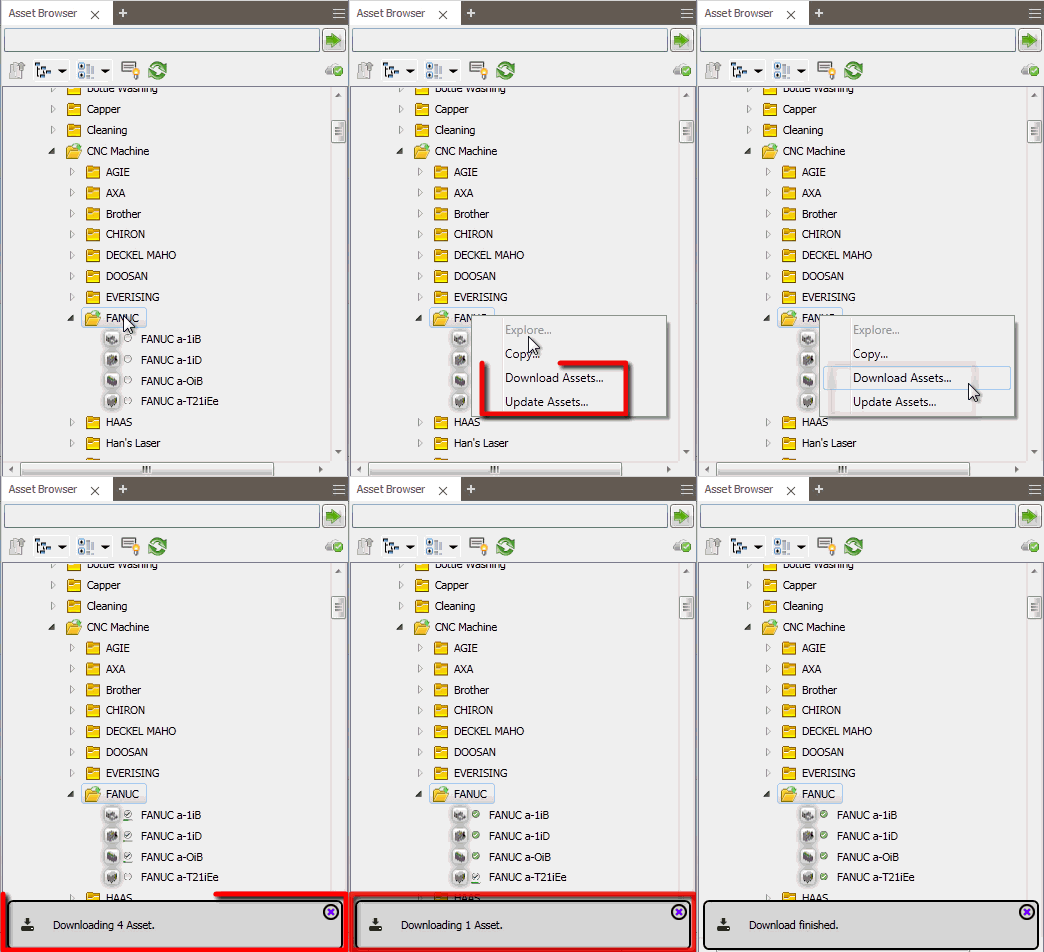
You can now bulk update or download your Factory assets in the following libraries of the Asset Browser:
- AutoCAD Factory libraries
- Inventor Factory libraries
- Vault Factory libraries
- Asset Browser Search results
- Cloud asset libraries
- Favorites libraries
Related Help topics:
Inventor Factory:
Updating and Downloading Assets in Inventor
Inventor Factory Asset Browser Reference
AutoCAD Factory:
Updating and Downloading Assets in AutoCAD
AutoCAD Factory Asset Browser Reference
Vault Factory: